






How to Build a Food Delivery App with AI in 1 Hour
TL;DR
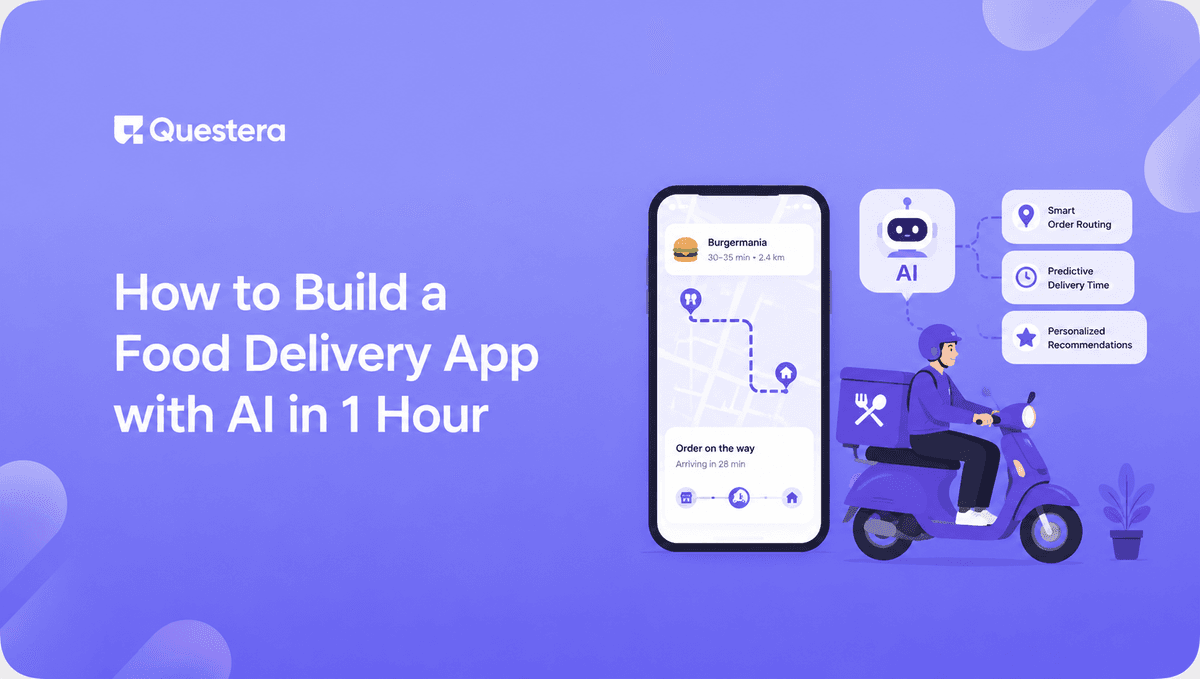
You can build a food delivery app with AI in 1 hour using vibe coding platforms like Greta, Lovable, or Bolt. Scaffold the app in 10 minutes with a structured prompt, wire up the menu and cart in 20 minutes, add auth and Stripe in 15 minutes, and polish for mobile in 15 minutes. The result is a working MVP for a niche audience — a single restaurant, a meal prep service, or a hyper-local delivery niche — not an Uber Eats clone.
Introduction
Building a food delivery app used to mean six months of development, $50k–$200k in engineering costs, and a team that understood maps, payments, real-time order tracking, and restaurant POS integrations. Most founders didn't even try. In 2026, the equation has flipped — a non-developer can scaffold a working food delivery MVP in a single hour using AI vibe coding platforms.
The catch: an MVP built in an hour isn't Uber Eats. It's a focused, niche delivery app for a single restaurant, a meal prep service, a local catering operation, or a specific community. That's not a limitation — it's exactly where the opportunity sits in 2026. This guide walks through the full 1-hour build, the exact prompts to use, and how to launch the result.
What kind of food delivery app can you really build in 1 hour?
A food delivery app you can realistically build in 1 hour is a single-vendor or hyper-niche operation. Think one restaurant's own ordering app, a meal prep subscription service, a local catering business, a campus food spot, or a private chef's client portal. Not a multi-restaurant marketplace with live driver tracking, dynamic pricing, and 30,000 SKUs.
The distinction matters because the 1-hour timeline assumes a contained scope. You're building the ordering surface that 80% of food businesses actually need — menu, cart, checkout, order confirmation — not the logistics platform that 1% of operators are building. According to a 2025 Toast restaurant report, over 60% of independent restaurants now offer direct online ordering, and most use templated solutions because custom development was historically too expensive. AI changes that equation entirely.
What the 1-hour build includes
A 1-hour AI-built food delivery MVP has six things: a branded landing page, a menu with categories and items, a cart with quantity adjustments, customer sign-in, payment via Stripe, and an order confirmation screen. That's enough to start taking real orders.
What it doesn't include
Live driver tracking, multi-restaurant search, real-time inventory across locations, route optimization, and integration with restaurant POS systems are all v2+. None of these can be built in an hour, and most niche operators don't need them.
Build this with a prompt on Greta.sh — describe the app, Greta writes and deploys it.Which AI platform should you use?
For a 1-hour food delivery build, you want a platform that handles full-stack output (frontend + database + auth + payments) without forcing you to manually wire up multiple services. Three credible options:
| Platform | Best For | Why It Works for Food Delivery |
|---|---|---|
| Greta | Solo founders, end-to-end builds | Bundled growth tooling, multi-backend support, fast scaffolding |
| Lovable | Designers, PMs, React workflow | Strong UI polish, native Supabase backend |
| Bolt.new | Technical builders, Figma users | Browser-native, fast feedback, Plan mode for architecture |
For non-developers shipping their first food delivery MVP, Greta is the fastest path because domain setup, basic SEO, and analytics come built in — meaning you can launch a publicly accessible app inside the same hour. For React-comfortable builders, Lovable produces strong UI on first pass. For technical founders who want code visibility, Bolt.new works well. We cover the broader trade-offs in Greta vs Lovable.
How to build a food delivery app with AI in 1 hour — step by step
Here's the exact sequence. Set a timer; the hour goes faster than you'd think.
Minutes 0–10: Scaffold the app with one structured prompt
Open your chosen platform and paste this prompt, swapping the placeholders for your specifics:
"Build a food ordering app for [restaurant/business type]. Customers should be able to browse a menu organized by categories, add items to a cart with quantity controls, sign in with email magic link, and check out with Stripe. Include 4 screens: Menu (with category filters), Item Detail (with description, image, price, customizations), Cart, and Order Confirmation. Design vibe: warm, appetizing, with a single accent color [hex]. Use generous photography-driven layouts. Make it mobile-first."
Let the platform scaffold. Don't iterate yet — just verify the structure looks right before adding features.
Minutes 10–30: Wire up the menu and cart
Run these prompts in sequence:
- "Create a MenuItem table with fields: id, name, description, price (decimal), category (text), image_url, available (boolean). Seed it with 12 sample items across 3 categories."
- "Make the menu fetch items from the database. Group by category. Each item card shows image, name, price, and an Add to Cart button."
- "Build cart state. When a user adds an item, store it in cart state with quantity. Show cart count in the top-right header. Cart screen should list items with quantity steppers and a total."
- "Add item customizations — for each item, allow optional add-ons (extra cheese, no onions, etc.) with price adjustments. Store customizations on the cart item."
For UI quality during this step, the layered prompting approach in our guide on AI Prompts for Generating Beautiful UI Designs consistently produces output that looks designed rather than templated.
Minutes 30–45: Add authentication and payments
Three prompts handle the entire commerce layer:
- "Add email magic link authentication. Customers should be able to check out as a guest or sign in for faster future orders."
- "Add Stripe Checkout for payments. On cart checkout, create a Stripe session with the cart items and redirect to Stripe. On successful payment, redirect to an Order Confirmation screen and save the order to the database."
- "Create an Order table with fields: id, user_id, items (JSON), total, status (text), created_at. On successful payment, write the order with status = 'received'."
Verify in a real Stripe test environment before moving on. The platform's preview is usually accurate, but Stripe is the layer most likely to have edge cases.
Want to try one of these? Start on Greta.sh — no setup, no boilerplate — just a prompt.Minutes 45–60: Polish for mobile and add real-time order status
This is where the app goes from working to launch-ready.
- "Make every screen fully responsive on mobile — single column, large tap targets, safe areas respected. Test on a 375px viewport."
- "Add a simple admin view at /admin where the restaurant can see incoming orders in a list, with status dropdown (received → preparing → ready → completed)."
- "Update the customer's Order Confirmation screen to show the live status of their order. When the admin updates the status, the customer sees it update in real time."
The real-time status step uses the same patterns covered in detail in our guide on how to add real-time features to your AI-built app. On Greta or Lovable, this is essentially one prompt because Supabase Realtime is bundled.
What does the finished food delivery app actually do?
After the 1-hour build, you have a working food delivery app that handles real orders end to end. Specifically:
- Customer-facing menu with categories, item details, photos, and customizations
- Cart and checkout with quantity adjustments and Stripe payments
- Customer accounts for repeat ordering
- Admin order dashboard for the restaurant to manage incoming orders
- Real-time order status updates so customers see when their food is being prepared, ready, and completed
- Mobile-responsive UI that works on phones
- A live URL you can give to actual customers
That's enough to launch with a single restaurant, a meal prep service, or a local catering business and start collecting revenue the same day. For a deeper walkthrough of mobile-specific builds, see our guide on how to Build a Mobile App From a Single Prompt.
What types of food businesses fit this 1-hour MVP best?
Not every food operation needs the same app. The 1-hour build fits some businesses extremely well and is a poor fit for others.
- Single-restaurant ordering — Perfect fit. The restaurant owns the customer relationship instead of paying 30% to DoorDash.
- Meal prep subscription services — Excellent fit. Weekly menu, cart, payment, delivery zip code — all handled in the scaffold.
- Local catering operations — Good fit. Add a custom order form and minimum order logic.
- Private chefs and personal chef services — Good fit. Customer portal for their existing client list.
- Coffee shops and bakeries with pickup orders — Great fit. Pickup time selector instead of delivery address.
- Ghost kitchens with one brand — Great fit. Focused menu, single ordering surface.
- Multi-restaurant marketplaces — Poor fit for 1-hour build. This is a v3+ scope problem.
- Apps with live driver tracking — Poor fit. Live tracking adds days of complexity, not minutes.
The pattern: single-vendor or single-niche food operations fit beautifully. Anything involving logistics across multiple parties needs more time and engineering.
How to actually launch the app you just built
Building the app in an hour is the easy part. Launching it is its own short workflow.
- Connect a real domain — Most platforms include this in their plan; don't launch on a .app subdomain.
- Replace placeholder photos with real ones — Food photography matters enormously for conversion. Use the restaurant's existing photos or shoot 12 quick ones with a phone in good light.
- Set up Stripe with real bank details — The Stripe test mode used during the build needs to switch to live mode before you take real orders.
- Soft launch with 3–5 known customers — Have them place real orders. Fix anything that breaks. This is where you'll find the 2–3 edge cases the 1-hour build missed.
- Add a basic about/contact page — One prompt: "Add an About page with the restaurant's story, contact info, and hours."
- Set up basic analytics — PostHog, Plausible, or built-in platform analytics. Track order completion rate from day one.
- Print a QR code for the restaurant — The single best low-cost distribution channel for a single-restaurant ordering app.
Common Mistakes to Avoid
- Trying to build Uber Eats in an hour — The 1-hour timeline assumes single-vendor or niche scope. Don't try to add multi-restaurant search, driver dispatch, or dynamic pricing.
- Skipping the admin order view — A food delivery app without an order dashboard makes the restaurant blind. Always include this in the 1-hour build.
- Forgetting customizations and modifiers — "Extra cheese," "no onions," and dietary tags matter. Build customizations into the data model from minute 20, not as an afterthought.
- Skipping mobile polish — Most food delivery orders happen on phones. If mobile isn't tested on a real device, you'll lose orders silently.
- Launching without Stripe live mode — A surprising number of vibe-coded apps go live with Stripe in test mode. Switch to live mode before you share the URL.
- Ignoring real-time order status — Customers want to know when their food is ready. Real-time status updates aren't optional; they're table stakes in 2026.
- Treating the 1-hour MVP as a finished product — It's a v1. You'll iterate based on real customer behavior in the days after launch.
Frequently Asked Questions
Ready to ship? Open Greta.sh — your idea → a working app, in one chat.1. Can you really build a food delivery app with AI in 1 hour?
Yes — for a single-vendor or niche food business (one restaurant, meal prep, catering, ghost kitchen), a complete ordering MVP can be built in 60 minutes using AI vibe coding platforms like Greta, Lovable, or Bolt. Multi-restaurant marketplaces with live driver tracking are not 1-hour builds.
2. Do I need any coding skills to build a food delivery app with AI?
No traditional coding skills required, but you need to read what the AI generates, swap placeholder values for your specifics, and describe problems clearly. The build itself uses structured prompts, not code.
3. How much does it cost to build and launch a food delivery app this way?
Total launch costs are typically $50–$150: AI platform subscription ($20–$50/month), domain ($12), AI API credits for embedded features ($20), and Stripe (free; 2.9% + 30¢ per transaction). No developer or agency fees.
4. Can I take real payments from day one?
Yes. Stripe integration is one of the 1-hour build steps. Once you switch Stripe from test mode to live mode and connect your business bank account, you can accept real payments immediately.
5. How does this compare to using Toast, Square, or DoorDash for ordering?
The trade-off is ownership vs. convenience. Toast and Square handle hardware and full POS integration; DoorDash handles delivery logistics but charges 15–30% per order. An AI-built ordering app costs essentially nothing per transaction beyond Stripe fees, and the restaurant owns the customer relationship.
6. What if I want to add multi-restaurant search later?
That's a v2+ build, not a 1-hour scope. Multi-vendor marketplaces require additional data architecture (vendor accounts, search, ranking), payment splits, and operational complexity. You can extend the 1-hour MVP toward this over weeks, but don't try to build it in the first hour.
7. Will this app actually scale to real customer volume?
For a single restaurant doing under 200 orders/day, yes — modern vibe coding platforms handle this load comfortably on default infrastructure. Beyond that, you may need engineering review for performance hardening. We cover this trade-off in detail in our piece on Vibe Coding vs Traditional Coding.
Conclusion
- Building a food delivery app with AI in 1 hour is genuinely possible — for single-vendor or niche food operations. The scope is the constraint, not the technology.
- The 1-hour build covers menu, cart, customer accounts, Stripe payments, admin order view, and real-time order status. That's enough to launch and take real revenue the same day.
- Greta, Lovable, and Bolt.new all handle this build well. Greta is the fastest for non-developers because growth tooling is bundled; Lovable polishes UI hardest on first pass; Bolt suits technical builders who want code visibility.
- The 60-minute timeline is realistic because the scope is contained. Trying to build a multi-restaurant marketplace with live driver tracking will take longer — but most food operators don't need that. Most need exactly what the 1-hour build delivers.
Pick a real food business (your own, a friend's, or one you can pitch), set a one-hour timer, and run through the prompt sequence above. The result will be a working food delivery MVP — and a clear demonstration of what AI app builders have actually unlocked for niche operators in 2026.





© 2026 Questera
Follow in Google