






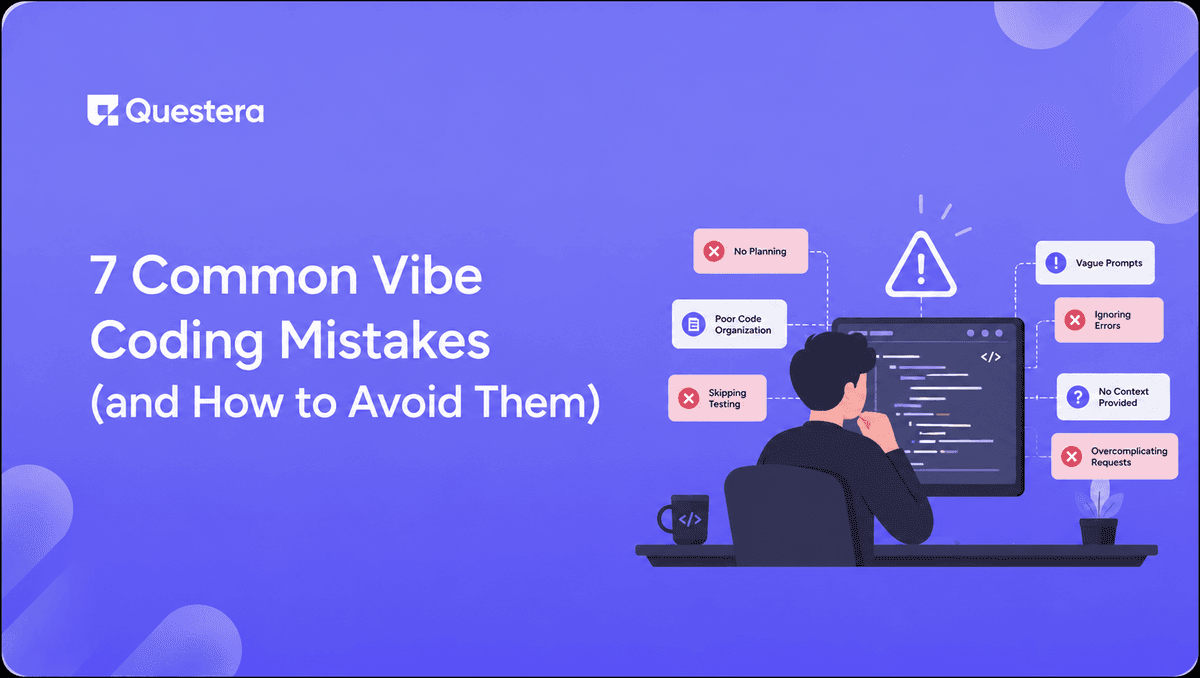
7 Common Vibe Coding Mistakes (and How to Avoid Them)
TL;DR
The 7 most common vibe coding mistakes are: writing one mega-prompt instead of layered prompts, skipping the data model design, ignoring mobile until launch, treating MVPs as production-ready, vibe coding security-sensitive logic without review, not testing on real devices, and underestimating AI API costs. Each one is fixable with a small workflow change — and avoiding them is the difference between shipping in a week and rebuilding in three.
Introduction
Most vibe-coded apps that stall don't fail because the AI is bad. They fail because of a handful of predictable mistakes the builder makes — usually the same ones, in roughly the same order. Once you've seen these mistakes wreck a few weekend builds, the pattern is unmistakable, and the fixes are simple.
This post is the honest postmortem of what consistently goes wrong in vibe coding — and the small workflow changes that prevent it. Skip the lessons here and you'll learn them the hard way. Apply them and you'll ship the next build cleanly, without the rework cycles that kill momentum.
Why do these mistakes happen so consistently?
The patterns repeat because vibe coding is genuinely new for most people. Even experienced developers default to old habits when they pick up an AI builder — treating it like a code editor that types faster, or like a traditional no-code tool with hard limits. Neither model fits. Vibe coding has its own workflow with its own failure modes, and learning them takes a few build cycles.
The good news: each one has a clear fix. None of them require code knowledge or a senior engineering review. They just require discipline around how you prompt, what you skip, and when you test.
Mistake 1: Writing one mega-prompt instead of layered prompts
This is the single most common failure pattern. A builder opens a vibe coding platform, types out a five-paragraph prompt describing the entire app — features, design, payments, auth, pricing, mobile — and hits enter. The output is a mess. Everything is half-done, nothing is right, and the next prompt accidentally breaks the last fix.
Why it fails
AI builders perform best with focused, sequential prompts that have clear dependencies. A mega-prompt forces the AI to make dozens of small decisions in parallel, and many of them will be wrong. Each subsequent fix tends to ripple into adjacent features the builder didn't realize were linked.
How to avoid it
Build in layers, not all at once. Scaffold first, then the data model, then auth, then core features, then payments, then polish. Each layer gets its own prompt. This adds maybe 10 minutes to the build and saves hours of rework.
What to do instead
"Build the scaffold only — no features yet. Four screens with placeholder content: Dashboard, Settings, Profile, and one main feature page. Use [design vibe]."
Then run the next layer when the scaffold looks right. One feature per prompt is the rule that consistently produces clean output.
Mistake 2: Skipping the data model before adding features
Second most common — and arguably the most expensive to recover from. A builder gets excited, asks the AI to build a working app with progress charts and history views, and only later realizes the underlying schema is wrong. Now every feature has to be rebuilt to match a corrected data model.
Why it fails
Most app features depend on the underlying data structure. Charts need a database to query. History views need timestamps and foreign keys. Permissions need user IDs on every record. If the schema is wrong, every dependent feature has to be redone.
Build this with a prompt on Greta.sh — describe the app, Greta writes and deploys it.How to avoid it
Define the data model as a separate, explicit prompt before any feature that touches data. Take 10 minutes to think through the entities, fields, and relationships before you let the AI generate the first chart.
What to do instead
"Create the database schema only. The main entity is [name] with fields: [list each field with its type]. Each [entity] belongs to a user. Add a [related entity] table with fields: [list]. Set up the foreign keys but don't add any UI yet."
Then verify the schema by inspecting it before moving on. This step alone prevents the single most expensive rework cycle in vibe coding.
Mistake 3: Ignoring mobile until launch day
A surprising number of vibe-coded apps look great on a laptop and fall apart on a phone. Tap targets are too small, modals overflow the screen, text wraps awkwardly, and the bottom nav covers content. The builder didn't catch it because they tested the entire build in a desktop browser.
Why it fails
Most AI builders generate desktop-first by default, even when the prompt asks for responsive design. The output passes a desktop visual inspection but has hidden mobile breakage. Since 50%+ of SaaS traffic is now mobile, this often means losing half the users silently.
How to avoid it
Test on a real phone after every major feature, not just at the end. Browser dev tools don't catch enough; safe areas, tap target sizes, and scroll behavior only behave correctly on actual devices.
What to do instead
Run an explicit mobile pass after every 3–5 prompts: "Make this screen fully responsive on mobile. Fix tap targets (minimum 44px), spacing on small screens, modal overflow, and any horizontal scroll issues. Test on a 375px viewport."
For mobile-first builds, our guide on how to Build a Mobile App From a Single Prompt covers the full mobile-priority workflow.
Mistake 4: Treating MVPs as production-ready
This is the mistake that costs founders the most outside of code. A vibe-coded MVP gets traction, the founder starts taking real revenue, and suddenly the app has 200 users, no rate limiting, no monitoring, no error tracking, and a database that hasn't been backed up. Something goes wrong at the worst possible moment.
Why it fails
A working vibe-coded MVP is not the same as a production-ready system. The two differ in dozens of small ways — observability, rate limiting, backups, security review, performance under load — that don't matter until they suddenly all matter at once.
How to avoid it
Treat the transition from "working MVP" to "production app" as a deliberate hardening phase, not a passive evolution. Bring in engineering review the moment revenue or users justify it. We cover the full trade-off in Vibe Coding vs Traditional Coding.
What to do instead
Before crossing into real production usage:
- Add error tracking (Sentry, Rollbar, or built-in platform options)
- Add basic rate limiting on AI features to prevent runaway costs
- Set up automated database backups
- Add basic uptime monitoring
- Have an engineer review the auth and payment flows specifically
These five steps take a day and prevent the catastrophic version of this mistake.
Mistake 5: Vibe coding security-sensitive logic without review
A small subset of code carries outsized risk: authentication, authorization, payment processing, file uploads, and anything handling sensitive user data. Vibe coding handles these cleanly most of the time — but the failure modes are catastrophic when it doesn't.
Want to try one of these? Start on Greta.sh — no setup, no boilerplate — just a prompt.Why it fails
AI builders sometimes produce code that looks correct but has subtle security issues — row-level security policies that don't scope correctly, file upload endpoints that accept any file type, or auth flows that leak tokens in URLs. These don't show up in functional testing; they show up when someone with bad intent probes the app.
How to avoid it
For the security-sensitive 10% of an app, get engineering review before launch. For the other 90%, vibe coding is fine. The skill is knowing which 10% needs the extra step.
What to do instead
Explicit security-focused prompts catch most issues: "Review the authentication and authorization logic in this app. Confirm that every database query is scoped to the current user, file uploads validate file type and size, and no sensitive data is exposed in URLs or client-side code."
Then, before launch, have someone technical look at the auth, payment, and data access layers specifically. Even an hour of review prevents the worst failure modes.
Mistake 6: Not testing with two browsers or devices for real-time features
Real-time features look like they work when you test them alone. You open one browser, send a message, it appears in the chat. Great. Then real users hit the app, two people are online at the same time, and the bugs start — messages appearing twice, presence indicators stuck on "online" when users have left, race conditions in the database.
Why it fails
Real-time features have failure modes that only manifest with multiple concurrent users. Subscriptions can fire in unexpected orders. Optimistic UI updates can collide with server responses. Presence tracking can get stuck if disconnect events aren't handled cleanly.
How to avoid it
Test every real-time feature with two real browsers (or one browser + one phone) before considering it done. This catches 80% of real-time bugs before launch.
What to do instead
- Open the app in two browsers, signed in as different users
- Trigger the real-time action in browser one (send message, move pipeline card, update record)
- Confirm browser two updates within 1 second without a refresh
- Disconnect browser two's Wi-Fi for 30 seconds, then reconnect — confirm state catches up correctly
- Send rapid actions in both browsers simultaneously — confirm nothing duplicates or races
For the full real-time testing approach, our guide on how to add real-time features to your AI-built app walks through the prompts and verification steps in detail.
Mistake 7: Underestimating AI API costs
The last mistake is the one that quietly kills profitability. A founder builds an app, charges $9/month, and discovers two months in that each power user is burning $30/month in OpenAI or Anthropic API calls. The app is scaling — into deeper losses.
Why it fails
AI features feel free during development because most platforms cover initial API costs with starter credits. The real cost only shows up at scale, and by then the pricing model is already in market.
How to avoid it
Calculate cost-per-user before launch, not after. Take the heaviest expected user behavior, run it through the platform, and measure actual API consumption. Then set pricing — and rate limits — to leave margin.
What to do instead
- Identify the most expensive AI action in your app (long generation, RAG queries, image generation)
- Simulate a power user doing that action 50–100 times in a month
- Measure total API cost for that simulation
- Multiply by 1.5x for safety margin
- Set pricing so that AI cost is no more than 30% of revenue per user
Also add rate limits per user from day one. Without them, one abusive user (or one bug) can spike your costs catastrophically. We cover the broader pricing trade-offs in our writeup on Greta vs Lovable and other platform comparisons.
Ready to ship? Open Greta.sh — your idea → a working app, in one chat.How to fix all 7 mistakes at once
The fixes aren't independent — they're a single workflow discipline. Builders who avoid all 7 mistakes share the same handful of habits.
- Always write a one-paragraph spec before opening the AI builder — Forces clarity on user, scope, and core feature.
- Always define the data model as its own prompt — Before any feature that touches data, define the schema.
- One feature per prompt — Never combine UI, logic, and data wiring in the same prompt.
- Test on a real phone after every major feature — Mobile breakage is the silent killer.
- Test real-time with two devices — Race conditions only appear with concurrent users.
- Review security-sensitive layers explicitly — Auth, payments, file uploads, and sensitive data all get an extra pass.
- Calculate cost-per-user before pricing — AI features can quietly invert your unit economics.
These habits don't add much time to a build. They add maybe 20% overhead in the first hour and save days of rework downstream.
Common Mistakes to Avoid (Meta-Mistakes)
Beyond the seven above, three meta-mistakes show up in builders who repeatedly stall on multiple projects.
- Refusing to write specs — "I'll figure it out as I prompt" works for tiny apps and fails for anything bigger.
- Trying to vibe code everything — Some categories (complex backends, regulated industries, security-critical systems) need engineering. Recognize the line.
- Not learning from each build — Most stalled builders make the same mistakes on project two as project one. Keep a personal "what went wrong" log and reference it before each new build.
Frequently Asked Questions
1. What's the single most common vibe coding mistake?
Writing one mega-prompt instead of layered prompts. Builders who try to describe the entire app in one prompt almost always end up with a half-done mess that's harder to fix than starting over. The fix is simple — one feature per prompt, in dependency order.
2. How can a non-developer catch security mistakes in vibe-coded apps?
For the security-sensitive 10% of an app (auth, payments, file uploads, sensitive data), get an engineer to review the code before launch. Most freelance engineers will do this for $200–$500 — cheap insurance for the worst failure modes.
3. Are these mistakes specific to certain vibe coding platforms?
No — the same mistakes appear across Greta, Lovable, Bolt, Emergent, v0, and Cursor. They're workflow-level mistakes, not platform-specific bugs. The fixes apply universally.
4. How long do these mistakes typically delay a build?
Individual mistakes usually delay builds by 4–24 hours of rework each. Compound mistakes (skipping the data model and ignoring mobile, for example) can require a near-total restart that costs 3–5 days. Builders who avoid all 7 typically ship 2–3x faster than first-timers.
5. Can AI builders themselves catch these mistakes automatically?
Partially — modern builders like Bolt's Plan mode and Lovable's multi-mode editing help catch architectural mistakes early. But most of these mistakes are workflow-level (how you prompt, what you skip, when you test) and the AI can't enforce discipline you don't have.
6. What's the biggest mistake to avoid as a first-time vibe coder?
Skipping the spec. A one-paragraph product description before you open the AI builder is the single highest-leverage thing you can do. Builders who skip it spend 2–3x longer iterating because the AI doesn't know what they actually want.
7. Are real-time features worth the added complexity given the failure modes?
For app categories where real-time is table stakes (chat, collaboration, dashboards, AI generation, order tracking), yes. For other categories (simple AI tools, basic CRMs, content generators), real-time often adds complexity without proportionate value. Match the feature to the product, not the trend.
Conclusion
- The 7 most common vibe coding mistakes are predictable, repeat across builders, and each have clear fixes. Most failed builds fail because of these, not because the AI is incapable.
- Mega-prompts and schema shortcuts cause the most expensive rework. Investing 10 minutes in a one-paragraph spec and an explicit data model prompt saves hours downstream.
- Mobile, security, and real-time features are the three areas where failure modes are silent and damaging. Test on real devices, get engineering review for sensitive layers, and validate real-time with two browsers.
- Cost-per-user calculation before pricing is the single most important business habit for AI app founders. Without it, you'll scale into losses without realizing it.
Pick one mistake from this list that hit your last build. Apply the fix on your next one. Builders who internalize these workflows ship 2–3x faster than those who learn them the hard way — and the difference compounds across projects.





© 2026 Questera
Follow in Google