






PRD Templates for AI App Builders: From Idea to Code
TL;DR
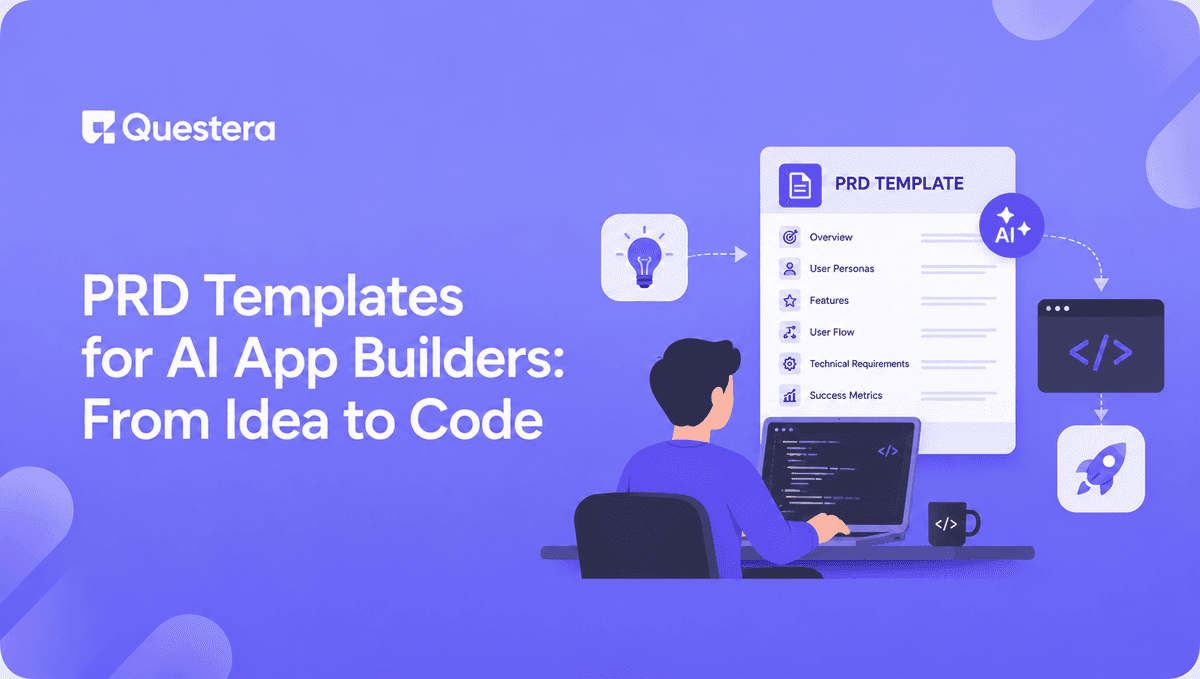
PRD templates for AI app builders compress the gap between idea and code. A good PRD for vibe coding is shorter and more structured than a traditional PRD — 1–2 pages covering target user, core feature, data model, screens, design vibe, and success criteria. Paste it as your first prompt on Greta, Lovable, Bolt, or Emergent, and the AI uses it as a build spec. The result is a v1 that matches your intent on the first scaffold instead of 10 prompts in.
Introduction
Traditional Product Requirements Documents were written for engineers. They detailed user stories, acceptance criteria, edge cases, and technical constraints — often running 20+ pages — because the human reading them needed to translate intent into code over weeks or months. AI app builders don't need that. They need a tighter, sharper artifact that captures product intent in a way the AI can immediately turn into a working scaffold.
This guide gives you the PRD templates that consistently produce clean output across modern vibe coding platforms. Each template is copy-ready, structured for prompting, and tested across Greta, Lovable, Bolt, Emergent, and v0. By the end, you'll have a complete PRD library you can adapt to any build — SaaS, mobile, internal tool, AI feature wrapper.
What is a PRD for an AI app builder?
A PRD for an AI app builder is a concise, structured product specification — typically 1–2 pages — designed to be pasted into an AI vibe coding platform as the initial build prompt. It captures product intent in a form the AI can immediately scaffold against.
It differs from a traditional PRD in three ways: it's much shorter (1–2 pages vs. 20+), it's structured for prompting rather than reading (specific sections in a specific order), and it skips the parts the AI handles autonomously (file structure, framework choice, deployment configuration).
Founders who use structured PRDs as their first prompt ship v1 builds significantly faster than those who describe apps conversationally. The pattern is consistent across platforms — the AI does dramatically more useful work when given a clear spec instead of a vague idea.
Why traditional PRDs don't work for vibe coding
Traditional PRDs were optimized for the wrong reader. They were written so a human engineer could translate ambiguity into code over weeks. AI builders compress that translation into seconds — but they need the spec in a format they can act on directly. Most traditional PRDs fail in vibe coding contexts because they:
- Spend pages on engineering constraints the AI handles automatically (frameworks, deployment, infrastructure)
- Bury the core feature under user research and competitive analysis
- Use vague language ("the system should…") instead of concrete data fields and screens
- Omit the design vibe entirely, since traditional engineers don't need it
- Include edge cases that should be discovered through iteration, not pre-specified
The fix isn't to write a better long PRD. It's to write a different kind of artifact entirely — one structured for AI consumption rather than human translation.
What does a good vibe coding PRD include?
A good vibe coding PRD has eight sections: target user, problem, core feature, data model, screens and flows, design vibe, integrations, and success criteria. Each section is short — usually 2–5 sentences — and concrete. Vague descriptions waste the AI's capacity; specific ones unlock it.
The eight required sections
- Target user — Who specifically uses this app
- Problem — What pain does the app solve
- Core feature — The single most important thing the app does
- Data model — Tables and fields the app needs to store
- Screens and flows — The screens and the path a user takes through them
- Design vibe — Reference brand or style, color palette, typography
- Integrations — Auth, payments, AI APIs, real-time, anything external
- Success criteria — How you'll know v1 is done
Skip any section and you'll fill the gap with extra prompts later. Include all eight and the AI's first scaffold is usable.
Length matters
A PRD for vibe coding should fit in 1–2 pages, or roughly 400–800 words. Shorter loses essential context; longer dilutes the AI's focus. The exact same product spec rewritten from 5 pages to 1.5 pages consistently produces better output on the first prompt.
Build this with a prompt on Greta.sh — describe the app, Greta writes and deploys it.The master PRD template for AI app builders
Below is the master template that works as the starting point for any AI app build. Copy it, replace the placeholders with your specifics, and paste it as your first prompt.
# [Product Name] — Product Spec
## Target User
[1–2 sentences naming the specific user. Be narrow: not "freelancers" but "solo graphic designers earning under $5k/month."]
## Problem
[1–2 sentences describing the painful problem this user faces today. Concrete, not abstract.]
## Core Feature
[1–2 sentences describing the single most important action the user takes in this app. Name the input, the action, and the output.]
## Data Model
[List each table with fields and types. Example: User: id, email, name, created_at | [Entity]: id, user_id (FK), field1 (type), field2 (type)]
## Screens & Flows
[List screens and the path through them. Example: Landing → Sign Up → Onboarding → Dashboard → [Core Feature] → Result]
## Design Vibe
[Reference brand + color palette + typography. Example: "Linear-inspired minimal layout. Color palette: primary #5E6AD2, background #0E0E10, text #E1E1E6. Use Inter for body, Geist Mono for code."]
## Integrations
[List external services needed. Example: Auth: email magic link via Supabase | Payments: Stripe Checkout, $19/month single tier | AI: Claude API for [specific feature] | Real-time: Supabase Realtime for [specific feature]]
## Success Criteria
[2–3 bullets defining what "done" means for v1. Example: User can sign up, complete the core feature, and pay in under 3 minutes | App is fully responsive on mobile | All three success flows tested end-to-end]
This template alone replaces about 70% of the back-and-forth prompting that builders without a PRD end up doing.
PRD templates by app type
The master template works universally, but app types have type-specific quirks worth incorporating. Here are tailored variations.
PRD template for B2B SaaS
For B2B SaaS, add three sections the master template doesn't emphasize: roles and permissions (admin, manager, member), billing tiers (free, pro, team — with specific feature gates), and team or workspace structure (single user vs. multi-user accounts).
Add to base template: ## Roles & Permissions: [list roles and what each can access] | ## Billing Tiers: [list tiers with prices and feature gates] | ## Workspace Structure: [single-user, team-shared, or hybrid]
PRD template for consumer apps
For consumer apps, add distribution loop (how users invite or share), onboarding state (what a brand-new user sees in the first 30 seconds), and emotional outcome (what feeling the app should produce).
Add to base template: ## Distribution Loop: [how users share or invite] | ## First-30-Seconds Experience: [the exact state a new user sees] | ## Emotional Outcome: [the feeling the app should produce]
PRD template for mobile apps
For mobile apps, add navigation pattern (bottom tabs, drawer, stack), offline behavior (what works without connectivity), and device-specific features (camera, location, push notifications).
Add to base template: ## Navigation: [bottom tabs / drawer / stack] | ## Offline Behavior: [what works offline, what queues for sync] | ## Device Features: [camera, location, push, etc.]
Our guide on how to Build a Mobile App From a Single Prompt covers the full mobile-specific workflow.
Want to try one of these? Start on Greta.sh — no setup, no boilerplate — just a prompt.PRD template for AI feature wrappers
For AI tool wrappers (resume tailors, content generators), add model selection (which AI API and why), cost-per-action target (budget per user action), and caching strategy (which results to cache to control cost).
Add to base template: ## Model Selection: [API + model name + reasoning] | ## Cost Per Action: [target $ per generation] | ## Caching Strategy: [what to cache, for how long]
PRD template for internal tools and CRMs
For internal tools, add data import path (where existing data comes from), integration touchpoints (which existing tools this connects to), and audit requirements (what activity needs to be logged).
Add to base template: ## Data Import: [CSV / API / manual entry] | ## Integrations: [which existing tools connect, via what method] | ## Audit Trail: [what events log to the activity stream]
How to use your PRD as the first prompt
The PRD is your first prompt, not a document you reference later. Paste it directly into the AI builder's chat as the opening message. This sets context for every subsequent prompt and produces dramatically better first-scaffold output than a conversational opening.
What to do after the PRD scaffold
Once the AI scaffolds against the PRD, run focused follow-ups in dependency order — schema first, then auth, then core features, then payments, then polish. Each follow-up prompt builds on the PRD context.
When to update the PRD mid-build
Update the PRD when scope changes meaningfully — a new screen, a new role, a different pricing tier. Don't update for small UI tweaks. The PRD is the high-level spec; small refinements happen in conversation.
When the PRD doesn't apply
For tiny apps (single-screen tools, simple calculators), the PRD is overkill. For anything with multiple screens, data persistence, or multiple user types, the PRD pays for itself in saved prompts.
What separates a great PRD from a mediocre one?
Mediocre PRDs include everything. Great PRDs include only what the AI couldn't reasonably infer. The skill is knowing what to leave out.
- Don't specify what the AI handles by default — Don't tell the AI to use HTTPS, set up a database, or generate responsive HTML. It does these automatically.
- Don't specify framework or language unless it matters — On Greta or Lovable, the platform picks the stack. Specifying React when you're on a React-first platform is noise.
- Don't write user stories — They're verbose and miss the point. "User can do X" is shorter than "As a [role] I want to do X so that Y."
- Do specify color palettes and typography precisely — Hex codes, font names, line heights. Vague design language produces vague design output.
- Do specify exact data fields with types — "name (text), age (number), created_at (timestamp)" beats "user info."
- Do specify your single most important constraint — Pricing tier, mobile-first, offline support — whatever your non-obvious constraint is, name it explicitly.
For UI specifically, our guide on AI Prompts for Generating Beautiful UI Designs covers the reference brand and color palette prompts that consistently produce designed-looking output.
A worked example: complete PRD for a CRM build
Here's a real example PRD for a solo consultant CRM, formatted exactly as it would be pasted into an AI builder.
# ConsultCRM — Product Spec
## Target User
Solo consultants and freelancers (1-person businesses) managing 10–50 active clients. They currently use spreadsheets or HubSpot, both of which fit poorly.
## Problem
Solo consultants don't need enterprise CRM features but need more than a spreadsheet. They need a focused view of clients, deals, and follow-ups — without complex configuration.
## Core Feature
User adds clients, logs activities (calls, emails, meetings), and tracks deals through 4 pipeline stages. AI summarizes each client's recent activity into a one-paragraph briefing.
## Data Model
User: id, email, name, created_at | Contact: id, user_id, name, email, phone, company, status, source, last_contacted, notes | Deal: id, user_id, contact_id, name, value, stage (lead/qualified/proposal/won), close_date | Activity: id, user_id, contact_id, deal_id, type (call/email/meeting/note), subject, body, created_at
## Screens & Flows
Sign up → Onboarding (add first client) → Dashboard (overview metrics) → Contacts list → Contact detail (with activity timeline + AI briefing) → Pipeline (kanban view of deals) → Deal detail → Settings (profile, integrations)
## Design Vibe
Linear-inspired minimal layout. Dense, work-tool feel — not a marketing site. Color palette: primary #5E6AD2, background #FAFAFB, surface #FFFFFF, text #28282C. Use Inter for body, generous whitespace, subtle borders, no drop shadows.
## Integrations
Auth: email magic link via Supabase | Payments: Stripe Checkout, $19/month single tier | AI: Claude API for client briefing summaries (cached, regenerated when new activity logged) | Real-time: Supabase Realtime for pipeline updates
## Success Criteria
User can add a client and log an activity in under 60 seconds | Pipeline drag-and-drop updates database and shows live to other devices | AI briefing generates in under 5 seconds and stays under $0.05 per generation | App is fully responsive on mobile
Pasted as the first prompt on Greta, Lovable, Bolt, or Emergent, this PRD produces a usable v1 scaffold in one generation — typically saving 6–10 follow-up prompts compared to building without it. For more on building the CRM itself, see our complete guide to building a CRM with AI.
Ready to ship? Open Greta.sh — your idea → a working app, in one chat.Common Mistakes to Avoid
- Writing a PRD that's too long — 4+ page PRDs dilute the AI's focus. Tight 1–2 page specs consistently produce better output.
- Skipping the data model section — This is the most expensive section to omit. The schema affects every downstream feature.
- Using user stories instead of direct specifications — "User can do X" is more useful than "As a user I want to X so that Y." Save the verbose format for stakeholder docs, not AI builders.
- Forgetting design vibe — A PRD without design specifications produces generic-looking output. Always include reference brand + colors + typography.
- Listing features instead of describing the core flow — A 12-feature list is overwhelming. Pick the single most important feature and describe it concretely; the rest emerge in follow-up prompts.
- Not updating the PRD when scope changes — If you add a major feature mid-build, update the PRD. Otherwise, the AI's later context drifts from the original spec.
- Treating the PRD as one-way — A great PRD is a starting point. Iterate on it after the first scaffold. Your second project's PRD should be better than your first.
Frequently Asked Questions
1. What is a PRD for an AI app builder?
A PRD for an AI app builder is a concise, structured product specification — typically 1–2 pages — designed to be pasted into a vibe coding platform as the initial build prompt. It captures product intent in a form the AI can immediately scaffold against, replacing 6–10 conversational prompts with one tight spec.
2. How long should a PRD for vibe coding be?
1–2 pages, or roughly 400–800 words. Shorter loses essential context; longer dilutes the AI's focus. The optimal length is just enough to cover the eight required sections without padding.
3. Which platforms work best with structured PRD prompts?
All major vibe coding platforms benefit from structured PRDs — Greta, Lovable, Bolt, Emergent, v0, Cursor. The format works universally because it gives the AI more concrete context to scaffold against. We cover platform-specific quirks in Greta vs Lovable.
4. Should non-technical founders use PRD templates?
Yes — non-technical founders benefit even more than technical ones. The PRD is the bridge between product thinking (which non-developers often do well) and the AI's build capability (which non-developers can struggle to direct without structure).
5. Can I use the PRD template for traditional engineering teams too?
Yes, but you'll need to extend it with the engineering-focused sections traditional PRDs include (acceptance criteria, edge cases, technical constraints). For pure vibe coding workflows, the tight 8-section template is enough.
6. How does the PRD change for different app types?
The eight core sections remain the same. App-type-specific PRDs add 2–3 additional sections relevant to that app type — roles and tiers for B2B SaaS, distribution loops for consumer apps, navigation and offline behavior for mobile, model selection and cost-per-action for AI wrappers.
7. What's the biggest mistake when writing a PRD for vibe coding?
Writing it like a traditional PRD. Long verbose specs with user stories, acceptance criteria, and engineering constraints dilute the AI's focus. The fix is to write a different kind of artifact entirely — concrete, structured for prompting, and short enough to fit in one prompt.
Conclusion
- PRD templates for AI app builders compress the gap between idea and code. A tight 1–2 page spec pasted as the first prompt consistently produces dramatically better v1 scaffolds than conversational openings.
- The eight required sections — target user, problem, core feature, data model, screens, design vibe, integrations, success criteria — work across every vibe coding platform and every app type.
- App-type-specific templates extend the core eight with 2–3 additional sections tailored to B2B SaaS, consumer apps, mobile, AI wrappers, and internal tools.
- The skill is knowing what to leave out. A great PRD specifies only what the AI couldn't reasonably infer — and stays under 2 pages.
Take a project idea you've been sitting on. Open a blank document. Spend 30 minutes filling in the master template above. Then paste it as your first prompt on your platform of choice. The build that follows will look different — faster, cleaner, and closer to your intent — than any conversational vibe coding session you've had before.





© 2026 Questera
Follow in Google