






How to Build an Invoice Generator SaaS with AI
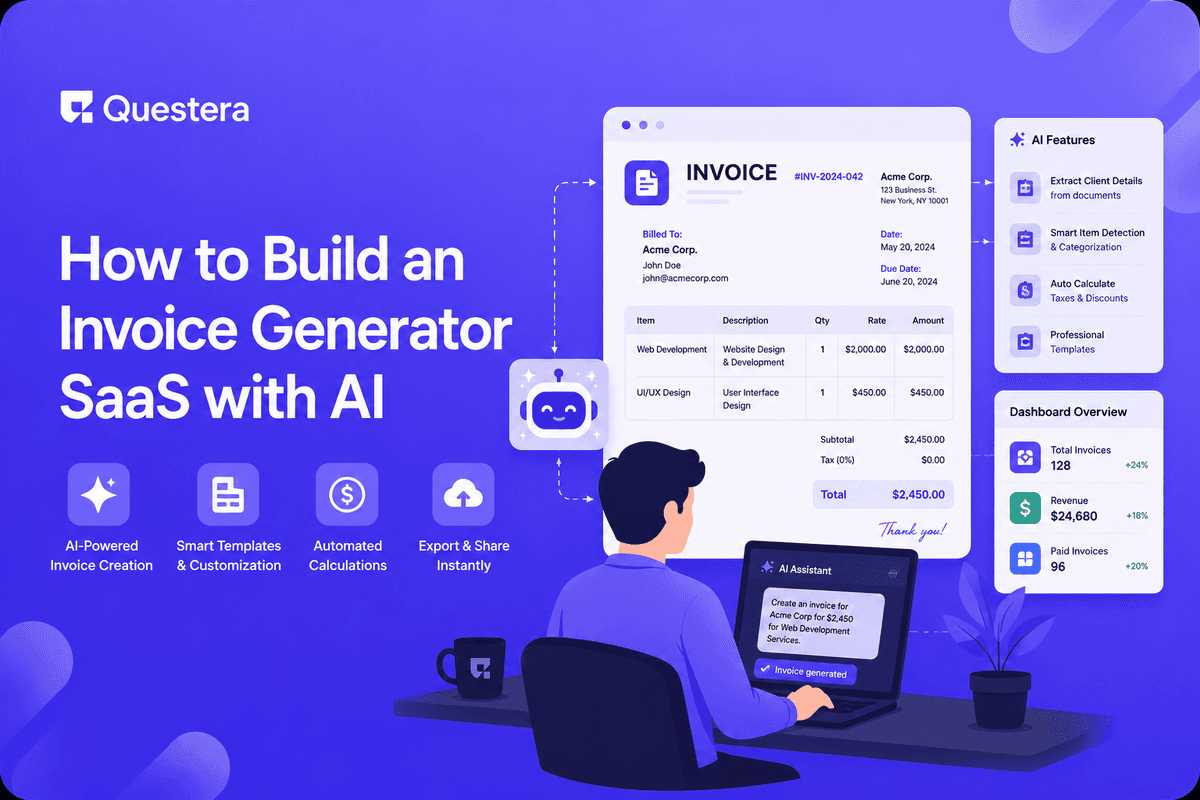
Invoice generator SaaS is a crowded market (FreshBooks, Wave, Invoice Ninja, Bonsai, dozens more), but specific niches remain underserved. AI app builders enable building a niche invoice generator in 4-6 days for the core software. Core scope: client management, line-item invoicing, PDF generation, payment links (Stripe), recurring invoices, multi-currency, basic tax handling. The hard parts: differentiating in a crowded market, getting customers, and the operational discipline (deliverability, payments, customer support). This guide covers what to build, the niche selection patterns, the architecture, and the realistic path from launch to revenue.
Most founders surveying the invoice SaaS landscape conclude there's no opportunity left for indie builders. And yet niche invoice tools keep launching successfully. AndCo (for designers). Bonsai (for freelancers). Cushion (for freelancers handling irregular income). Wethos (for creative consultants). Each found a specific audience that horizontal tools served poorly. The opportunity isn't to build another horizontal invoicer; it's to build for a niche where horizontal tools force generic workflows on specific work patterns.
Why Niche Matters in Invoice Tools
- Horizontal invoice tools (FreshBooks, Wave) cover generic invoicing well
- Differentiation on core invoice features impossible
- Niche audiences have specific workflows horizontal tools force into generic patterns
- Niche communities are easier to reach than horizontal markets
- Pricing power higher in niche
- Pain points specific to niches drive switching from horizontal to specific
Niche Opportunities for Invoice Tools
- Freelance designers (project-based billing, retainer management, deliverable tracking)
- Solo lawyers and small law firms (time-based billing, trust accounts, retainer billing)
- Photography studios (shoot-based invoicing, package pricing, deposits)
- Construction subcontractors (milestone billing, lien waiver tracking)
- Tutors and online teachers (hourly billing, package pricing, recurring student invoices)
- Wedding vendors (deposit + final payment patterns, contract templates)
- International freelancers (multi-currency, foreign exchange, international tax considerations)
- Childcare providers (recurring weekly/monthly billing, multi-child families)
- Personal trainers (session-based billing, package management)
- Auto repair shops (parts + labor invoicing, customer history)
Core V1 Scope
- User authentication
- Client management (companies, contacts)
- Invoice creation (line items, taxes, discounts, notes)
- PDF generation with custom branding
- Send via email with payment link
- Stripe integration for payment collection
- Recurring invoices (weekly, monthly, custom)
- Multi-currency (display in client's currency; receive in your currency)
- Basic tax handling (sales tax, VAT)
- Invoice status tracking (draft, sent, viewed, paid, overdue)
- Reminders for overdue invoices (automated)
- Basic reporting (revenue, outstanding, by client)
What to Skip in V1
- Time tracking (defer to v1.1 or integrate with existing tools)
- Expense tracking (defer or integrate)
- Full accounting (integrate with QuickBooks/Xero rather than rebuild)
- Multi-user accounts with permissions (single user v1)
- Tax filing assistance (way out of scope)
- Project management features (focus on invoicing only)
- Native mobile apps (PWA suffices)
- ACH/wire transfer collection (Stripe + credit card v1; ACH in v1.1)
The Data Model
- User (id, email, business_info, tax_info, stripe_account_id)
- Client (id, user_id, name, email, address, currency, payment_terms)
- Invoice (id, user_id, client_id, number, status, issue_date, due_date, currency, subtotal, tax, total, notes)
- InvoiceLine (id, invoice_id, description, quantity, rate, tax_rate, amount)
- Payment (id, invoice_id, amount, paid_at, stripe_payment_id)
- RecurringInvoice (id, user_id, client_id, frequency, next_send_date, template_data)
- Reminder (id, invoice_id, sent_at, days_after_due)
- BusinessSettings (user_id, logo, brand_color, default_payment_terms, tax_settings)
PDF Generation: The Realistic Approach
Server-Side PDF (Recommended)
- Generate PDFs server-side using Playwright (Puppeteer headless Chrome)
- HTML template for invoice; render to PDF
- Consistent output across all clients
- Cache generated PDFs in storage (Supabase Storage, S3)
- Send via email as attachment OR via download link
Client-Side PDF (Alternative)
- Use jsPDF or react-pdf for browser-side generation
- Faster perceived rendering; less server compute
- Can have rendering inconsistencies across browsers
- Acceptable for many use cases; less reliable for complex layouts
Third-Party API Services
- DocRaptor, PDFShift, Browserless — convert HTML/URL to PDF
- $10-$50/month for typical indie SaaS volumes
- Reliable; takes hosting burden off your infrastructure
- Reasonable for early-stage when self-hosting Playwright is overkill
Payment Integration (Stripe)
Pattern for Invoice Payments
- Use Stripe Checkout — Stripe-hosted payment page
- Generate Checkout Session when invoice is sent
- Include payment link in invoice email
- Webhook listens for successful payments; updates invoice status
- Funds settle to your Stripe account (or direct to user via Stripe Connect)
Direct-to-User Payouts (Stripe Connect)
- Use Stripe Connect Express accounts for users
- Users onboard via Stripe-hosted flow (KYC, bank info)
- Payments collected on their behalf; payouts to their bank
- Platform fee (your revenue) deducted automatically
- More complex than direct Stripe but appropriate for SaaS-style invoice tools
Multi-Currency Considerations
- Store amounts in the invoice currency (USD, EUR, GBP, etc.)
- Convert for display only when needed
- Stripe handles multi-currency natively (settles to your account currency with FX)
- Show client their currency on invoice; settle in your currency
- Most invoice tools lock exchange rate at invoice send time
- Display 'Amount in USD' and 'Amount in CAD' both on invoice for transparency
Tax Handling
- Tax rules vary dramatically by jurisdiction — US: sales tax by state; EU: VAT by country with reverse-charge for B2B cross-border
- Don't try to handle all globally in v1 — pick relevant jurisdictions
- User configures their default tax rates; allow per-invoice overrides
- Calculate tax on invoice generation
- Don't try to automate tax compliance (way out of scope)
- Generate reports for accountant/tax filing
- Recommend users consult tax professional for compliance
Recurring Invoices
- Templates with line items, client, frequency
- Cron job runs daily to find recurring invoices due
- Support: weekly, biweekly, monthly, quarterly, annually
- Allow custom day-of-month for monthly recurrings
- Auto-pause if client unsubscribes or invoice fails
- Email notification to user when recurring invoice sends
The 4-6 Day Build Sequence
- Day 1: Scaffolding, clients — PRD (niche, currencies, tax jurisdictions), data model, auth setup, client management UI, business settings
- Day 2: Invoice creation — invoice editor with line items, tax and discount calculation, invoice numbering, save draft / send workflow
- Day 3: PDF generation and email — HTML invoice template with branding, PDF generation, email sending with attachment (Resend)
- Day 4: Payments and webhooks — Stripe Checkout integration, payment link in email, webhook for payment status, invoice status updates
- Day 5: Recurring invoices and reminders — recurring templates, cron job, automated reminders (3, 7, 14 days after due)
- Day 6: Polish, reports, launch — dashboard with revenue and outstanding, search and filters, CSV export for accountant, subscription billing, soft launch
Pricing Patterns for Invoice SaaS
| Tier | Price | Limits |
|---|---|---|
| Free | $0 | 1-3 active clients, 5 invoices/month, branding |
| Solo | $9-$15/month | Unlimited clients/invoices, basic features |
| Pro | $19-$29/month | Recurring invoices, multi-currency, templates |
| Team | $29-$49/month | Multiple users, advanced reports |
Differentiation Strategies in Crowded Market
- Niche workflow fit — Specific industry's invoicing patterns built in
- Specific tax handling for niche (e.g., construction industry tax forms)
- Integration with niche tools (e.g., Capture One for photographers)
- Templates tailored to niche (legal time entries, design project pricing)
- Pricing model fit (e.g., session-based for trainers, milestone-based for consultants)
- Geographic focus (e.g., specifically built for UK freelancers with HMRC integration)
- Speed and simplicity over feature breadth
- Better mobile experience than competitors
Common Mistakes
- Building horizontal invoice tool — FreshBooks owns it. Pick niche or don't compete.
- Trying to compete on feature breadth — Lose. Find specific differentiation.
- Underpricing — $5/month invoice tools don't sustain business. Price $9-$29 minimum.
- Ignoring deliverability — Invoice emails going to spam = customer doesn't pay. Set up SPF/DKIM/DMARC properly.
- Skipping payment webhook reliability — Missing payment webhooks cause invoice status drift. Build idempotency.
- Custom PDF generation when third-party works fine — Don't reinvent. Use Playwright or DocRaptor.
- Overcomplicating tax — Basic tax handling fine for v1. Don't try to be a tax compliance tool.
- Forgetting recurring invoices — Many businesses bill recurring. Don't ship without this.
- Generic branding — Niche-specific branding matters. Make the product feel like it's FOR your niche.
- Skipping accountant export — CSV export to standard formats is essential.
Frequently Asked Questions
Can I really compete in invoice tools?
Yes, in niche. Horizontal competition with FreshBooks/Wave is hard. Niche differentiation (specific industry, specific workflow, specific geography) works. Many niche invoice tools sustain real businesses.
What about international tax (VAT, etc.)?
Basic VAT handling for EU is achievable. Full international tax compliance is way out of scope for indie SaaS. Recommend users consult accountants. Build for jurisdictions where your customers operate; expand later.
Do I need accounting features?
No — focus on invoicing. Integrate with QuickBooks/Xero for accounting via API. Adding accounting features expands scope dramatically; usually not worth it.
How do I handle invoice numbering?
User configures pattern (e.g., 'INV-{YYYY}-{####}'). Auto-increment per user. Allow override for specific invoices. Standard pattern serves most users.
How do I get customers in a crowded market?
Niche community engagement is the primary path. Reddit, Discord, Facebook groups specific to your niche. Content marketing tailored to niche pain points. Direct outreach to potential customers. SEO for niche keywords. No silver bullet; multi-channel works.
Invoice generator SaaS is crowded but niche opportunities remain. AI app builders enable 4-6 day core build. Don't compete horizontally; pick a niche where horizontal tools serve poorly. Core scope: clients, invoices, line items, PDF generation, payment links via Stripe, recurring invoices, multi-currency, basic tax handling. If invoice tools interest you as a SaaS opportunity, pick your niche before writing code. Talk to 10+ potential customers in that niche. Then run the 4-6 day build. The technical work is solved; the niche fit and customer discovery is where real businesses are built.





© 2026 Questera
Follow in Google