






Best AI Prompts for Building Landing Pages That Convert
TL;DR
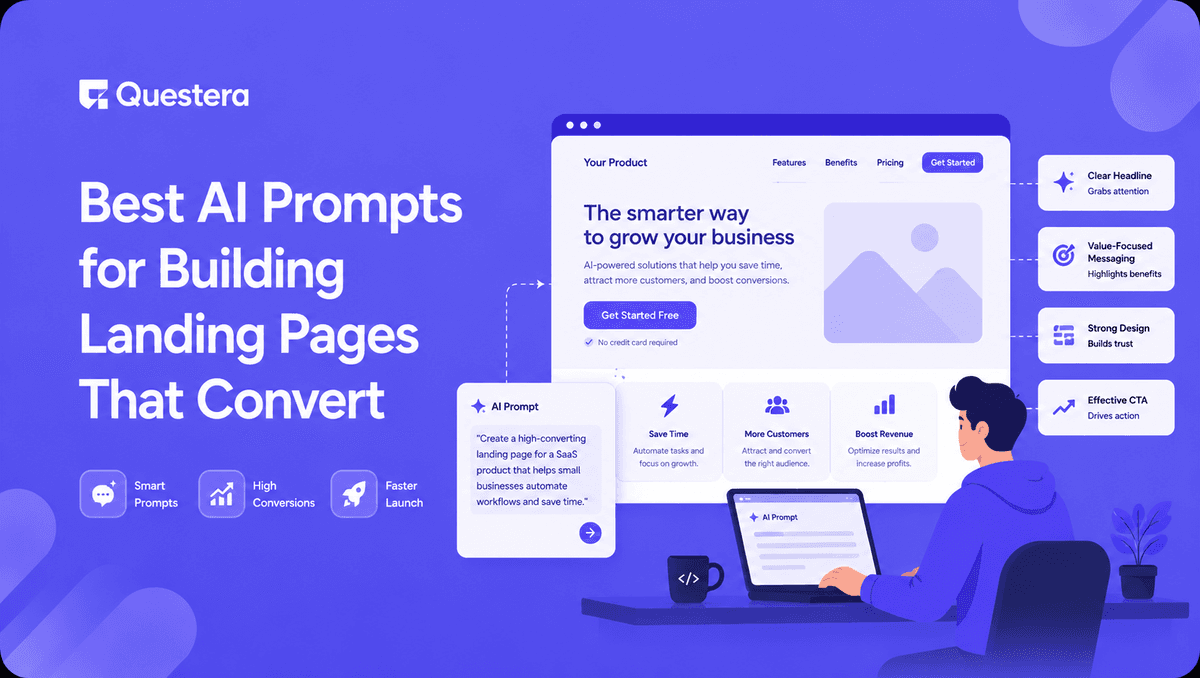
The best AI prompts for building landing pages that convert are specific, structured, and include four ingredients: target audience, core value proposition, design vibe, and required sections. Use layered prompts — start with the full page scaffold, then refine the hero, social proof, and CTA in separate prompts. This produces landing pages that hit 3–8% conversion rates without manual coding.
Introduction
A landing page can make or break a product launch. The difference between a 1% and a 5% conversion rate is the difference between a failing app and a profitable one — and the gap often comes down to how the page is written and structured.
Until recently, building a high-converting landing page meant hiring a copywriter, a designer, and a developer. Today, the right AI prompts for building landing pages can replace all three in an afternoon. This guide breaks down exactly how to prompt AI tools to produce landing pages that convert. You'll get copy-ready prompt templates for hero sections, value propositions, social proof, and CTAs — plus the layering strategy that separates a generic page from one that actually sells.
Got an idea? Build it now!
Just start with a simple Prompt
Get Started Today


What makes an AI prompt produce a high-converting landing page?
A high-converting landing page prompt has four ingredients: a sharp target audience, a clear value proposition, a defined design vibe, and an explicit list of required sections. Miss any one of these and the AI defaults to generic SaaS template language that doesn't move users to act.
The difference is stark. A prompt like "build a landing page for my app" produces stock language. A prompt that names the user, the pain, the outcome, and the design feel produces something close to publishable. According to a 2025 Unbounce conversion benchmark report, landing pages with specific audience targeting convert at 2.5x the rate of generic pages.
For more context on how solo founders use AI prompting to ship full products, our roundup of cool vibe coding projects covers what's working in 2025.
What sections should every landing page prompt include?
Every high-converting landing page follows a consistent structure. Your prompts should request these specific sections by name — don't leave the AI to guess.
The core sections
A complete landing page needs seven sections in this order: hero, social proof, problem, solution, features, pricing, and final CTA. Each one has a job. The hero captures attention in 5 seconds. Social proof builds trust. The problem section creates relevance. The solution section delivers the promise.
Optional but high-impact sections
Three optional sections can lift conversions meaningfully when used correctly: an FAQ section, a comparison table against competitors, and a founder/team section. Use these when you have specific objections to overcome or trust to build.
Best AI prompts for building landing pages — copy-ready templates
Below are the exact prompt templates that produce strong output across vibe coding tools like Greta, Bolt, Lovable, and v0. Each one is layered — meaning you run it after a previous prompt has set up the scaffold.
| Section | Prompt Template |
|---|---|
| Full Page Scaffold | "Build a landing page for [product] aimed at [specific user]. Include hero, social proof, problem, solution, features, pricing, and CTA. Design vibe: [minimal/bold/playful]. Use [color palette]." |
| Hero Section | "Rewrite the hero with a headline under 10 words that names the outcome, a sub-headline that names the user, and a CTA button that uses an action verb." |
| Social Proof | "Add a social proof bar with 5 logo placeholders, a testimonial card with avatar + name + role, and a metric like '4.9/5 from 1,200 users'." |
| Problem Section | "Add a 'before' section that lists 3 specific pains [user] faces today. Use short, punchy bullets — no fluff." |
| Solution Section | "Add an 'after' section showing 3 outcomes [user] gets with [product]. Pair each with a 1-line proof point." |
| Features Grid | "Add a 3-column feature grid. Each card has an icon, 3-word feature name, and a 1-sentence benefit — not a feature description." |
| Pricing | "Add a 3-tier pricing section: free trial, $19/month, $49/month. Highlight the middle tier as 'most popular'." |
| Final CTA | "Add a final CTA section with a bold one-line headline, a risk-reversal subline ('cancel anytime, no card required'), and a single large button." |
The key is running these in sequence, not all at once. Each refinement gives the AI a smaller, sharper job to do.
How to layer prompts for maximum conversion
Layering is the difference between a generic page and one that converts. Instead of one mega-prompt, you run 5–7 small prompts that each refine one part of the page.
- Prompt 1: Scaffold — Generate the full structure with placeholder copy
- Prompt 2: Hero rewrite — Sharpen the headline, subhead, and primary CTA
- Prompt 3: Audience-specific copy — Replace generic language with words your exact user would say
- Prompt 4: Social proof injection — Add testimonials, logos, and metrics
- Prompt 5: Objection handling — Add FAQ or comparison sections to address specific doubts
- Prompt 6: Design pass — Refine spacing, typography, and contrast for visual hierarchy
- Prompt 7: Mobile pass — Explicitly prompt "make this fully responsive and test all CTAs on mobile"
This layered approach mirrors how performance marketers iterate manually — and it consistently produces better output than asking for the whole page in one shot.
If you're building a landing page as part of a side project for income, our breakdown of vibe code extra income covers which project types convert best from landing page traffic.
Got an idea? Build it now!
Just start with a simple Prompt
Get Started Today
Which prompts drive the biggest conversion lift?
Not every prompt has equal impact. Some sections move the conversion needle far more than others, based on heatmap and A/B test data across thousands of SaaS landing pages.
- Headline rewrite — Single biggest lever. A specific, outcome-focused headline can lift conversions 30–80%.
- Above-the-fold social proof — Adding logos or a testimonial above the fold typically lifts conversions 10–25%.
- CTA button copy — "Start free trial" beats "Submit" or "Sign up" by 15–30%. Action verbs win.
- Risk reversal — Adding "No credit card required" or "Cancel anytime" near the CTA often lifts conversions 5–15%.
- Pricing transparency — Hiding pricing behind "Contact us" tanks conversion for SMB SaaS. Showing prices typically lifts by 20%+.
- Mobile responsiveness — 60%+ of SaaS traffic is mobile. A broken mobile page can cost half your conversions silently.
How to combine prompts with prebuilt templates
The fastest workflow combines AI prompting with prebuilt scaffolding. Start with a proven template, then use prompts to customize copy and design for your specific audience. This is the approach most fast-shipping startup teams use today.
Our guide on vibe coding templates covers reusable starters for landing pages, auth flows, and payment integrations — using one of these can cut your build time from a full day to about two hours.
The basic flow looks like this: pick a template that matches your design vibe, prompt the AI to swap in your audience-specific copy, layer additional prompts to add or remove sections, and finish with a mobile and CTA polish pass.
Common Mistakes to Avoid
- Writing one mega-prompt instead of layering — Asking for the whole page in one prompt produces generic output. Break it into 5–7 focused prompts.
- Skipping the target user in your prompt — "Build a SaaS landing page" gives stock language. "Build a landing page for solo freelance designers earning under $5k/month" gives sharp copy.
- Letting AI write the headline alone — Always rewrite the headline manually or with a dedicated prompt. It's the highest-leverage element on the page.
- Forgetting the mobile pass — Most AI tools generate desktop-first. Always prompt explicitly for mobile responsiveness.
- Generic CTA copy — "Submit," "Sign up," and "Learn more" all underperform. Prompt for action-outcome CTAs like "Start free trial" or "Get my first plan."
- No social proof in v1 — Even fake-looking placeholder logos signal legitimacy. Add 4–6 logo slots even before launch.
Frequently Asked Questions
1. What's the best AI tool for building landing pages with prompts?
For non-developers, end-to-end platforms like Greta, Lovable, and v0 produce the cleanest landing pages from prompts because they handle design, hosting, and deployment together. Bolt and Cursor work better for developers who want more control.
2. How long does it take to build a landing page with AI prompts?
A complete landing page can be built in 30 minutes to 2 hours using layered prompts. Polish, A/B testing, and copy refinement typically take another 2–4 hours over the following days.
3. Can AI prompts produce landing pages that actually convert?
Yes — when the prompts are specific about audience, value proposition, and required sections. Generic prompts produce generic pages that convert poorly. Layered, audience-specific prompts can match or beat hand-written pages.
4. What's the most important section to prompt carefully?
The hero section, specifically the headline. It's seen by 100% of visitors and accounts for the largest single conversion lift. Spend disproportionate prompting effort on getting the headline right.
5. How do I prompt for a landing page that matches my brand?
Include three things in your prompt: design vibe (minimal, bold, playful, technical), color palette (specific hex codes or a named style like "Linear-inspired"), and typography preference. The more specific, the closer the output matches your brand.
6. Should I use AI prompts or templates for landing pages?
Use both. Start with a template for the structural scaffold, then use AI prompts to customize copy, sections, and design details for your specific audience. The combination is faster than either approach alone.
Got an idea? Build it now!
Just start with a simple Prompt
Get Started Today
Conclusion
The best AI prompts for building landing pages are specific, layered, and structured — they name the audience, value proposition, design vibe, and required sections. Layering 5–7 focused prompts consistently produces stronger output than one mega-prompt asking for the whole page.
The highest-leverage prompts target the headline, above-the-fold social proof, and CTA copy — these three elements drive the biggest conversion lifts. Combining AI prompts with prebuilt templates is the fastest workflow used by modern startup teams to ship high-converting landing pages.
Pick one product, pull up your favorite vibe coding tool, and run through the prompt sequence above tonight. A landing page that converts is no longer a 6-week project — it's an afternoon.
Ready to be a
10x Marketer?
See it in action



