






Prompt Stacking: The Secret to Building Complex Apps with AI
TL;DR
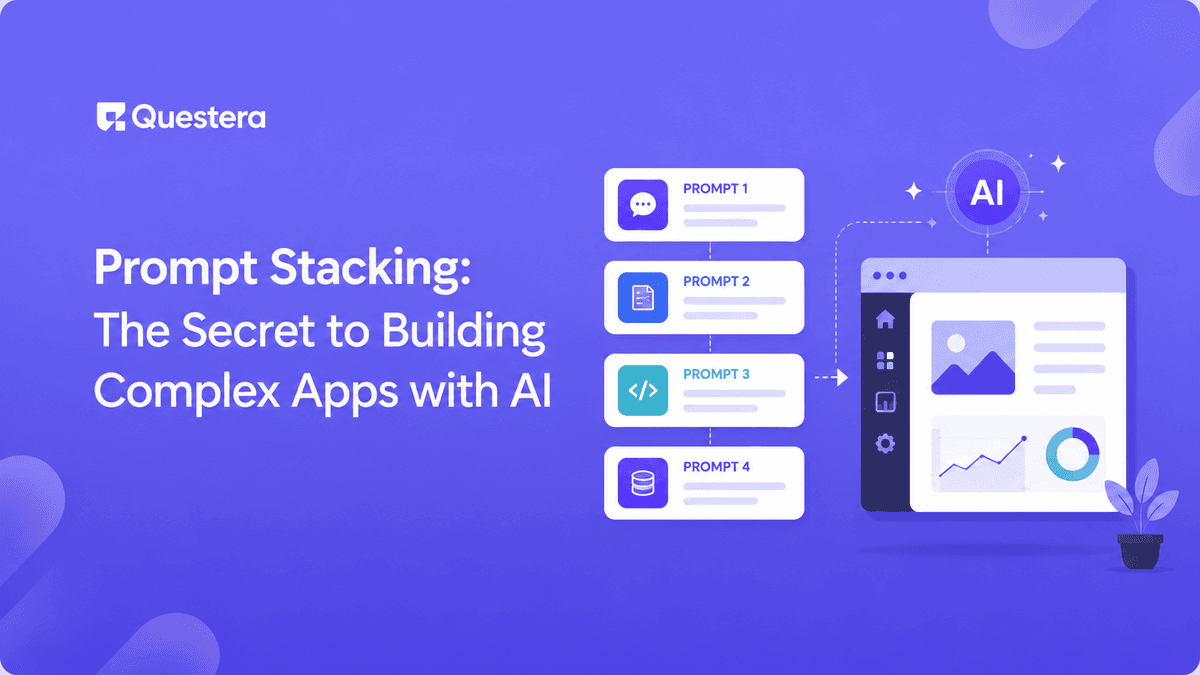
Prompt stacking is the practice of breaking complex AI app builds into a sequence of small, focused prompts — each one doing a single, well-scoped job — instead of describing the whole app in one mega-prompt. The technique consistently produces cleaner output, fewer broken builds, and significantly faster shipping across Greta, Lovable, v0, Bolt, and Emergent. If you've ever watched a vibe-coded app collapse into rework hell, prompt stacking is the single biggest fix.
Introduction
Watch any first-time vibe coder build an app and the pattern is unmistakable. They open the AI builder, type a five-paragraph prompt describing every feature, every screen, and every integration, and hit send. The result looks promising for ten seconds and falls apart the moment they try to refine anything. Every fix breaks something else, and within an hour they're rebuilding from scratch.
Now watch an experienced vibe coder. They open the same platform, paste a 1-page product spec, get a clean scaffold, and start refining one piece at a time. Forty prompts later they have a working production app. They didn't use a different model or a different platform — they used a different technique. That technique is prompt stacking.
What Is Prompt Stacking?
Prompt stacking is the practice of building complex AI apps through a sequence of small, dependency-ordered prompts — each one doing a single well-scoped job — rather than describing the entire app in one prompt. It's the workflow equivalent of building a house layer by layer: foundation, frame, plumbing, electrical, walls, finish. Skip any layer and the next one won't sit right.
The technique took hold in 2025 as the vibe coding community converged on the same observation — single mega-prompts produced compounding failure, while stacked prompts produced clean output even on complex apps. The reason it works comes down to how AI app builders process context. A mega-prompt forces dozens of decisions in parallel, and many of them will conflict. A stacked prompt asks for one decision at a time, with the previous decisions already in context.
Why Mega-Prompts Almost Always Fail
To understand why stacking works, it helps to see exactly how mega-prompts break. The failure mode is predictable in three stages.
Stage 1: The Output Looks Great on First Scroll
The initial scaffold from a mega-prompt usually looks impressive. Sidebar, header, dashboard, multiple screens — all there. The builder gets excited. The promise of vibe coding feels real.
Stage 2: The First Refinement Breaks Something
The builder asks for a small change — usually to the data model or the auth flow. The AI makes the change, but because the original mega-prompt forced parallel decisions, the change conflicts with something elsewhere. A list view stops loading. A payment button disappears. The dashboard chart shows wrong data.
Stage 3: Fixes Ripple, Nothing Holds
The builder fixes the new bug. That fix breaks something else. Within ten prompts, the app is in worse shape than the original scaffold. The root cause is the same every time: too many decisions made in parallel, with hidden dependencies the AI guessed wrong on. Stacking eliminates the parallel decisions. This is exactly the mistake we cover as #1 in Common Vibe Coding Mistakes.
Build this with a prompt on Greta.sh — describe the app, Greta writes and deploys it.The Seven-Layer Prompt Stack
The stack that works across nearly every complex app has seven layers. They run in dependency order: each one builds on the context the previous layer established.
Layer 1: Product Spec (the PRD)
The first prompt isn't a feature — it's the spec. A tight 1–2 page PRD pasted as the opening message tells the AI exactly what you're building, for whom, with what data, in what design vibe. Every subsequent prompt operates against this context. The PRD structure that consistently produces clean output is covered in PRD Templates for AI App Builders. Builders who skip the PRD layer routinely waste 6–10 prompts re-establishing context the PRD would have set in one.
Layer 2: Scaffold
Once the spec is in context, prompt for the scaffold only — no features yet. Screens, navigation, and layout. This layer is where most mega-prompt builds collapse because they try to combine scaffold with features. "Build the scaffold only. Four screens: Dashboard, [Feature 1], [Feature 2], Settings. Add placeholder content; no live data yet."
Layer 3: Data Model
Define the schema explicitly as its own prompt. Every feature that touches data will fail if the schema is wrong, and fixing schema mistakes later means rebuilding every dependent feature. "Create the database schema only. Tables: [Entity 1] with fields [list with types]. Add relationships and row-level security so each user sees only their own data."
Layer 4: Auth
Auth is the layer everything else depends on. Add it after the scaffold and schema exist, but before any feature that needs user context. Auth-first stacks work; auth-last stacks rebuild every feature. "Add email magic link authentication. Protect [list screens]. Show landing/marketing screens to unauthenticated users."
Layer 5: Features (One at a Time)
This is where stacking matters most. Each feature gets its own prompt. Build in dependency order: input forms before list views, list views before charts, charts before AI features. For a CRM, that order looks like: contacts table → contact form → contact list → deals table → deal form → pipeline view → activity logging. Our walkthrough on how to build a CRM with AI shows the exact sequence in detail.
Layer 6: Payments and Access Control
Once core features work, add the monetization layer — Stripe, paywalls, plan tiers, feature gating. "Add Stripe Checkout with two tiers: Free (3 actions/month) and Pro ($19/mo, unlimited). Block the action after the free limit with an upgrade modal."
Layer 7: Polish
The final layer is polish — empty states, error handling, loading states, mobile responsiveness, micro-interactions. This layer doesn't change app logic; it makes the app feel finished. "Add empty states for every list view. Add toast notifications for errors. Confirm full mobile responsiveness. Test on a 375px viewport."
Variants of the Stack for Specific App Types
The seven-layer universal stack works as a starting point. Specific app types add 1–2 layers between the universal ones.
| App Type | Stack Variant | Added Layer |
|---|---|---|
| SaaS dashboard | Universal + analytics | Layer 5.5: charts and reporting |
| Marketplace / directory | Universal + search | Layer 3.5: search and filters |
| CRM or pipeline tool | Universal + real-time | Layer 5.5: activity log + real-time updates |
| AI tool wrapper | Universal + cost control | Layer 5.5: caching and rate limiting |
| Mobile-first app | Universal + mobile-first | Layer 2.5: mobile-specific scaffold pass |
| Designer-led build | Universal + design system | Layer 2.7: design tokens and component pass |
| Booking app | Universal + availability | Layer 3.5: time slots and buffer logic |
For designers specifically, the design system pass is high-leverage. We cover this workflow in Vibe Coding for Designers.
Want to try one of these? Start on Greta.sh — no setup, no boilerplate — just a prompt.Three Techniques That Compound Prompt Stacking Gains
Diff-and-Summarize Between Layers
After each major layer, run one follow-up prompt: "Summarize the changes you just made in 3 bullets. Flag anything that might break existing features." The AI surfaces mistakes you'd miss until the next layer breaks. The 30 seconds it takes saves hours of debugging.
Checkpoint Before Risky Layers
Before adding a complex layer (payments, real-time, AI features, custom roles), checkpoint your build — export to GitHub, commit a version, or save the platform's state. If the new layer breaks something downstream, you can revert to the checkpoint rather than re-prompting the whole stack.
Branch for Variations
For high-leverage layers (hero copy, pricing tiers, onboarding flows), branch the stack temporarily. Build the base version, then prompt: "Show me three variations of this with different approaches. Note the trade-offs of each." Pick the strongest, continue from there. Variation testing built into the stack costs 1–2 extra prompts per layer and consistently produces better results than picking the first option.
How Prompt Stacking Changes Per Platform
Greta
Greta's unified single-agent flow means stack layers transition cleanly because the same agent handles the full app. The bundled growth tooling means Layer 7 (polish) often compresses — domain setup, basic SEO, and analytics are already in place.
Lovable
Lovable's multi-mode editing (Agent / Visual Edits / Plan) maps naturally to stacked workflows. Use Plan Mode for the early layers (PRD, scaffold, schema), Agent Mode for features, and Visual Edits for the polish layer to save credits on small styling changes.
Bolt.new
Bolt's WebContainer architecture means the stack runs fastest because everything previews in-browser. The Plan/Build mode split fits stacking well — discuss architecture in Plan, execute in Build. Watch token consumption on the feature layer; complex feature prompts can burn tokens unexpectedly.
v0 by Vercel
v0's React + Next.js + shadcn/ui stack means the design system layer (Layer 2.7) is essentially pre-built. The Vercel deployment integration makes the polish-and-launch layer faster than other platforms. We cover the platform trade-offs in Greta vs v0.
Emergent
Emergent's multi-agent architecture means certain layers (especially complex feature layers with parallel subsystems) execute faster because specialized agents handle different parts of the layer. The stack still runs linearly; the speedup happens within layers, not across them.
Ready to ship? Open Greta.sh — your idea → a working app, in one chat.A Worked Example: The Stack for a Workout Tracking SaaS
Here's the seven-layer universal stack applied to a real workout tracking SaaS. Each line is one focused prompt.
- Layer 1 (PRD): Paste a 1-page product spec covering target user (solo strength trainers), core feature (log workouts and track progress), data model (Workout, Exercise, PersonalRecord), screens (Home, Add Workout, History, Profile), design vibe (minimal and dark with electric green accent), integrations (Stripe, Supabase Realtime), success criteria.
- Layer 2 (Scaffold): 'Build the scaffold only. Bottom-tab navigation with 4 screens. No data yet.'
- Layer 3 (Schema): 'Create Workout, Exercise, PersonalRecord, User tables with fields [list]. Add relationships and row-level security.'
- Layer 4 (Auth): 'Add email magic link auth. Protect all main screens.'
- Layer 5a (Add Workout flow): 'Build the Add Workout form with fields exercise, sets, reps, weight, date, notes. Save to Workout table.'
- Layer 5b (History view): 'Build the History screen showing past workouts chronologically. Group by date. Allow filtering by exercise.'
- Layer 5c (Progress chart): 'Add a line chart on the Profile screen showing total volume over the last 30 days for the selected exercise.'
- Layer 5d (Personal record detection): 'When a workout entry beats the previous PR for that exercise, automatically create a PersonalRecord and show a celebration toast.'
- Layer 6 (Payments): 'Add Stripe with two tiers: Free (limited to 3 workouts/week) and Pro ($9/month, unlimited).'
- Layer 7 (Polish): 'Add empty states. Add error handling. Confirm mobile responsiveness on a 375px viewport. Test the full flow end-to-end.'
Ten focused prompts. A working production app. The same build via mega-prompts typically takes 25–40 prompts with multiple rebuilds along the way.
Common Mistakes to Avoid
- Skipping the PRD layer — Most stacking failures start with builders thinking they can scaffold without context. The PRD layer takes 30 minutes to write and saves 6–10 prompts downstream.
- Combining schema with feature prompts — Schema mistakes ripple through every feature. Always make schema its own layer.
- Adding auth too late — Auth-after-features means rebuilding row-level security for every existing feature. Always add auth before features that need user context.
- Treating polish as inline — Mixing polish into feature prompts produces inconsistent output. Polish is its own dedicated final layer.
- Stacking too rigidly — The seven-layer stack is a starting point. Your specific app may need extra or compressed layers. Adapt deliberately.
- Not checkpointing before risky layers — When payments or real-time breaks something, you'll wish you had a checkpoint. Export or commit between major layers.
- Stacking without diff-and-summarize prompts — These cost 30 seconds and surface mistakes you'd miss until the next layer breaks. Always run them.
Frequently Asked Questions
What exactly is prompt stacking?
Prompt stacking is the practice of building complex AI apps through a sequence of small, focused, dependency-ordered prompts — each doing a single job — rather than describing the entire app in one prompt. The standard structure runs seven layers: PRD, scaffold, schema, auth, features, payments, polish.
How is prompt stacking different from layered prompting or chained prompting?
They're closely related. Prompt stacking is the broader workflow technique that includes layered prompting (one focused prompt per layer) and explicit dependency ordering. The structural difference vs. ad-hoc chained prompting is that stacking is deliberate about layer boundaries and dependency order; chained prompting can mean any sequence of prompts.
Does prompt stacking work on every AI app builder?
Yes — the technique transfers across Greta, Lovable, Bolt, v0, Emergent, Cursor, Windsurf, and Replit. Specific platforms reward slightly different stacking habits, but the seven-layer structure works universally.
How many prompts does a complex app stack require?
Typical SaaS MVPs take 10–20 focused prompts. Complex multi-role apps with real-time and AI features can take 25–40. Simple apps compress to 5–8 prompts. The right number is "as few as cleanly cover each dependency layer."
Can prompt stacking really make builds 2–3x faster?
Yes, for complex apps — community reports consistently show 2–3x faster shipping for stacked builds vs. mega-prompt builds. The speed gain comes from avoiding the cascading rework that mega-prompts trigger, not from individual prompts running faster.
What's the single most important habit for effective prompt stacking?
One feature per prompt. The discipline of refusing to combine concerns is the highest-leverage habit. Builders who internalize "if it's in two layers, it's two prompts" ship dramatically faster than builders who don't.
Do I always need a PRD as Layer 1?
For complex apps, yes. For very small apps (single-screen tools, simple calculators), you can compress the PRD into a longer-than-usual first scaffold prompt. As app complexity grows, the PRD layer pays for itself in saved prompts.





© 2026 Questera
Follow in Google