






How to Use AI to Maintain and Update Your App After Launch
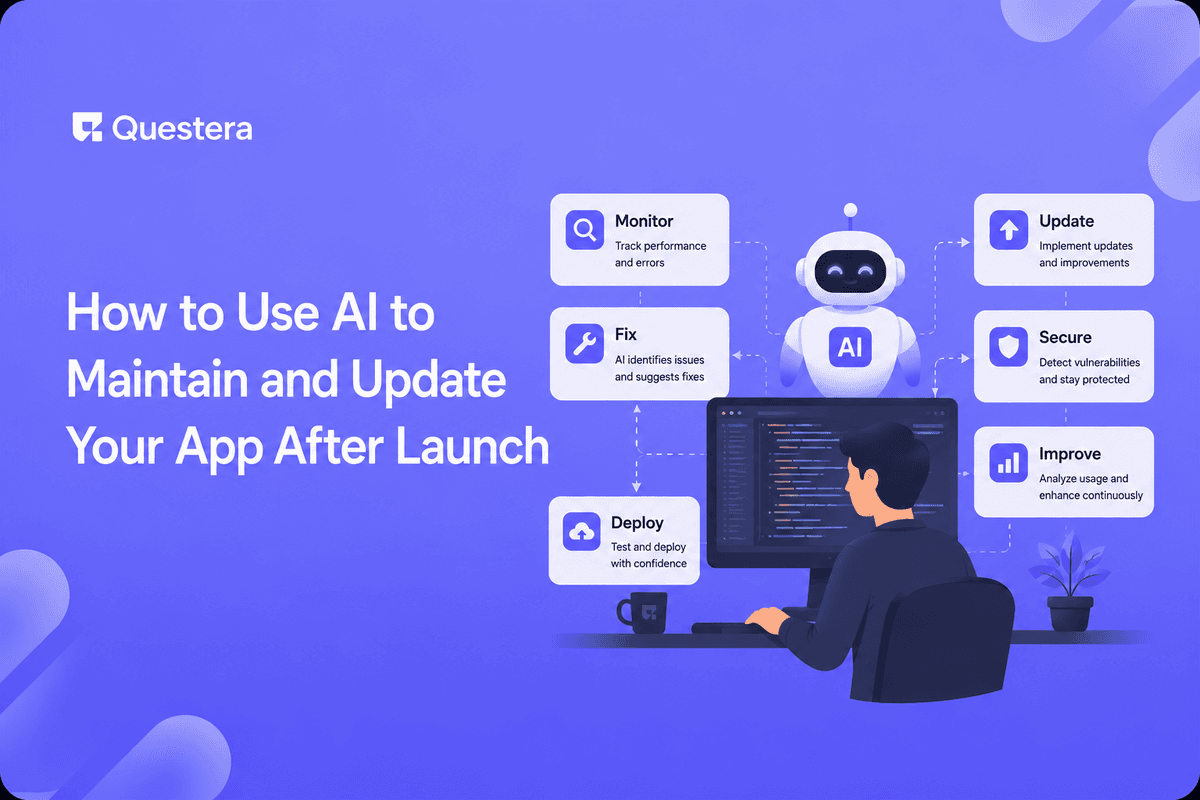
To use AI to maintain and update your app after launch, describe the change you want — bug fix, new feature, or content update — to an AI builder. It edits the codebase, you test, and you redeploy. Maintenance becomes a conversation instead of a backlog.
Building an app is the easy part; keeping it alive is where most products quietly die. Industry studies have long pegged maintenance at 60% or more of total software cost over an app's lifetime. AI changes that math. This guide explains how to use AI to maintain and update your app after launch — covering bug fixes, new features, content changes, and the guardrails that keep updates safe.
Got an idea? Build it now!
Just start with a simple Prompt
Get Started Today


What Does Post-Launch App Maintenance Involve?
Post-launch maintenance is the ongoing work of fixing bugs, patching security issues, updating dependencies, and shipping new features after an app goes live. It's continuous, not a one-time task.
Traditionally this required a developer on call. With AI builders, much of it becomes a guided, plain-English workflow.
How Do You Maintain an App With AI?
With an AI vibe-coding platform like Greta, you describe the change and the AI edits your existing codebase. The table shows common maintenance tasks.
| Task | What You Say | What AI Does |
|---|---|---|
| Bug fix | 'Checkout fails on mobile' | Diagnoses + patches the flow |
| New feature | 'Add a wishlist' | Builds feature + database fields |
| Content update | 'Change pricing copy' | Edits the relevant components |
| Dependency update | 'Update outdated packages' | Upgrades + flags breaking changes |
| Performance | 'Dashboard loads slowly' | Optimizes queries/rendering |
Got an idea? Build it now!
Just start with a simple Prompt
Get Started Today
What Should You Always Do Before Shipping an Update?
- Test the change in a staging or preview environment first.
- Review what the AI altered — never deploy a diff you haven't read.
- Run a security check on any update touching auth or payments.
- Keep a backup or version so you can roll back instantly.
- Watch error logs for the first hours after deploying.
Does AI-Maintained Code Stay Scalable Over Time?
A fair worry is whether iterative AI edits degrade the codebase. The key is treating AI as a developer that still needs review and tests — not a black box.
Whether the underlying architecture holds up is a separate question, covered in our guide on whether AI-built apps can scale. And when an update raises the "should this be a native app now" question, weigh the PWA-vs-native trade-off before committing.
Common Mistakes to Avoid
- Deploying AI changes straight to production without testing.
- Skipping code review because 'the AI wrote it.'
- Letting dependencies rot until a security patch forces a scramble.
- Not keeping rollback points before major updates.
- Ignoring user-reported bugs because the app 'worked at launch.'
Frequently Asked Questions
Can AI fix bugs in an app I already launched?
Yes. You describe the bug and the AI locates and patches it in your existing codebase. Always test the fix before redeploying.
Can I add new features after launch with AI?
Yes. Describe the feature in plain English and the AI builds it, including any new database fields. Review and test before shipping.
Will repeated AI edits break my app?
Not if you review changes and keep tests. Treat AI like a developer whose work you still verify and version.
Do I still need a developer for maintenance?
For many apps, no. Complex or high-risk changes — especially around security — benefit from human review.
How do I roll back a bad update?
Keep a version or backup before each update so you can restore the previous working state immediately.
Key Takeaways
- Maintenance is most of an app's lifetime cost — AI cuts it sharply.
- Describe changes in plain English; review and test before deploying.
- Always keep rollback points and run security checks on sensitive updates.
- Used carefully, you can use AI to maintain and update your app for the long haul.
Already shipped something? Bring it into Greta and try describing your next fix or feature to see how fast post-launch upkeep can be.
Got an idea? Build it now!
Just start with a simple Prompt
Get Started Today
Ready to be a
10x Marketer?
See it in action



