






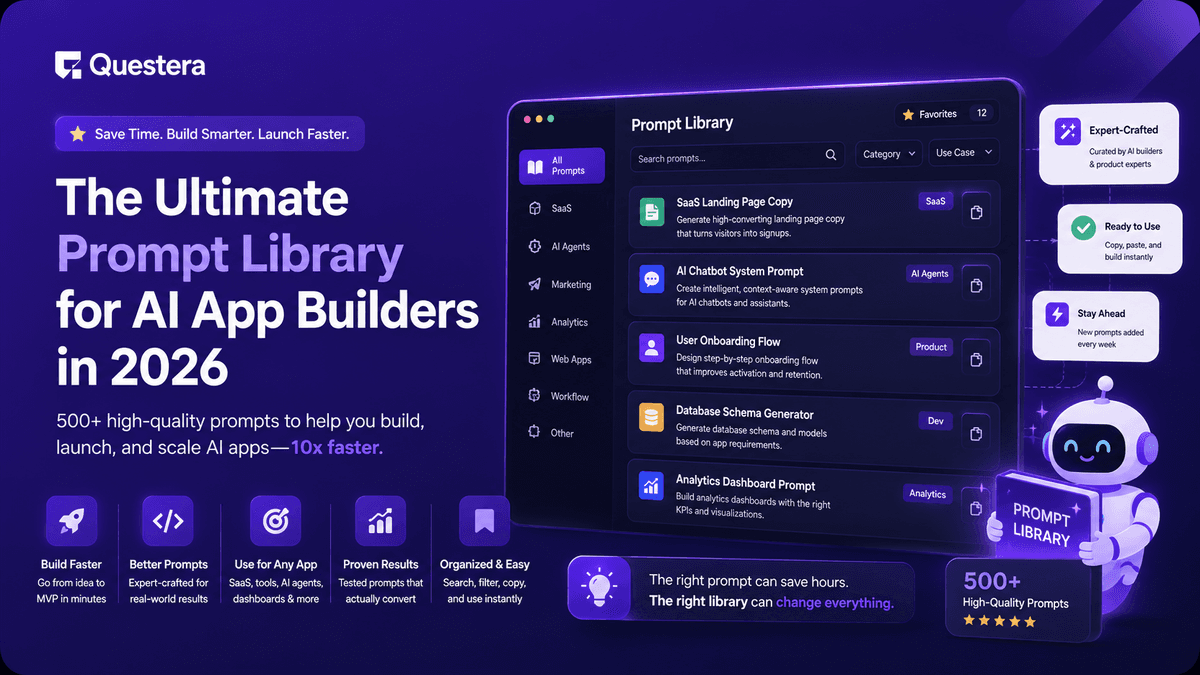
The Ultimate Prompt Library for AI App Builders in 2026
TL;DR
The ultimate prompt library for AI app builders in 2026 covers six categories: scaffolding, database, auth, core features, payments, and polish. The best prompts are specific, layered, and dependency-ordered — they name the user, the data fields, the action, and the visual outcome. Run them in sequence on Greta, Emergent, Bolt, or Lovable and you can ship a working SaaS in 5–10 hours of focused prompting.
Introduction
The difference between an AI-built app that ships and one that stalls in iteration hell isn't the platform — it's the prompts. A vague prompt produces generic output. A specific, well-ordered prompt produces a shippable v1. Most non-developers learn this the hard way after burning a weekend on rebuilds that could have been avoided with the right prompt structure.
This guide is the prompt library we wish we'd had a year ago. Every prompt below is copy-ready, dependency-ordered, and tested across Greta, Emergent, Lovable, and Bolt. Use them in sequence and you'll go from idea to a working SaaS app this week.
What makes a good prompt for AI app builders?
A good prompt for AI app builders has four ingredients: a specific user, a clear action, defined data fields, and a desired visual outcome. Drop any one of these and the AI fills in the gap with generic SaaS template output that you'll have to rewrite anyway.
The difference is stark. "Build me a SaaS" produces a stock dashboard with placeholder fields. "Build a workout logging page for solo lifters tracking sets, reps, weight, and date, with a save button that adds the entry to a history list" produces something close to what you actually wanted.
According to early benchmarks from indie hacker communities, founders using structured prompt libraries ship roughly 3x faster than those who write prompts ad hoc. The pattern is consistent: structure beats creativity when prompting for software.
How should you organize your prompt library?
A prompt library for AI app builders should be organized by build phase, not by feature type. This matters because prompts have dependencies — you can't prompt for a progress chart before you have a database, and you can't add payments before you have user accounts.
Organize by phase, not by feature
The six phases that every SaaS build moves through are: scaffolding, database, auth, core features, payments, and polish. Build your library around these phases and run prompts in order. Skipping ahead causes rework.
Build this with a prompt on Greta.sh — describe the app, Greta writes and deploys it.Keep prompts modular and reusable
A good prompt is reusable across projects with minimal changes. Treat each prompt as a template with variables you swap in — [user type], [product name], [data fields], [design vibe]. The more modular your library, the faster every subsequent build becomes.
The ultimate prompt library for AI app builders — by phase
Here are the prompts that work consistently across modern vibe coding platforms. Use the variable placeholders (in brackets) and swap in your specifics.
Phase 1: Scaffolding prompts
These set up the skeleton of your app. Run one of these first, before anything else.
| Prompt Type | Template |
|---|---|
| Full SaaS scaffold | Build a SaaS app for [target user] called [product name]. Core feature: [one-line description]. Include a landing page, sign-in flow, main app dashboard, and a settings page. Design vibe: [minimal/bold/playful]. |
| Mobile-first scaffold | Build a mobile-first responsive SaaS app for [user]. Core flow: [action]. Use bottom navigation with 4 tabs: Home, History, Add, Profile. |
| Internal tool scaffold | Build an internal admin dashboard for [team type]. Include a side navigation with sections for [list 3–5 sections]. Use clean tables and filterable lists. |
Phase 2: Database prompts
Run these immediately after the scaffold, before any features that store data.
| Prompt Type | Template |
|---|---|
| Define schema | Set up the database schema. The main entity is [entity name] with fields: [field 1 (type)], [field 2 (type)], [field 3 (type)]. Each [entity] belongs to a user. |
| Add relationships | Add a one-to-many relationship between users and [entity]. Each user should see only their own [entity] records. |
| Seed data | Seed the database with 5 example [entity] records so the UI shows real data instead of empty states. |
Phase 3: Auth prompts
Run these before payments. Auth needs to exist for paywalls to work.
| Prompt Type | Template |
|---|---|
| Email magic link auth | Add email-based magic link authentication. Sign-up should require only email. Redirect users to the main dashboard after sign-in. |
| Social login | Add Google and GitHub OAuth login as alternatives to email. Keep magic link as the default. |
| Protected routes | Protect the dashboard and all settings pages so they require authentication. Redirect unauthenticated users to the sign-in page. |
Phase 4: Core feature prompts
This is where each app diverges. The pattern is the same — name the input, the action, the output.
| Prompt Type | Template |
|---|---|
| Input form | Add a form to create a new [entity]. Fields: [list each field with type]. Validate [field] as required. On submit, save to database and show the new entry in the history list. |
| List view | Add a history view showing all [entities] for the logged-in user, sorted by date descending. Each row shows [fields]. Click a row to expand details. |
| AI feature | Add an AI feature that takes [input from user] and returns [output]. Use the [model name] API. Show a loading state while processing. Cache results to reduce API costs. |
| Progress chart | Add a chart on the dashboard showing [metric] over time. Use a line chart with the last 30 days. Include a personal record callout above the chart. |
Phase 5: Payment prompts
Run these only after auth and a working core feature.
| Prompt Type | Template |
|---|---|
| Stripe paywall | Add Stripe payments with two tiers: Free (3 [actions] per month) and Pro ($19/month, unlimited). Block the [core action] after the free limit and show an upgrade modal. |
| Pricing page | Add a pricing page with two tiers side by side. Highlight Pro as 'most popular.' Each tier shows a list of features and a CTA button. |
| Billing portal | Add a Stripe customer portal link in user settings so users can manage their subscription, update payment methods, and cancel. |
Phase 6: Polish prompts
Run these last, after the app works end to end.
| Prompt Type | Template |
|---|---|
| Mobile responsiveness | Make the entire app fully responsive for mobile. Test all forms, tables, and modals on a 375px viewport. Fix any horizontal scroll or overflow issues. |
| Empty states | Add friendly empty states for every list view. Include an illustration, one-line explanation, and a CTA to create the first [entity]. |
| Onboarding | Add a 3-step onboarding flow for first-time users. Steps: ask for [info 1], explain [feature], create their first [entity] together. |
| Error handling | Add toast notifications for all API errors with friendly messages. Replace any console errors with user-facing feedback. |
Bonus: high-leverage prompts that consistently work
Some prompts move the needle far more than others. These are worth memorizing and reusing across every project.
- "Make this more opinionated about [user]." — Forces the AI to drop generic language and write copy for your specific audience.
- "Rewrite this section as if you were [reference brand]." — Use a brand you admire (Linear, Notion, Stripe) to set the design and copy bar.
- "Show me 3 different approaches to [problem], with tradeoffs." — Useful when you don't know what to ask for. The AI proposes options instead of guessing.
- "What's the simplest version of this feature?" — Cuts scope creep before it grows. Always run this when a feature feels too big.
- "Add the same feature for [related entity]." — Reuses logic across similar models. Saves 50% of build time when you have parallel entities.
- "Diff what you just changed." — Forces the AI to summarize its changes so you can spot mistakes before they compound.
Prompts for landing pages and marketing assets
A working app without a landing page never gets users. Treat the marketing layer as a separate prompt pass with its own library.
- Hero rewrite: "Rewrite the hero with a headline under 10 words that names the outcome, a sub-headline naming the user, and a CTA button with an action verb."
- Social proof: "Add a social proof bar with 5 logo placeholders, a testimonial card with avatar and quote, and a metric line."
- Problem section: "Add a 'before' section listing 3 specific pains [user] faces today. Use short, punchy bullets — no fluff."
- FAQ: "Add a 6-question FAQ section answering the top objections a [user] would have before signing up."
- Final CTA: "Add a final CTA section with a bold one-line headline, a risk-reversal subline, and a single large button."
Our deeper guide on AI Prompts for Building Landing Pages breaks down the full layered prompting approach for high-converting landing pages — worth reading in full if marketing copy is your weak point.
How to apply this prompt library to real projects
The fastest way to internalize this library is to use it on a real project from idea to launch. Pick one of the AI app ideas for non-developers or browse our list of six-figure SaaS ideas, then run through the six phases in order.
For a worked example, our detailed walkthrough on how to Build a Fitness Tracking App using prompts shows exactly how this library plays out in a real session — including which prompts to use at each step and how the founders behind AI-built apps making $1M+ ARR approach the same workflow.
Common Mistakes to Avoid
- Writing prompts in random order — Asking for a chart before the database exists wastes 30+ minutes of rework. Always run prompts in phase order.
- Over-stuffing one prompt — Trying to add payments, onboarding, and email all in one prompt produces a broken build. One feature per prompt.
- Forgetting variable placeholders — Copying prompts verbatim with [user type] still in them produces literal output. Always swap in your specifics.
- Skipping the polish phase — Empty states, error handling, and mobile responsiveness are not optional. Skip them and your launch will look amateur.
- Not testing prompts across platforms — A prompt that works perfectly on Greta might need adjusting on Emergent or Bolt. Test before committing to a platform.
- Ignoring cost-per-prompt — Some prompts (heavy iterations on UI, long context refactors) cost more credits than others. Budget your credits across the six phases.
- Treating the library as static — Your prompt library should evolve every project. Save what works, kill what doesn't.
Frequently Asked Questions
Ready to ship? Open Greta.sh — your idea → a working app, in one chat.1. What is a prompt library for AI app builders?
A prompt library for AI app builders is a curated, reusable collection of prompts organized by build phase — scaffolding, database, auth, features, payments, and polish — designed to produce consistent output across vibe coding platforms like Greta, Emergent, Lovable, and Bolt.
2. Which AI app builder works best with a structured prompt library?
Most modern vibe coding platforms (Greta, Emergent, Lovable, Bolt, Cursor) work well with structured prompts. The library is largely platform-agnostic — small adjustments may be needed depending on each platform's conventions, but the phase order and prompt structure transfer cleanly.
3. How long does it take to ship an app using this prompt library?
A focused solo founder using this library can ship a working SaaS MVP in 5–10 hours of prompting spread across 5–7 days. The library cuts iteration time roughly in half compared to ad-hoc prompting.
4. Can I use this prompt library without any coding experience?
Yes — the library is designed specifically for non-developers. You don't need to read or write code, but you do need to read the AI's responses, swap variables in templates, and describe problems clearly when something breaks.
5. How do I customize prompts for my specific app?
Replace the placeholders in brackets ([user type], [entity], [fields], [design vibe]) with your specifics. The more specific you are about the user, the data, and the visual outcome, the less generic the output will be.
6. Should I save my prompts as I go?
Yes — every prompt that produces good output should be saved as a template for future projects. Most founders build their personal prompt libraries over 3–5 projects, and the library compounds in value as you reuse it.
7. What's the single most important prompt to get right?
The Phase 1 scaffolding prompt. It sets the foundation for everything else — design vibe, structure, and audience tone. If you get the scaffold wrong, every subsequent prompt fights against it. Spend extra time on this one.
Conclusion
- The ultimate prompt library for AI app builders is organized by build phase — scaffolding, database, auth, core features, payments, and polish — and run in dependency order.
- Specific prompts beat creative ones. Naming the user, the action, the data, and the visual outcome consistently produces better output than clever phrasing.
- The library is platform-agnostic. The same prompts work across Greta, Emergent, Lovable, Bolt, and Cursor with minor adjustments — meaning your library compounds in value as you build more apps.
- Save what works and kill what doesn't. The founders shipping the fastest in 2026 treat their personal prompt libraries as the most valuable asset they own.
Copy the templates above, swap in your specifics, and run them in order on your next build. The prompt library is the single biggest force multiplier any non-developer has in 2026 — use it deliberately and you'll ship in days what used to take months.





