






How to Collect User Feedback in Your AI-Built App (and Turn It Into Features)
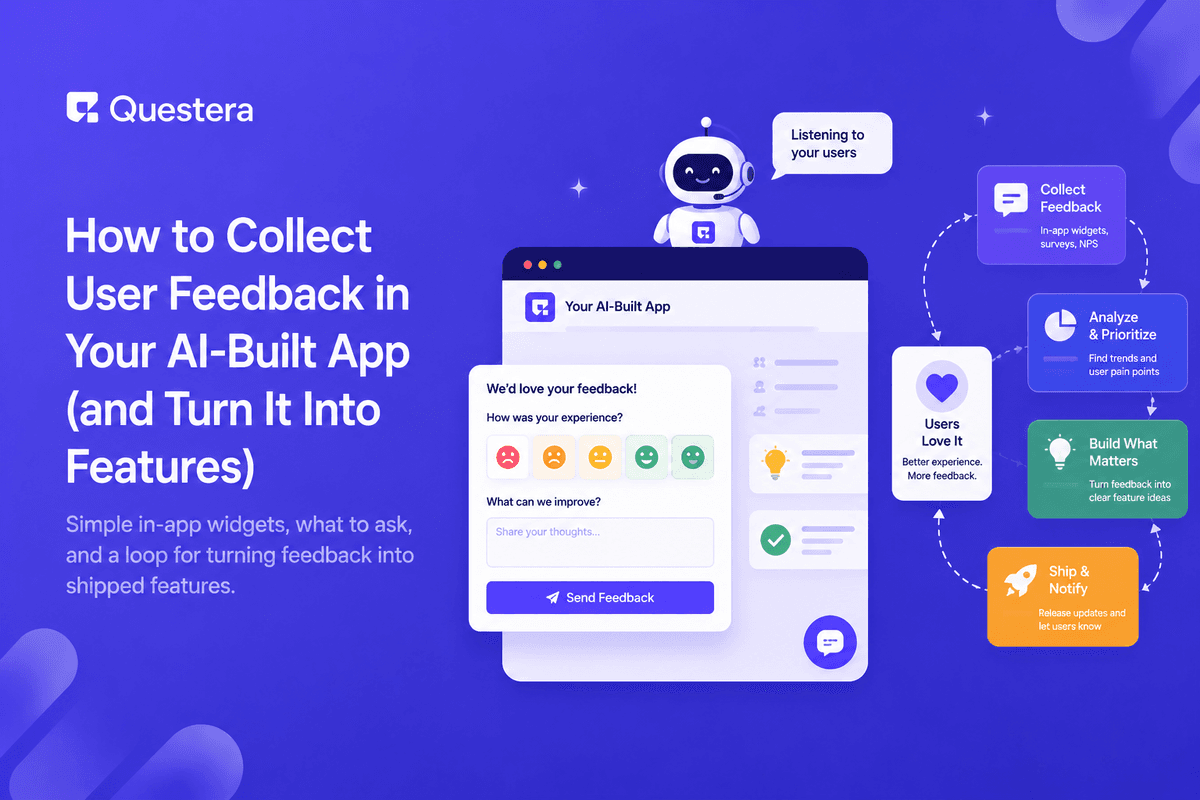
To collect user feedback in an AI-built app, add one lightweight in-app entry point — a feedback button or a one-question prompt after a key action — route everything to a single inbox or board, and review it on a fixed weekly cadence. The collection part is easy to build; the loop that turns feedback into shipped features is what most founders never set up.
Without that loop, feedback scatters across email, DMs, and memory. You end up building what the loudest user asked for last, instead of what most users quietly struggle with. And the users who took the time to write to you hear nothing back, so they stop writing — usually right before they stop using the app.
This guide covers the collection setup, the questions worth asking, a 30-minute weekly triage, and the discipline of saying no — the full path from raw comment to shipped feature.
Why Do Most Founders Collect Feedback They Never Use?
Because collecting feels productive and processing feels like work. Installing a feedback form takes an hour and produces a warm sense of listening to users. Reading forty raw comments, deciding which three matter, and telling the rest no — that's the uncomfortable part, and it's the part that creates value.
A feedback form with no owner and no review cadence is a suggestion box nailed shut. Decide upfront where feedback lands, when you read it, and how a piece of feedback becomes — or explicitly doesn't become — a change in the product. The mechanics below only work on top of that commitment.
What's the Simplest Way to Collect Feedback In-App?
You need at most two channels at the start, chosen for where users actually are when they have something to say:
| Channel | Best For | Watch Out For |
|---|---|---|
| In-app feedback button | Bug reports and ideas in the moment they occur | Keep it to one field — long forms kill submissions |
| One-question prompt after a key action | Measuring how a specific flow felt | Show it rarely, or it becomes noise users dismiss |
| Reply-able onboarding email | Honest, longer-form answers from new users | Send from a real address you actually check |
| Short user calls | Understanding the why behind patterns | A few focused calls beat a big survey |
Start with the in-app button plus a reply-able email. Prompt your AI builder to add the button, store submissions with the user's ID and current page, and send you a notification for each one. That context is the difference between "the export is broken" as a mystery and as a reproducible report — you know who, where, and when without asking.
Resist the urge to add a feedback portal, a public voting board, and an NPS survey on day one. Every channel you add is a channel you must check, and fragmented feedback is how patterns get missed.
Build this with a prompt on Greta.sh — describe the app, Greta writes and deploys it.What Should You Actually Ask Users?
Open-ended prompts produce polite noise. Specific questions produce answers you can act on:
- "What were you trying to do when things got frustrating?" — surfaces workflow gaps you can't see from analytics.
- "What almost stopped you from signing up?" — reveals objections you can fix on the landing page this week.
- "If this app disappeared tomorrow, what would you use instead?" — measures how essential you are and who you're really competing with.
- "What's the one thing you wish it did?" — collects feature demand in the user's own words, which is also your best marketing copy.
- Avoid "Do you like the app?" — polite answers teach you nothing, and users who don't like it have already left.
Timing matters as much as wording. Ask about onboarding right after onboarding, ask about a feature right after its third use, and never interrupt someone mid-task — the fastest way to make feedback prompts invisible is to make them annoying.
How Do You Turn Feedback Into Shipped Features?
Raw feedback becomes product through a loop with four stages: collect everything in one place, find the patterns, ship the top pattern, and close the loop with the people who reported it. The last stage is the one that compounds — telling a user "you asked, we built it" costs a minute and turns feedback-givers into your most loyal users and loudest advocates.
The middle stages are where judgment lives. A pattern is three or more users hitting the same wall independently — not one articulate user with a long wishlist. And shipping "the top pattern" means at most one or two per cycle; a roadmap that chases every request ships nothing well.
A Weekly Feedback Triage That Takes 30 Minutes
- Open your feedback board and read everything new since last week — don't respond yet, just read.
- Tag each item: bug, feature idea, confusion, or praise.
- Bugs go straight to your task list, with the user's context attached.
- For ideas and confusion, count repeats against previous weeks — frequency separates signal from noise.
- Promote any pattern with three or more independent reports to your feature candidate list.
- Pick at most one or two candidates for the coming cycle, and prompt your AI builder to start on the top one.
- Reply to everyone whose item you acted on, and archive what you've decided not to do.
Thirty minutes, once a week, same day every week. The cadence is the feature: skip two weeks and the backlog becomes a chore you avoid; keep the rhythm and feedback stays a steady input instead of a guilt pile.
When Should You Say No to a Feature Request?
Say no when a request serves one user's edge case, pulls the product away from its core job, or adds permanent complexity for a temporary problem. Every feature you add is code you maintain forever — in an AI-built app it's also context every future prompt has to work around.
A short "not planned, and here's why" is kinder than a permanent "maybe" — users respect a clear decision, and it keeps your roadmap yours instead of a queue of other people's ideas. Keep the archived requests, though: a no at 100 users is sometimes a yes at 1,000.
Common Mistakes to Avoid
- Adding a long feedback form nobody finishes instead of one simple field.
- Treating every request as a commitment instead of a data point.
- Building for the loudest user while silent majorities churn.
- Never replying to people whose feedback you shipped.
- Collecting feedback with no weekly slot to actually process it.
- Reading feedback as instructions instead of symptoms — the request is rarely the requirement.
Frequently Asked Questions
How much feedback do I need before acting on it?
Three independent reports of the same problem is a reasonable bar for early apps — enough to be a pattern, small enough to act fast. For anything touching payments or signup, act on a single credible report, because most affected users won't bother telling you.
Want to try one of these? Start on Greta.sh — no setup, no boilerplate — just a prompt.Should feedback be anonymous?
Attach the user ID when you can. Knowing whether a report came from a paying user on their tenth session or a visitor who bounced in two minutes changes how you weigh it. Offer an anonymous path too for sensitive complaints, but default to identified.
Do I need a dedicated feedback tool?
Not at the start. An in-app button feeding a simple board or spreadsheet covers the first hundreds of users. Add dedicated tooling when volume genuinely outgrows it — when you're losing track of threads, not before.
How do I get more users to leave feedback?
Make it one click from inside the app, ask right after a meaningful action, and visibly ship things users asked for. Proof that feedback leads to change is the strongest incentive to give more of it — users talk to products that listen.
What if feedback contradicts my own product vision?
Look for the problem underneath the request. Users are usually right about what hurts and often wrong about the exact fix — solve the problem your way. If many users keep asking for something that genuinely isn't your product, that's useful too: your marketing is attracting the wrong audience.
Should I reply to every piece of feedback?
Early on, yes — a one-line acknowledgment costs seconds and dramatically raises the odds that user reports again. The reply that matters most is the one you send when you ship their suggestion; it turns a reporter into an advocate.
Can AI help process the feedback I collect?
Yes — once volume grows, AI is good at clustering raw feedback into themes, tagging sentiment, and surfacing repeated complaints across channels. Keep the final prioritization human: AI tells you what users said, not what your product should become.
Key Takeaways
- One lightweight in-app entry point beats a long form nobody fills in.
- Route all feedback to a single place with user and page context attached automatically.
- Ask specific questions at specific moments — timing and wording decide whether answers are usable.
- Triage weekly in 30 minutes: tag, count repeats, promote patterns of three or more reports.
- Close the loop with users whose feedback you shipped — it's the cheapest loyalty you'll ever buy.
- A clear no protects the product more than a pile of maybes.
Ready to wire this up? Prompt Greta to add a one-field feedback widget that logs the user, page, and message to your database — you'll have your feedback loop running today.





© 2026 Questera
Follow in Google