






12 Vibe Coding Projects to Try Out in 2026
Short answer
Have you ever stared at your screen, ready to code, but had no idea what to build? Most project lists feel boring: another calculator, another to-do app. What if your next project could be fun, useful, and something you’d actually want to use? That’s where vibe coding projects come in.
These are projects that mix creativity with real-world functionality. They’re perfect for beginners who want to try creative programming projects, for intermediates looking for project ideas that challenge you, and even for advanced developers aiming to build full-stack apps with real impact. Let’s check out 12 coding projects that are not only exciting to make but also teach you skills you can use in the real world.
TL;DR
Here’s the quick rundown of what you’ll get in this blog:
- 12 vibe coding project ideas that are actually fun and useful
- Projects for beginners, intermediates, and advanced builders, with a first prompt for each
- Practical tips on what tools and skills each project will teach you
- A step-by-step way to start, plus a few vibe coding challenges
- What a real vibe coded app taught the person who coined the term
- How Greta can build these projects from a plain-English description
What is Vibe Coding?
Vibe coding means building software by telling an AI what you want and judging the result by running it, rather than writing and reading every line yourself. Andrej Karpathy named it in a post on 2 February 2025, describing a style where you “fully give in to the vibes” and “forget that the code even exists”.
In practice you describe a screen, run what the AI builds, and ask for changes in plain language. That makes the choice of project more important than the choice of language: a project you care about keeps you prompting, testing and improving long after a tutorial app would have been abandoned. The projects below are picked for that, and they range from simple beginner-friendly apps to full-stack web projects.
The 12 Vibe Coding Project Ideas at a Glance
Every project is explained below. The table shows the level, what each one teaches and a first prompt you can paste into an AI app builder or coding agent to get a working first version.
| # | Project | Level | What you’ll learn | First prompt to try |
|---|---|---|---|---|
| 1 | Mood-Based Playlist Generator | Beginner to Intermediate | API requests, forms, dynamic themes | Build a web app where I type a mood and get 10 song suggestions, with the page colors changing to match the mood. |
| 2 | Digital Vision Board with Live Data | Intermediate | File uploads, third-party APIs, a hosted database | Build a vision board where I upload images and quotes, arrange them in a grid and track three goals with progress bars. |
| 3 | AI Project Planner | Beginner to Advanced | Structured AI output, task lists, timelines | Build a planner that turns a one-paragraph project idea into tasks with due dates and shows them on a timeline. |
| 4 | Dream Journal Analyzer | Beginner | Saving text, word-frequency analysis | Build a dream journal where I save entries and see the 20 most frequent words across all of them. |
| 5 | Generative Digital Art Gallery | Intermediate to Advanced | p5.js or Three.js, sliders, saving images | Build a p5.js generative art page with sliders for color, density and speed, and a button to save the image. |
| 6 | Local Adventure Recommender | Intermediate | Location data, filters, mobile layout | Build a mobile-friendly app that suggests five places near me in a category I pick and lets me mark them as visited. |
| 7 | Interactive Storytelling Engine | Beginner to Intermediate | Branching data in JSON, interactive UI | Build a choose-your-own-adventure player that reads branching scenes from a JSON file and shows two choices per scene. |
| 8 | Mindful Break Timer | Beginner | Timers, UI state, browser storage | Build a 25/5 focus timer that suggests a different stretch at each break and saves my sessions in the browser. |
| 9 | AI-Powered Meme Generator | Intermediate | Image handling, AI captions, drag and drop | Build a meme maker where I upload an image, AI suggests three captions and I can drag the text into place. |
| 10 | Skill-Swap Marketplace | Advanced | User accounts, profiles, matching, messaging | Build a skill-swap marketplace with sign-in, profiles listing skills offered and wanted, matches and messages between users. |
| 11 | Personalized Recipe Explorer | Intermediate | Recipe APIs, search filters, responsive design | Build an app where I type the ingredients I have and get recipes filtered by diet and cooking time. |
| 12 | Micro-Journal with Daily Reflection | Beginner to Intermediate | Forms, daily entries, simple charts | Build a one-line daily journal with a mood tag on each entry and a chart of my mood over the last 30 days. |
How to Start a Vibe Coding Project
The same five steps work for every project on this list, whether you are a beginner or have shipped apps before.
- Pick the smallest version you would use this week. One screen, one main action, no sign-in unless the idea needs it.
- Choose a tool. If you would rather not touch code, use a browser-based AI app builder such as Greta, Lovable, Bolt or Replit, which also host the app. If you already code, an AI editor or coding agent such as Cursor, Claude Code or GitHub Copilot works on code on your own machine.
- Write a first prompt that names the screens, the data and the main action. The prompts in the table above follow that pattern.
- Run it, then change one thing per prompt. Small requests are easier for the AI to get right and easier for you to check.
- Check it before you share it. Test sign-in if the app has one, keep API keys out of front-end code, and ask one friend to try it before you post the link.
If you are completely new to this, our vibe coding starter roadmap for beginners walks through the first week in more detail.
1. Mood-Based Playlist Generator
Level: Beginner to Intermediate
Why build it: Everyone loves music. This project makes learning APIs fun because you’re building something that responds to how you feel.
What you’ll learn:
- Making API requests (Spotify or YouTube)
- Handling user input with forms and buttons
- Changing the design dynamically (colors, themes)
Ideas to expand it:
- Add sentiment analysis: the app reads a short journal entry and picks music that fits your mood
- Let users share their playlists with friends
- Save “favorite moods” so the app remembers your vibe
This is one of those creative programming projects for beginners that can quickly grow into something advanced.
2. Digital Vision Board with Live Data
Level: Intermediate
Why build it: Vision boards are usually just images on a wall. Turning that into an interactive, live-updating app gives you a tool that motivates and adapts to your progress.
What you’ll learn:
- Handling file uploads (images, quotes)
- Connecting to APIs (Duolingo, fitness trackers, finance apps)
- Using Firebase or Supabase for storage
Ideas to expand it:
- Let multiple users collaborate on a shared board
- Add milestones that unlock special animations when achieved
- Daily notification system to remind you of your goals
This is an inspired coding build for web apps that mixes design with functionality.
Build this with a prompt on Greta.sh — describe the app, Greta writes and deploys it.3. AI Project Planner
Level: Beginner to Advanced
Why build it: Starting a project is often harder than finishing one. A planner that turns a one-paragraph idea into a list of tasks gives every later project on this list a head start.
What you’ll learn:
- Sending a free-text idea to an AI model and getting structured tasks back
- Breaking projects into smaller tasks with due dates
- Showing data visually in timelines or task trees
Ideas to expand it:
- Add collaboration so a team can use the planner together
- Connect GitHub repos to track progress automatically
- Show project dependencies in a flowchart
This is a meta project: a project that helps you plan other projects. Build the first version in an AI app builder, then use it to plan the next project you pick from this list.
4. Dream Journal Analyzer
Level: Beginner
Why build it: It’s simple, personal, and helps you practice text analysis. Writing dreams is fun, and analyzing them teaches you the basics of natural language processing.
What you’ll learn:
- Collecting and saving text data
- Word frequency analysis
- Building a simple Flask or Django app
Ideas to expand it:
- Detect recurring symbols across multiple dreams
- Add charts that show mood trends over time
- Use AI to suggest possible interpretations
It’s a creative programming project for beginners that gives you a mix of psychology and coding.
5. Generative Digital Art Gallery
Level: Intermediate to Advanced
Why build it: Coding can be visual and creative, not just logic-based. Generative art helps you learn math and design while building something that looks impressive.
What you’ll learn:
- Using p5.js or Three.js for graphics
- Sliders or inputs that control variables
- Saving and displaying user-generated art
Ideas to expand it:
- Let people download or print their artwork
- Create a gallery where every refresh shows a new design
- Add multiplayer mode where users remix each other’s art
This is one of the most popular vibe coding project ideas because it mixes math, art, and creativity.
6. Local Adventure Recommender
Level: Intermediate
Why build it: We often end up going to the same places. This app suggests new experiences nearby, which makes it useful and fun.
What you’ll learn:
- Working with location data (Google Maps API)
- Filtering results based on user preferences
- Building a React Native mobile app
Ideas to expand it:
- Add gamification: badges for trying new places
- Weekly challenges like “try a new coffee shop”
- AI-based suggestions that improve as the user explores
This is a full stack project idea for real-world apps because it solves a common problem: boredom with your surroundings.
7. Interactive Storytelling Engine
Level: Beginner to Intermediate
Why build it: Everyone loves stories. With this app, you can create branching paths and let users decide how the story unfolds.
What you’ll learn:
- Storing branching storylines in JSON
- Using React or Vue for interactive paths
- Adding sound and visuals to enhance the story
Ideas to expand it:
- Build a library where users can create and share their own stories
- Add AI-driven characters that respond differently each time
- Gamify stories with points or endings to unlock
This project is great for practice and can turn into a creative platform.
Want to try one of these? Start on Greta.sh — no setup, no boilerplate — just a prompt.8. Mindful Break Timer
Level: Beginner
Why build it: Everyone uses timers, but not all of them encourage healthy breaks. This project is simple but meaningful.
What you’ll learn:
- JavaScript timing functions (setInterval, setTimeout)
- Designing UI for timers
- Saving sessions locally in the browser
Ideas to expand it:
- Suggest random mindful activities like stretching or breathing
- Track progress over a week or month
- Sync data across devices
It’s a creative programming project for beginners that feels practical and rewarding.
9. AI-Powered Meme Generator
Level: Intermediate
Why build it: Memes are fun, shareable, and coding them gives you practice with text generation and images.
What you’ll learn:
- Uploading and manipulating images
- Integrating AI models for captions
- Creating a drag-and-drop interface
Ideas to expand it:
- Add trending hashtags for share-ready memes
- Generate meme templates automatically
- Build a gallery of user-created memes
This is a programming project idea that mixes humor with real technical skills.
10. Skill-Swap Marketplace
Level: Advanced
Why build it: It’s practical and solves a real problem: how to trade skills without money.
What you’ll learn:
- Building a user system with profiles
- Designing a marketplace structure
- Handling secure chat and transaction history
Ideas to expand it:
- AI matchmaking for pairing the right users
- Add review systems and trust scores
- Create mobile and web versions
This is a full stack project idea for real-world apps that could even become a startup.
11. Personalized Recipe Explorer
Level: Intermediate
Why build it: Everyone cooks, but sometimes you don’t know what to make. This app takes what you already have and turns it into recipes.
What you’ll learn:
- Using recipe APIs (Spoonacular, Edamam)
- Handling search filters (diet, calories, cooking time)
- Creating a clean, mobile-friendly design
Ideas to expand it:
- Use computer vision to scan photos of ingredients
- Add “mood-based cooking” categories like comfort food
- Save and share recipes with friends
This is an inspired coding build for web apps that’s both practical and fun.
Ready to ship? Open Greta.sh — your idea → a working app, in one chat.12. Micro-Journal with Daily Reflection
Level: Beginner to Intermediate
Why build it: Journaling helps with mental clarity. Adding daily insights makes it even more useful.
What you’ll learn:
- Building simple input forms
- Saving and displaying daily entries
- Using text analysis for mood detection
Ideas to expand it:
- Charts that show mood trends over weeks or months
- Suggested prompts for writing
- AI-generated reflection questions based on your last few entries
This is a small but meaningful project that helps both coding skills and personal growth.
Vibe Coding Challenges to Try
A constraint turns any of the ideas above into a challenge, and challenges are what get small projects finished. Pick one:
- The one-evening build: a working first version of a beginner project before you go to bed.
- No hand edits: finish a project changing code only through prompts, so you learn to describe fixes precisely.
- Ten-prompt rebuild: recreate a simple app you already use in ten prompts or fewer.
- One a week: ship one small project every week for a month and post the link each time.
A Real Vibe Coded Project, and What It Taught
The best-documented example comes from Karpathy himself. In May 2025 he built MenuGen, an app that takes a photo of a restaurant menu and generates a picture of each dish, writing none of the code directly (Cursor with Claude and o3 wrote it). In his write-up he called the local demo exhilarating and fun, and the deployed, real app a bit of a painful slog: the hard part was wiring together hosting, sign-in, payments, API keys and a database, not the code.
That is the lesson for your own projects. Keep the first version local or on a builder that handles hosting, sign-in and the database for you, and add accounts and payments only when the project has earned them. For more finished examples, see our vibe coding examples for beginners and B2B teams.
Why Vibe Projects Work Better Than Generic Projects
Generic programming project ideas are fine for practice, but they don’t keep you motivated. Vibe coding projects are different because:
- They’re fun to use after you build them
- They look and feel creative
- They can grow into real-world apps
- They help you learn skills in a practical way
When a project carries a vibe, you don’t just build it once and forget it; you come back to improve it. Some people go one step further and turn a personal project into a small paid tool. If that is your goal, our list of vibe coding projects that make real money covers the project types and pricing models that work, and our 15 vibe coding app ideas for business lean toward tools a team would pay for.
How Greta Can Help in Vibe Coding
When starting a project, most people get stuck on:
- What stack to use
- How to wire up hosting, sign-in and a database
- How to get from a demo to something other people can open
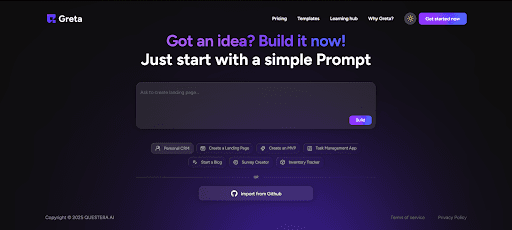
That’s where Greta is useful. Greta is an AI app builder: you describe your idea in plain English, or start from one of its 100+ templates, and it builds:
- The front end, back end and database in one project
- One-click deployment with SSL and a global CDN, from the Starter plan
- Code you can read on every plan and edit directly from Starter
- GitHub version control and team management on the Pro plan
Pricing as of October 2026: Free with 5 credits a day; Starter $20 a month list, currently $5 on the welcome offer; Pro $50 a month list, currently $20 on the welcome offer; Business $200 a month. Whether you’re building a creative project for beginners or a full stack app, the free plan is enough to try a first project.
Final Thoughts
If you only take one lesson away: stop building projects you don’t care about. Start building vibe coding project ideas that excite you. The 12 projects here give you a mix of small, medium, and big ideas, enough to challenge you no matter your level.
Pair these projects with Greta to go from idea to a live app faster and finish more often. Remember: the best projects aren’t just practice, they’re ones you’ll actually want to share, expand, and keep using.
FAQs
1. What is a vibe coding project?
A vibe coding project is an app you build mainly by describing what you want to an AI coding tool and judging the result by running it, instead of writing every line yourself. Andrej Karpathy coined the term in February 2025. The best first projects are small, personal and fun enough that you keep improving them.
2. What are good vibe coding project ideas for beginners?
Start with one-screen apps: the Mindful Break Timer, the Dream Journal Analyzer, the Micro-Journal with Daily Reflection, the Mood-Based Playlist Generator or the Interactive Storytelling Engine. Each one needs no sign-in or payments, so a first version can work in an evening.
3. Can intermediate programmers benefit from these ideas?
Yes. The Digital Vision Board, the Generative Art Gallery, the Local Adventure Recommender and the Skill-Swap Marketplace involve APIs, databases, user accounts and real-time features, which is where reading and correcting the AI's code teaches you the most.
4. How do I start a vibe coding project?
Pick the smallest version you would use this week, choose a tool (a browser AI app builder if you do not code, an AI editor or coding agent if you do), write a first prompt that names the screens, the data and the main action, then fix one thing per prompt until it works. Check sign-in and keep API keys out of the front end before you share it.
5. What tools do I need for vibe coding?
Only one. Browser-based AI app builders such as Greta, Lovable, Bolt and Replit build and host the whole app from a description. If you already code, an AI editor or coding agent such as Cursor, Claude Code or GitHub Copilot works on code on your own machine.
6. What are some vibe coding challenges to try?
Set yourself a constraint: build a working app in one evening, finish a project without editing any code by hand, rebuild an app you already use in under ten prompts, or ship one small project a week for a month. Constraints keep the scope small, which is what makes vibe coding projects get finished.
7. What skills can I learn from these projects?
You learn how front ends, back ends, databases and APIs fit together, how to describe software precisely, and how to test and debug what an AI wrote. Creative projects such as the generative art gallery and the storytelling engine add creative coding on top.
8. Can I make money from a vibe coding project?
Some people do, usually by turning a personal project into a small paid tool for a specific group of users. Treat that as a second step: get the project working and used first, then add accounts and payments.
9. How can Greta help with these projects?
Greta is an AI app builder: you describe the project in plain English or start from one of its 100+ templates, and it builds the front end, back end and database and deploys the app with one click. The free plan includes 5 credits a day.





© 2026 Questera
Follow in Google