






How to Set Up Authentication in an AI-Generated App
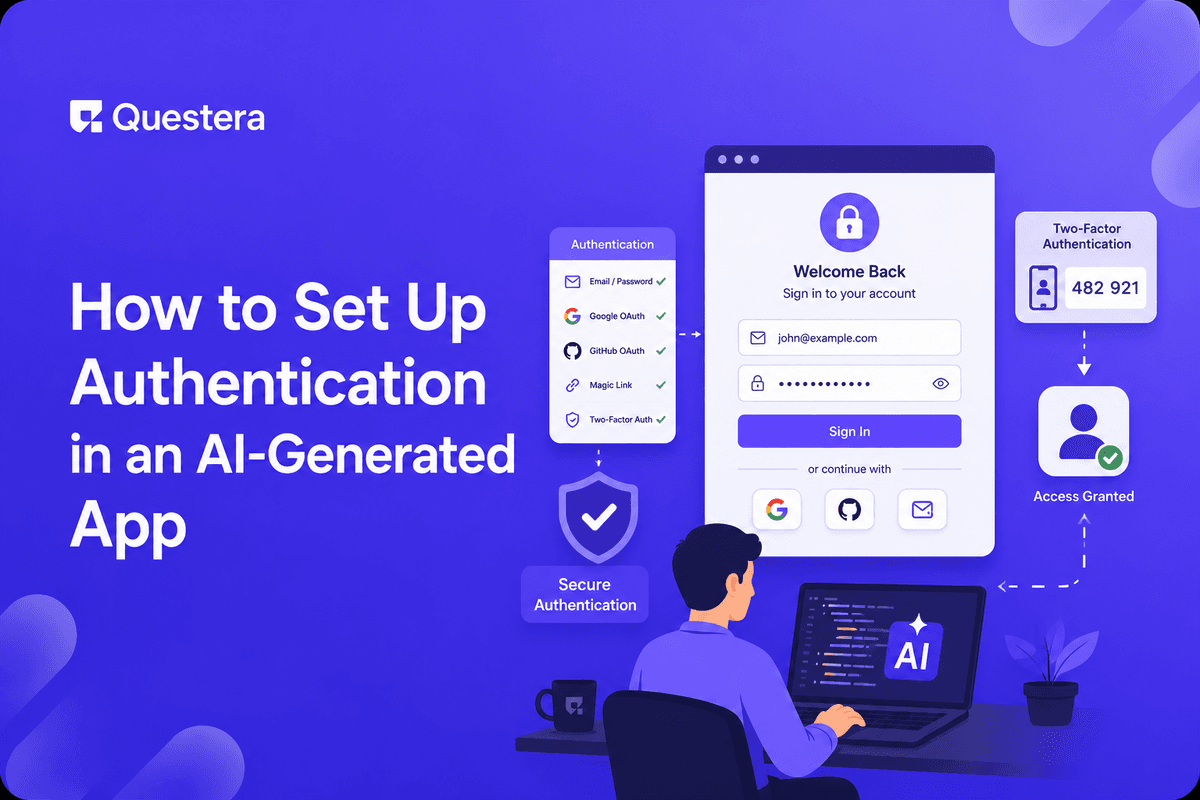
Authentication is the foundation of every multi-user app — get it wrong and you have data leaks, account takeovers, and compliance violations. In 2026, AI app builders make auth setup straightforward — choose a provider (Supabase Auth, Clerk, NextAuth, Auth0), select auth methods (magic link, OAuth, password), and the platform wires it up. The discipline lives in what you build on top: Row-Level Security policies, session management, multi-factor authentication for sensitive accounts, and the operational patterns that prevent the auth-related bugs that ship to production.
Authentication is the foundation of every multi-user app. Get it right and users sign in cleanly, data stays scoped to the right people, and security incidents stay rare. Get it wrong and you have data leakage, account takeovers, compliance violations, and the kind of incidents that end products and damage reputations permanently. This guide covers the full auth setup from provider choice through production-ready hardening.
Provider Comparison
| Provider | Best For | Pricing | Notable |
|---|---|---|---|
| Supabase Auth | Integrated with Supabase stack | Free tier; scales with Supabase | Tight RLS integration |
| Clerk | Polished UX, multi-tenant SaaS | Free up to ~10K MAU; per-MAU after | Best-in-class auth UI components |
| NextAuth.js | Self-hosted; flexible | Free (open source) | Most customizable; requires more setup |
| Auth0 | Enterprise features | Free tier; expensive at scale | Mature; broad protocol support |
| Firebase Auth | Firebase ecosystem | Free tier; Firebase pricing | Good Google ecosystem integration |
| WorkOS | B2B SSO and SCIM | Per-connection pricing | Enterprise B2B auth specifically |
| Stytch | Passwordless-first, B2B | Per-MAU pricing | Modern auth API |
Choosing the Right Provider
- If using Supabase as backend: Supabase Auth — tightest integration with Supabase database, RLS, and storage. Single platform reduces complexity.
- If you need polished auth UX and multi-tenant: Clerk — best-in-class drop-in components, multi-tenant organization support, enterprise SSO available.
- If you want full control / open-source: NextAuth.js — most customizable, no per-MAU costs, self-hosted.
- If you need enterprise features (audit logs, advanced compliance): Auth0 — mature, broad protocol support, expensive at scale but full-featured.
- If you need B2B SSO and SCIM provisioning: WorkOS — built specifically for B2B SaaS that needs enterprise SSO.
Auth Methods: What to Offer
Magic Link (Passwordless Email)
- User enters email; receives one-time login link
- No password to forget or get phished
- Higher friction (need email access) but lower password-related issues
- Strong default for SaaS aimed at non-technical users
- Industry shift toward passwordless continues in 2026
OAuth (Google, GitHub, etc.)
- User signs in with existing account (Google, GitHub, Microsoft, Apple)
- Fastest UX — single click
- Inherits security from the OAuth provider (better than weak passwords)
- Apple Sign-In required for iOS apps with other OAuth options
- Google + GitHub covers most professional audiences
Email + Password
- Traditional method; users expect it
- Password requirements should be strong (12+ chars, no common patterns)
- Must support password reset flow
- Combine with MFA for accounts with sensitive access
Passkeys
- Newer passwordless method using device biometrics
- Strongest security (resistant to phishing)
- Adoption growing in 2026 but not universal
- Worth offering alongside other methods for security-conscious users
Recommended Default for Most SaaS
- Magic link OR email+password as the primary method
- OAuth (Google) as the fast-path option
- MFA available for users who want it (required for admin accounts)
- Passkeys as optional advanced option
The Integration Prompt for AI App Builders
Tell your AI app builder: "Set up authentication using Supabase Auth [or your chosen provider]. Support magic link and Google OAuth. On signup, create a user record in the users table with default fields (email, name, created_at, role). On successful auth, redirect to /dashboard. On logout, clear session and redirect to /. Protect /dashboard and all /api routes behind auth checks."
What the AI builder typically generates: auth provider integration code (Supabase Auth client setup or equivalent), sign-in page with magic link and Google buttons, sign-up flow, auth callback handler, protected route middleware, user context for the React app, and logout flow.
Row-Level Security: The Most Important Auth Layer
Authentication tells you who the user is. Authorization tells you what they can do. Row-Level Security (RLS) is how Postgres enforces authorization at the database level — UI bugs can't bypass it. RLS is the most important security layer in modern multi-tenant SaaS.
How RLS Works
- Every table has RLS policies that determine which rows each user can read, insert, update, delete
- Policies reference the current user's ID (via auth.uid() in Supabase)
- Database enforces — even if backend code has a bug, RLS prevents unauthorized access
- Example policy: 'Users can read their own records' → USING (user_id = auth.uid())
- Example policy: 'Org members can read org data' → USING (org_id IN (SELECT org_id FROM org_members WHERE user_id = auth.uid()))
RLS Patterns by App Type
- User-owned data (notes, tasks) — Users see only their own records
- Org-based multi-tenancy (most B2B SaaS) — Org members see org's records; isolated from other orgs
- Role-based access (CRMs, HR tools) — Admins see all; members see scoped data
- Public + private — Some records public; some user-owned (e.g., blog posts public, drafts user-owned)
RLS Prompts for AI App Builders
- 'Add RLS policies on the tasks table. Users can read, update, and delete only their own tasks (where user_id = auth.uid()). Users can insert tasks for themselves only.'
- 'Add RLS policies on the org-scoped tables (contacts, deals, activities). Members of the org can read all org records; only Admin members can update or delete.'
- 'Add RLS policy on the documents table: visibility = public is readable by all; visibility = private is readable only by owner.'
Test RLS thoroughly. The most dangerous bugs are silent — RLS misconfigured can either over-restrict (UX bugs) or under-restrict (data leaks). Create test accounts in different orgs; verify each can only see their own data.
Session Management
JWT vs Session Cookies
- Most modern auth providers use JWT (JSON Web Tokens)
- JWTs stored client-side (in HTTP-only cookies ideally; localStorage less safe)
- Short-lived access tokens + longer refresh tokens
- Backend verifies JWT signature on every request
- Stateless — no database lookup per request (fast)
Session Expiration Patterns
- Access token expires in 1 hour (typical)
- Refresh token expires in 30 days (typical)
- Inactive sessions logged out after X days
- Active sessions can persist longer with refresh
- Sensitive operations require re-authentication
Session Security
- HTTPS-only — Never transmit auth over HTTP
- HttpOnly cookies prevent JavaScript access (mitigates XSS)
- Secure flag prevents non-HTTPS transmission
- SameSite=Lax or Strict prevents CSRF
- Logout invalidates server-side session (where applicable)
Multi-Factor Authentication (MFA)
MFA dramatically reduces account takeover risk. Required for admin accounts; recommended for all users handling sensitive data.
MFA Methods
- TOTP (Time-based One-Time Password) — Authenticator apps (Google Authenticator, Authy, 1Password). Strong + widely supported.
- SMS — Convenient but vulnerable to SIM-swap; not sole factor for sensitive accounts
- Email — Easier than authenticator but weaker; useful as backup
- Hardware keys (YubiKey, etc.) — Strongest; required for high-security
- Passkeys — Modern alternative covering both auth and MFA in one factor
MFA Enrollment Patterns
- Required for admin accounts (no opt-out)
- Strongly encouraged for all users (in-app prompt)
- Backup codes for recovery if device lost
- Multiple MFA methods registered (TOTP + backup codes)
- Re-verify MFA before sensitive changes (password change, MFA disable)
Password Policy
- Minimum 12 characters (8 is too short in 2026)
- Block common passwords (use haveibeenpwned database check)
- Block password reuse across user's account history
- Don't require character complexity rules (NIST guidance — complexity makes passwords harder to remember without adding security)
- Allow long passwords (no max length restrictions below 128 chars)
- Hash passwords with bcrypt or argon2 (most auth providers handle this)
Account Recovery
- Email-based password reset — Most common; secure if email is secure
- Recovery codes — Generated at MFA enrollment; user saves them
- Trusted device — Recover via a previously-trusted device
- Identity verification — For high-security accounts, manual verification by support
- Don't make recovery too easy — Attackers exploit weak recovery flows
Audit Logging
- Log every auth event — login, logout, failed login, password change, MFA enrollment
- Log every sensitive action — data export, deletion, permission change
- Include timestamp, user ID, IP address, user agent
- Retain logs for at least 90 days (longer for compliance-regulated apps)
- Required for SOC 2, HIPAA, and similar compliance frameworks
Common Attack Patterns and Defenses
Brute Force Attacks
- Rate limit login attempts — Lockout or CAPTCHA after N failures
- Per-IP rate limits to prevent distributed attacks
- Account lockout with email notification
Credential Stuffing
- Attackers try leaked username/password combinations
- Detect via unusual login patterns (sudden spike, many unique IPs)
- Force password reset if compromised credentials detected
- haveibeenpwned API integration for proactive checks
Phishing
- Magic link reduces phishing surface (no password to phish)
- Passkeys eliminate phishing entirely (phishing-resistant by design)
- DMARC/SPF/DKIM properly configured to prevent email spoofing
Session Hijacking and CSRF
- HTTPS-only, HttpOnly cookies, SameSite
- Short session lifetimes
- SameSite cookies prevent most CSRF
- CSRF tokens for sensitive operations
- Re-authentication for high-impact changes
B2B-Specific Auth Patterns
Organizations and Roles
- Users belong to organizations
- Roles within org (Owner, Admin, Member, Viewer)
- Org-scoped RLS policies
- Invitation flows (admin invites user to org)
SSO (Single Sign-On)
- Enterprise customers require SSO via SAML or OIDC
- Specific identity providers (Okta, Azure AD, Google Workspace)
- Often per-domain auto-provisioning
- Reserved for paid tiers in most SaaS pricing
SCIM Provisioning
- Enterprise IT provisions users via SCIM protocol
- User creation, updates, deactivation flow from identity provider
- Required by many enterprise customers
- WorkOS or Auth0 handle SCIM well
Compliance Considerations
- GDPR — Lawful basis for data collection, right to delete, data minimization
- CCPA — Similar consumer rights for California users
- HIPAA — If health data, BAA with auth provider, specific architecture
- SOC 2 — Auth controls audited; vendor must support
Common Mistakes Setting Up Auth
- Skipping RLS — Authentication without authorization at the database level means UI bugs cause data leaks. RLS is non-optional for multi-tenant.
- Building auth from scratch — Auth providers exist for good reason. Building yourself means handling edge cases professionals have already solved.
- Storing passwords incorrectly — Plain text or weak hashing is a serious incident waiting to happen. Use auth providers that hash correctly.
- Skipping MFA for admin accounts — Admin account takeovers are catastrophic. Require MFA for elevated privileges.
- Weak session management — Long-lived sessions, no logout invalidation, missing HttpOnly cookies all create security exposure.
- Ignoring rate limiting — Brute force attacks succeed when there's no rate limiting. Implement from day one.
- Storing session data insecurely — localStorage is accessible to XSS; HttpOnly cookies are safer.
- Not testing RLS — Misconfigured RLS is silent. Test thoroughly with multi-user scenarios.
- Skipping audit logs — Without auth event logs, security incidents are impossible to investigate. Build logging from day one.
Frequently Asked Questions
Magic link or password — which is better?
Both work. Magic link is lower friction for users, eliminates password-related issues, and is the modern default. Email+password is what users still expect; can combine with MFA. Many apps offer both; users choose their preference.
Do I need MFA from day one?
Recommended yes; not always required. For B2C apps with low-sensitivity data, MFA is optional. For B2B SaaS handling business data, MFA should be available. For admin accounts and compliance-regulated apps, MFA is non-negotiable.
How do I handle SSO without Auth0/Clerk pricing?
Two options. WorkOS layers alongside any auth provider and handles SSO specifically (per-connection pricing, often cheaper than full Auth0 for enterprise SSO). Or build SSO yourself via NextAuth.js + SAML libraries — more work but no per-connection cost.
How do I test RLS policies?
Multi-account testing. Create test accounts in different orgs; verify each can only see their own data. Run with Supabase 'Auth' role enabled (not service role). Postgres docs include RLS testing guidance; review for your specific setup.
What about JWT expiration — how long is right?
Access tokens: 15 minutes to 1 hour. Refresh tokens: 7–30 days. Shorter = more secure but more refresh round-trips. Most apps land at 1 hour access + 30 day refresh as the balance.
Can I implement passwordless without a provider?
Possible but harder than it sounds. Generating and verifying tokens, expiring them, preventing reuse, handling edge cases — auth providers solve all of this. For v1, use a provider. For ultimate control, consider it later.
What's the right auth setup for a side project?
Magic link via Supabase Auth or Clerk — minimum effort, modern security defaults, free at v1 scale. Add OAuth (Google) for fast sign-in. Skip MFA, SSO, SCIM for v1; add when validated by paying customers.
Authentication is the foundation. Get it right with established providers (Supabase Auth, Clerk, NextAuth, Auth0); don't build from scratch. Row-Level Security at the database level is the most important authorization layer — UI bugs can't bypass it. Test RLS thoroughly before launch. MFA is the highest-leverage security upgrade — required for admin accounts, recommended for all users. The discipline lives above the basic integration — session management, MFA, rate limiting, audit logging, RLS. Invest the day upfront; avoid the multi-week incident response later.





© 2026 Questera
Follow in Google