






How to Connect Your AI-Built App to Questera for Growth
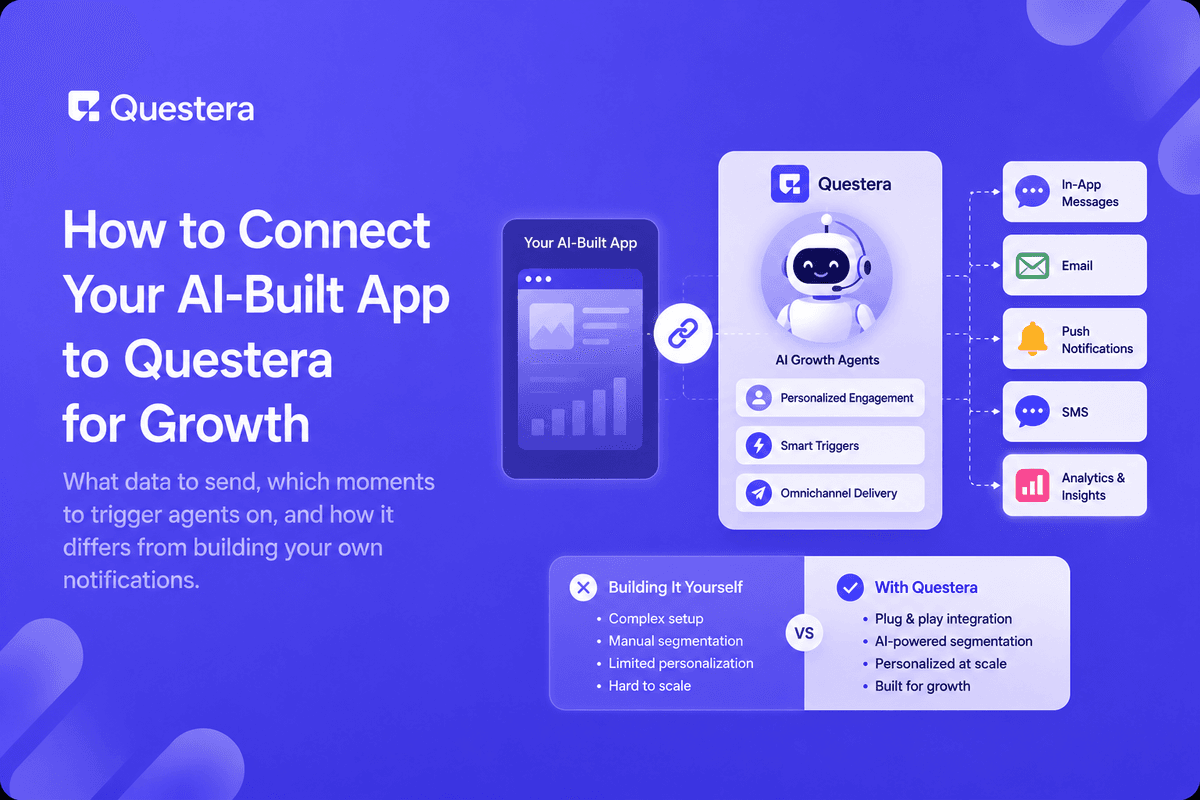
Connecting a built app to Questera means sending it your key user events — signup, activation, upgrade, churn risk — so its agents can decide when and how to reach each user, instead of you hand-building every reminder email or in-app nudge yourself. The app stays focused on the product; Questera handles keeping users engaged with it.
Founders who build fast with an AI app builder often reach a point where the app works, but nobody's following up with users who stall out or drift away. That's a growth problem, not a product problem, and it's exactly the gap an agentic engagement layer is built to close.
Why Connect a Built App to an Engagement Platform at All?
Shipping a working app answers "does this work." Getting users to actually stick with it is a separate, ongoing job — one that involves timing, personalization, and channel choice most founders don't have bandwidth to hand-build well.
Rather than writing custom logic for every reminder and re-engagement email inside your app, you send the relevant events out and let an agent decide the who, when, and how — freeing your own build time for the product itself.
What Data Does Questera Need From Your App?
| Event | Why It Matters |
|---|---|
| Signup | Starts the onboarding sequence |
| First core action | Confirms activation — or flags it as missing |
| Feature usage | Signals engagement depth, not just logins |
| Inactivity | Triggers a win-back before a user fully churns |
| Upgrade / payment | Confirms conversion and can trigger onboarding for paid tiers |
Which Moments Are Worth Triggering an Agent On?
- A new signup who hasn't reached their first core action within a day.
- A previously active user who's gone quiet for a week or more.
- Someone who hit a usage limit and might be ready to upgrade.
- A user who abandoned a multi-step flow, like onboarding or checkout.
- A milestone worth celebrating — this often re-engages more than a generic nudge.
How Does This Differ From Wiring Up Your Own Notifications?
A hand-built notification is a fixed rule: event happens, message sends. An agent reasons about timing, channel, and content based on what it knows about that specific user, and adjusts as it learns what actually gets a response — this is the same distinction covered in what is agentic customer engagement.
You still define the goals and guardrails. The agent handles the moment-to-moment decisions you'd otherwise be hardcoding one if-statement at a time.
What Does a First Integration Look Like?
Start small: send signup and one activation event, set a simple goal like "get new users to their first core action within 48 hours," and let the agent handle the reminder sequence. Expand to more events and moments once you can see it's working.
This mirrors how to add AI agents inside your app in spirit — you're not trying to automate everything on day one, just the highest-leverage moment first.
Common Mistakes to Avoid
- Sending every possible event at once instead of starting with signup and activation.
- No clear goal for the agent, leaving it without direction on what success looks like.
- Treating this as a one-time setup instead of checking in on results regularly.
- Skipping access controls on the customer data you're sending out.
- Waiting until churn is already high to connect an engagement layer at all.
Frequently Asked Questions
Do I need a large user base before connecting Questera?
No — connecting early means new users get consistent onboarding follow-up from day one instead of a gap while you scale.
Want to try one of these? Start on Greta.sh — no setup, no boilerplate — just a prompt.What's the minimum data I need to send?
Signup and one clear activation event are enough to start a meaningful onboarding sequence.
Does this replace in-app notifications entirely?
Not necessarily — it can work alongside them, focusing on cross-channel follow-up like email or push where in-app alone falls short.
How is this different from just using Greta to build my app?
Greta builds the app itself; Questera handles ongoing engagement with the users inside it — they solve different, complementary problems.
Can I control what the agent sends, or is it fully automatic?
You set the goals and guardrails; the agent decides timing and personalization within those boundaries, not outside them.
Key Takeaways
- A working app and an engaged user base are two different problems worth solving separately.
- Start by sending signup and activation events, not every event your app fires.
- Agents reason about timing and channel — fixed rules don't adjust the same way.
- Define clear goals and guardrails; the agent handles the moment-to-moment decisions.
- Connect early so onboarding follow-up scales with you, not after churn becomes visible.
Built your app with Greta? Connect it to Questera and let agents handle keeping users engaged while you keep shipping.





© 2026 Questera
Follow in Google