






How to Build an AI-Powered CRM Without Code in 2026
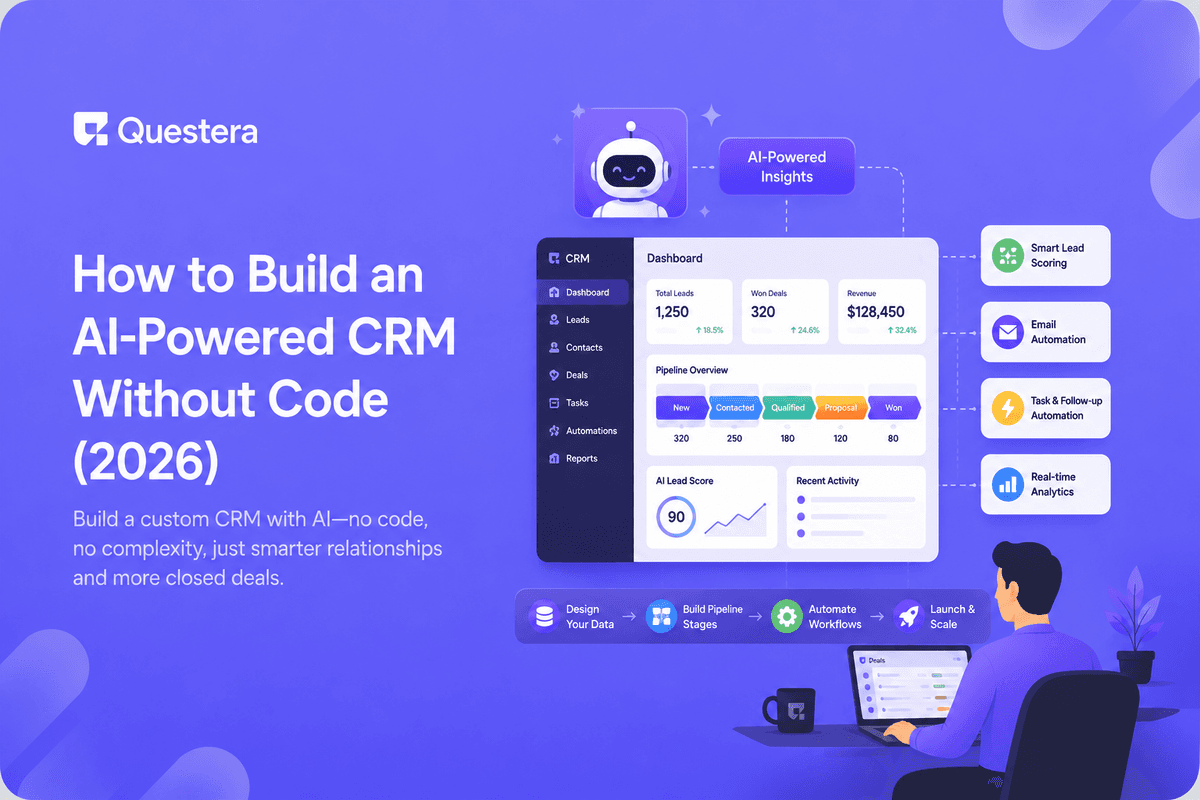
You can build a working CRM without code by describing your sales process to an AI app builder in plain language — contacts, deal stages, follow-up reminders — and letting it generate the database, forms, and pipeline view for you. Most founders have something usable in an afternoon, not a quarter.
Off-the-shelf CRMs like Salesforce or HubSpot are built for teams that already know their process. Early-stage founders usually don't — their pipeline changes every few weeks as they learn what actually converts. A CRM you build yourself can change just as fast, without a support ticket or a consultant.
Got an idea? Build it now!
Just start with a simple Prompt
Get Started Today


What Does It Mean to Build a CRM Without Code?
At its core, a CRM is three things: a database of people and companies, a way to see where each deal stands, and reminders so nothing falls through. An AI app builder generates all three from a prompt — you describe the fields you track and the stages your deals move through, and it writes the underlying app.
The difference from a spreadsheet is that you get real forms, filters, and a proper pipeline board instead of rows and columns. The difference from buying a CRM is that the fields, stages, and automations match your process exactly, because you defined them.
What Should Your CRM Actually Track?
Resist the urge to track everything a big CRM tracks. Start with what you'll actually look at every week.
- Contact basics: name, company, email, source (where the lead came from).
- Deal stage: a short list like New, Contacted, Demo, Proposal, Won, Lost.
- Next action: what you'll do next and by when.
- Deal value: even a rough number helps you prioritize.
- Notes: a running log of every call or email, timestamped.
How Do You Structure the Data Model?
Two linked tables cover almost every early-stage CRM: Contacts and Deals. A contact can have multiple deals over time; a deal belongs to one contact and moves through one stage at a time. Describe this relationship to the builder directly rather than cramming everything into one table.
| Table | Key Fields | Purpose |
|---|---|---|
| Contacts | Name, company, email, source | Who you're talking to |
| Deals | Contact, stage, value, next action | Where each opportunity stands |
| Activity Log | Deal, note, date | History of every touchpoint |
Got an idea? Build it now!
Just start with a simple Prompt
Get Started Today
What Features Turn a Contact List Into a Real CRM?
A handful of features do most of the work. Ask for these by name when you prompt the builder, since a generic "build me a CRM" request often skips them.
- A pipeline board (Kanban-style) grouped by deal stage, so you can drag deals forward.
- A dashboard showing deals by stage and total pipeline value at a glance.
- Reminders or a daily digest for deals with an overdue next action.
- Search and filters by contact, stage, or owner if more than one person uses it.
- A simple activity log so context isn't lost when a deal changes hands.
How Long Does This Actually Take?
A working first version — contacts, deals, a pipeline board, and basic reminders — typically takes a single prompting session, then a few rounds of refinement as you use it and notice what's missing. That's a fraction of the weeks a traditional CRM implementation takes, and there's no seat-based pricing while you figure out if you even need one.
This is the same build-and-adjust loop covered in turning a Figma design into a working app — you don't need a finished spec before you start, just a clear enough first version to react to.
Common Mistakes to Avoid
- Copying every field from a big CRM you've used before — most go unused.
- Skipping the activity log, then losing context on why a deal stalled.
- Building stages that don't match how deals actually move for you.
- No reminders — deals go stale because nothing surfaces the next action.
- Treating v1 as final instead of adjusting it after a week of real use.
Frequently Asked Questions
Can I really build a CRM without hiring a developer?
Yes. An AI app builder generates the database, forms, and pipeline view from a plain-language description of your sales process.
Is a custom CRM secure enough for customer data?
Use access controls and follow the same security basics as any AI-built app — authentication, permissions, and data handling reviewed before storing real customer data.
What if my sales process changes later?
You edit the prompt or the app directly — adding a stage or field takes minutes, not a change request to a vendor.
Should I export data from my current spreadsheet first?
Yes — import your existing contacts and deals so the CRM starts with real data instead of an empty pipeline.
Does this replace a CRM like HubSpot for a growing team?
For a small, fast-moving team, often yes. Larger teams with complex approval chains may eventually outgrow a self-built tool.
Key Takeaways
- A CRM is just contacts, deal stages, and reminders — an AI builder generates all three.
- Track only the fields you'll actually use weekly, not every field a big CRM offers.
- Two linked tables (Contacts and Deals) cover most early-stage sales processes.
- A pipeline board, dashboard, and reminders turn a contact list into a real CRM.
- Expect a usable first version fast, then refine it as your process becomes clearer.
Ready to build a CRM that actually matches how you sell? Start with a prompt on Greta and shape it as you go.
Got an idea? Build it now!
Just start with a simple Prompt
Get Started Today
Ready to be a
10x Marketer?
See it in action



© 2026 Questera
Follow in Google