






Greta vs Onlook: Visual AI Editing vs Full-Stack Generation
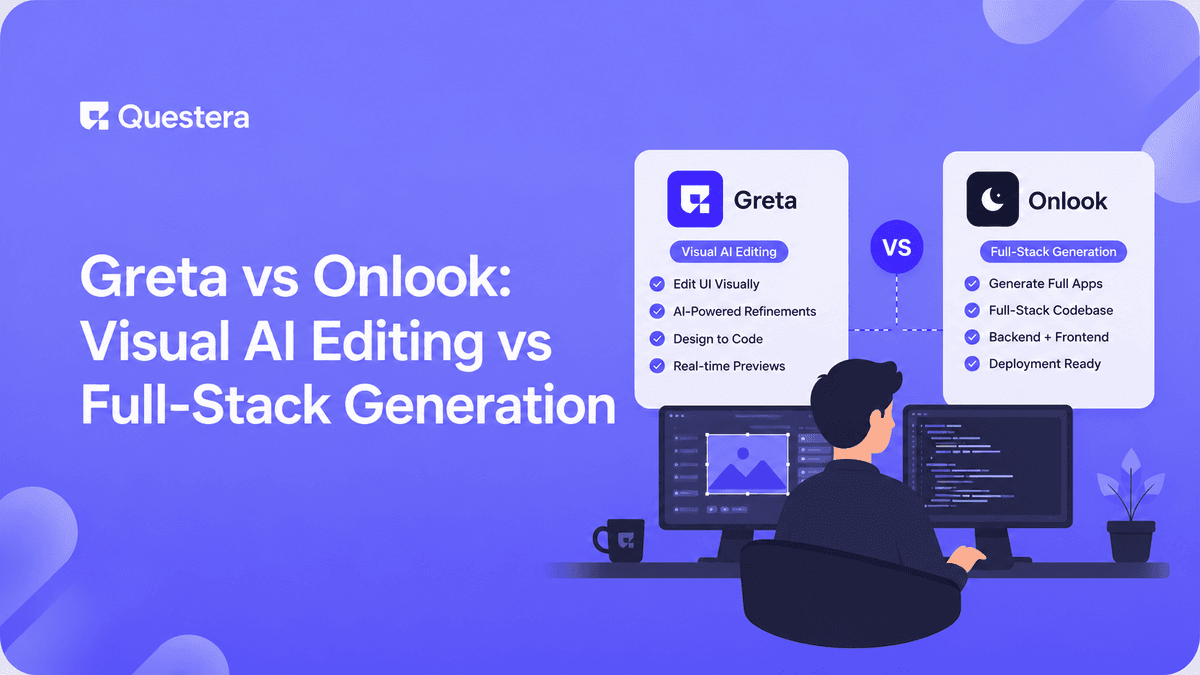
Greta vs Onlook reflects two jobs: Onlook is a visual editor that lets you tweak a React app's UI directly, like a designer's canvas over code. Greta generates a full app — frontend, backend, and database — from natural-language prompts. Onlook suits visual UI editing; Greta suits building complete products.
Not every AI building tool does the same job. Some help you visually edit an interface; others generate an entire application. That distinction sits at the center of the Greta vs Onlook comparison in 2026. This guide compares the two across what they build, how you interact with them, ownership, and ideal use cases — so you pick the tool that matches your goal.
What Is Onlook?
Onlook is a visual editor for React apps that lets you manipulate the UI directly — moving, styling, and editing elements on a canvas — while it writes the corresponding code. It positions itself as a designer-friendly layer over a real codebase.
Its strength is visual, pixel-level control of the frontend. It's about editing and refining interfaces rather than generating a complete backend-and-database product from scratch.
What Is Greta?
Greta is an AI vibe-coding platform that builds full web applications from natural-language prompts, generating a frontend, backend, and database you can own and export.
Rather than editing UI on a canvas, you describe the product and Greta generates the whole thing — making it suited to building complete apps, not just refining their look.
Build this with a prompt on Greta.sh — describe the app, Greta writes and deploys it.Greta vs Onlook: Feature Comparison
The table maps the core differences between visual editing and full-stack generation.
| Factor | Onlook | Greta |
|---|---|---|
| Core job | Visual UI editing | Full-stack app generation |
| Interaction | Drag/edit on a canvas | Natural-language prompts |
| Scope | Frontend focus | Frontend + backend + DB |
| Best for | Refining interfaces | Building whole products |
| Code ownership | Real codebase | Own & export codebase |
| Starting point | An existing UI to edit | An idea to describe |
When Should You Choose Onlook Over Greta?
Choose Onlook when your priority is visual, hands-on control of an interface — nudging layout, tweaking styles, and seeing changes on a canvas. It suits designers and front-end-minded builders refining how an app looks.
If the frontend is the work and you want direct manipulation, a visual editor is the natural fit.
When Should You Choose Greta Over Onlook?
Choose Greta when you need a complete, working application — with data, logic, auth, and payments — not just a polished UI. Describing the product and getting full-stack output is the faster path to something real.
If you intend to ship and scale a product, ownership and architecture matter. The realities are covered in our vibe-coded MVP to production hardening checklist, and for an internal-tools contrast, see Greta vs Retool.
Key Benefits at a Glance
- Onlook gives designers direct, visual control over the UI.
- Greta generates a complete frontend, backend, and database.
- Onlook refines interfaces; Greta builds entire products.
- Both produce real code rather than a locked export.
- Greta is the better fit when the goal is a shippable app.
Common Mistakes to Avoid
- Expecting a visual UI editor to generate a full backend for you.
- Choosing a full-stack generator when you only need design tweaks.
- Ignoring code ownership when picking between tools.
- Assuming a polished UI equals a finished, shippable product.
- Skipping a security review before launching anything customer-facing.
Frequently Asked Questions
Want to try one of these? Start on Greta.sh — no setup, no boilerplate — just a prompt.Is Greta an Onlook alternative?
They overlap but serve different jobs. Onlook is for visual UI editing; Greta is for generating full-stack apps from prompts.
Does Onlook build a backend?
Onlook focuses on the React frontend and visual editing. For a complete backend and database, a full-stack generator like Greta fits better.
Can I edit UI visually in Greta?
Greta is prompt-driven and gives you ownable code, so you can refine the UI in code or with further prompts. Onlook centers on canvas-style editing.
Which should a designer choose?
A designer wanting direct, visual control may prefer Onlook. A designer wanting a complete working product may prefer Greta.
Do both give me real code?
Yes. Both work with real codebases rather than locked exports, but confirm export scope before committing.
Key Takeaways
- Onlook is visual UI editing; Greta is full-stack generation.
- Match the tool to the job — refining a UI vs building a product.
- Code ownership matters in both, so confirm export scope.
- In Greta vs Onlook, choose Greta when you need a complete, shippable app.
Need a whole product, not just a polished screen? Describe your idea to Greta and see a full-stack version take shape.





