






GitHub + AI App Builders: The Complete Workflow Guide
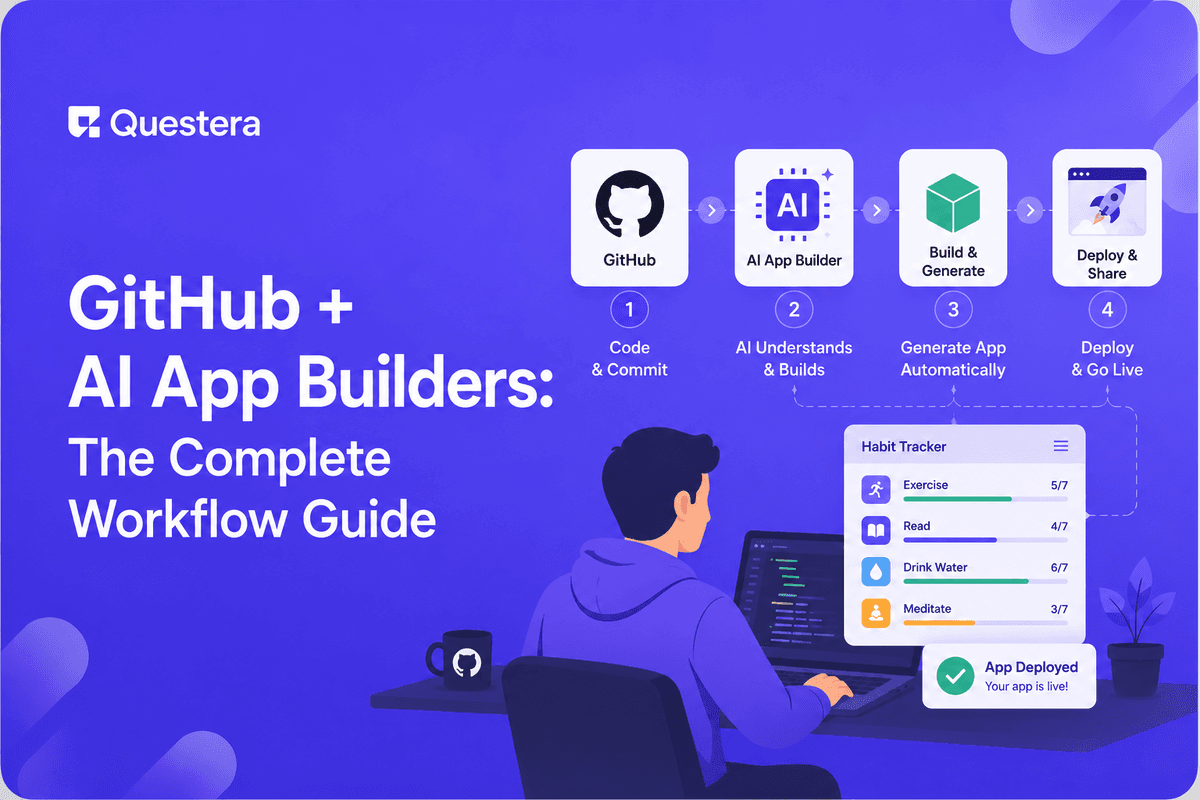
Modern AI app builders integrate with GitHub natively — most platforms (Greta, Lovable, Bolt, Rocket.new) push generated code to repos you own. The workflow makes vibe coding compatible with engineering culture: code review, branch protection, CI/CD, environment separation, secrets management. The result: AI-generated apps that engineers actually trust to review and extend, and a clean handoff path when products grow beyond what AI app builders alone can deliver.
Introduction
AI app builders shipped a new generation of apps in 2025–2026, but engineers' first instinct on hearing "no-code" is skepticism: is this another tool that locks me into a vendor's ecosystem, produces unreviewable code, and falls apart when I need to extend it? The honest answer for modern AI app builders: no. Most leading platforms integrate with GitHub natively. The code generated lives in a real Git repo. Engineers can review, branch, merge, deploy, and extend exactly like any other codebase.
What changes is the workflow shape. AI app builders shift the locus of feature work from line-by-line coding to PRD writing and prompt iteration. Engineers' role becomes review, harden-phase work, and architectural decisions. GitHub remains the source of truth; the AI app builder becomes a sophisticated code-generation layer on top.
Why Integrate AI App Builders with GitHub at All?
- Code ownership — Your code is yours, in your repo, even if you migrate platforms later
- Version history — Every change is tracked; you can roll back any feature individually
- Code review — Team members can review changes before they hit production
- Branching for parallel work — Multiple features in flight without stepping on each other
- CI/CD integration — Run tests, security scans, lint checks on every change
- Backup — GitHub repos serve as durable backups
- Handoff to engineers — When products grow beyond AI app builder scope, engineers can take over from the existing codebase
Initial Repo Setup
Where to Put the Repo
- Personal account for solo projects, side projects, experiments
- GitHub Organization for team or company projects (every team should have a GitHub Org early)
- Private repos for proprietary code (recommended for SaaS products)
- Public repos for open-source projects or marketing-worthy artifacts
Connecting the AI App Builder to GitHub
- Most modern AI app builders have a 'Connect to GitHub' or 'Push to GitHub' option
- OAuth flow grants the app builder permission to read and write your repos
- Choose: create new repo from the AI app builder OR connect to existing repo
- After connection, the platform commits to your repo on a configurable cadence (per build or per session)
Repo Structure Conventions
Most AI app builders use familiar Next.js or React conventions: /app or /pages (route definitions), /components (React components, often organized by feature), /lib (utilities, helpers, types), /public (static assets), /.env.example (environment variable template — never commit actual .env), /README.md, /package.json.
Branching Strategy
Branch Naming Conventions
- main — Production-ready code
- develop — Optional integration branch (for teams using GitFlow)
- feature/short-description — New features (e.g., feature/stripe-checkout)
- fix/short-description — Bug fixes (e.g., fix/auth-redirect)
- chore/short-description — Maintenance work (e.g., chore/update-dependencies)
Branch Protection Rules (Essential)
- Require pull request reviews before merging to main
- Require status checks (CI tests passing) before merging
- Require linear history (no force-pushes)
- Restrict who can push directly to main (only via PR)
- Settings → Branches → Add rule for main
Code Review Patterns for AI-Generated Code
What to Look for in AI-Generated Code Reviews
- Correctness — Does it do what the PRD specified?
- Security — Auth checks present? RLS enforced? Input validated? Secrets not hardcoded?
- Performance — Obvious N+1 queries? Missing indexes? Inefficient loops?
- Error handling — What happens on failure? User sees error or generic crash?
- Tests — Are critical paths covered? AI-generated code sometimes skips test writing.
- Consistency — Does it match the existing codebase patterns and conventions?
- Maintainability — Could a human developer extend this 6 months from now?
Review Heuristics Specific to AI-Generated Code
- Watch for hardcoded values that should be env vars
- Check whether RLS policies match the new schema
- Verify auth checks on new endpoints
- Look for duplicate code where existing utilities could be reused
- Verify accessibility (semantic HTML, ARIA labels where needed)
CI/CD Integration
What CI/CD Does for AI-Built Apps
- Runs automated tests on every PR
- Runs linting and formatting checks
- Runs security scans (Dependabot, CodeQL, Snyk)
- Auto-deploys to staging on merge to main
- Auto-deploys to production with explicit approval or after staging period
- Notifies on failures so they're fixed quickly
GitHub Actions Setup
- Create /.github/workflows/test.yml for test runs
- Configure trigger: on pull_request to main
- Steps: checkout, install dependencies, run lint, run tests
- Status check appears on PR; required before merge
Secrets Management
API keys, database credentials, Stripe keys, OAuth secrets — never commit these to GitHub.
Where to Store Secrets
- AI app builder environment variables — Set in the platform UI, not in code
- GitHub Actions secrets — Settings → Secrets and variables → Actions
- Vercel/Netlify environment variables — Configured per environment (preview, production)
- .env.local for local development — In .gitignore; never committed
- .env.example with placeholder values — Committed; tells contributors what env vars are needed
If Secrets Are Accidentally Committed
- Rotate the secret immediately — Old key is compromised the moment it's pushed
- Remove from history — git filter-branch or BFG Repo-Cleaner
- Notify team — Anyone who pulled the repo now has the old secret in their local history
- Add a secret-scanning hook (GitHub Secret Scanning is on by default for public repos)
Environment Separation
| Environment | Purpose | Database | Deploy Trigger |
|---|---|---|---|
| Local | Developer machine | Local Postgres or dev Supabase project | On save |
| Preview | PR-specific testing | Shared preview Supabase project | On PR open/update |
| Staging | Integration testing | Staging Supabase project | On merge to main |
| Production | Live users | Production Supabase project | Manual approval or after staging period |
Team Collaboration Patterns
For Solo Founders
- Direct commits to main acceptable (with discipline)
- Feature branches for risky changes
- Self-review with checklists
- AI-assisted review tools catch obvious issues
- Strict secrets discipline despite being solo
For Small Teams (2–5)
- Feature branches for every change
- PR review by another team member required
- CI/CD runs automatically on PR
- Shared Slack/Discord channel for build notifications
For Larger Teams (5+)
- Multiple feature branches in flight
- Code review patterns standardized (templates, checklists)
- CODEOWNERS file routes review to the right people
- Strict branch protection on main
- Production deploys gated by senior reviewer
The Harden-Phase Workflow
AI app builders ship fast but the harden phase — security, performance, error handling, accessibility — is where engineering rigor lives. GitHub + AI app builders enable this rigor without giving up the velocity.
Harden Checklist Before Each Production Deploy
- Auth checks on every endpoint that touches user data
- RLS policies on every Supabase table
- Rate limiting on AI API calls and expensive endpoints
- Input validation on all user-submitted forms
- Error boundaries in the React tree
- Loading states and skeleton screens
- Mobile responsive verified on real devices
- Security scan (npm audit, Snyk, or GitHub Security tab) reviewed
- Cost monitoring in place for AI API spend and database usage
Tools That Integrate With the Workflow
- Vercel / Netlify — GitHub-triggered deploys with previews per PR
- Supabase — Backend with GitHub Actions for schema migrations
- Sentry — Error tracking; integrates with GitHub for issue linking
- CodeRabbit / Greptile — AI-assisted code review for PRs
- Dependabot (GitHub native) — Automatic dependency updates
- GitHub Copilot — AI assistance for engineers reviewing or extending code
- Linear / Jira — Issue tracking that integrates with PR references
Common Mistakes Using GitHub With AI App Builders
- Skipping the GitHub integration entirely — 'I'll just use the platform's hosting' makes migration impossible later. Connect GitHub from day one.
- Committing secrets — .env files, API keys in code, hardcoded credentials. Discipline matters even on private repos.
- Skipping branch protection on main — Direct pushes to main without review let mistakes ship to production.
- Treating AI-generated code as exempt from review — AI generates plausible-looking code that's sometimes wrong.
- Not setting up CI/CD — Tests that don't run automatically rarely run at all.
- Ignoring environment separation — Testing in production is how production data gets corrupted.
- Treating the GitHub repo as backup only — The repo IS the source of truth.
Frequently Asked Questions
Do all AI app builders integrate with GitHub?
Most modern ones do — Greta, Lovable, Bolt.new, Rocket.new all support GitHub integration. Bubble is the notable exception (no source code export). Verify before committing to a platform if GitHub integration matters to you.
Can engineers really work on AI-generated code?
Yes. Modern AI app builders produce real, readable Next.js/React code with standard patterns. Engineers branch, develop locally, push to GitHub like any other codebase. The handoff is clean.
What about merge conflicts when both the AI app builder and engineers commit?
They happen but are manageable. Engineers work on feature branches; AI app builder commits to main or its own branch. Regular rebases keep conflicts small.
Can I use GitHub Copilot alongside AI app builders?
Yes. Copilot helps when you're hand-editing in the codebase. AI app builders handle generation of larger features. The two are complementary, not competitive.
Key Takeaways
- GitHub + AI app builders combines vibe coding velocity with engineering culture rigor. Most leading AI app builders push generated code to your GitHub repo from day one.
- Standard GitHub workflow patterns work — branching, code review, branch protection, CI/CD, environment separation.
- AI-generated code needs review like human-written code. Focus on auth, security, error handling, performance, and consistency.
- Secrets management discipline is non-negotiable. Environment variables in platform UI, never in code.





© 2026 Questera
Follow in Google