






Building Internal Tools for Agencies with AI
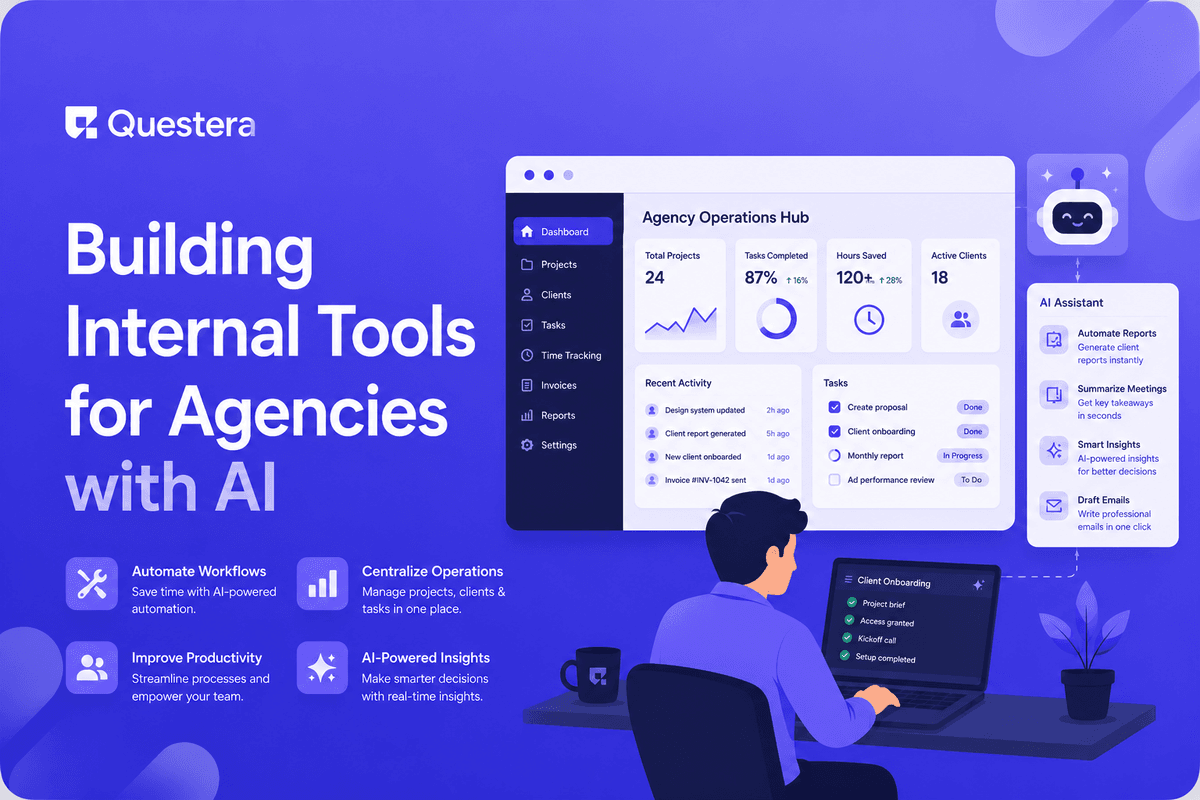
Agencies waste $1,500–$5,000/month on a stack of SaaS tools (project management, time tracking, client reporting, file management, CRM) that don't talk to each other. With AI app builders, agencies build custom internal tools in 1–3 weeks that fit their actual workflow — client dashboards, project trackers, automated reporting, time tracking, deliverable management. This guide covers the agency-specific patterns that benefit most from custom builds, the realistic stack to replace, what to keep buying, and the build sequence that gets agencies from 'we use 12 SaaS tools' to 'we have one internal system that does what we need.'
Agencies — design agencies, dev shops, marketing agencies, content studios — have a specific tooling problem. The workflow is multi-client: each client has projects, deliverables, deadlines, time tracking, billing, and reporting needs. Commercial SaaS tools each solve one slice. The result is a stack of 8–15 tools that don't integrate cleanly, with $1,500–$5,000/month in subscription costs and significant time spent jumping between them. Custom internal tools fit agencies particularly well because agency workflows are specific to the agency.
Why Agencies Are a Perfect Fit for Custom Internal Tools
- Multi-client workflows are specific to each agency
- Existing SaaS forces generic workflows that don't match how agencies operate
- Tool sprawl costs $1,500–$5,000/month at typical agencies
- Context-switching between tools wastes 2–5 hours/week per team member
- Client reporting often requires manual data assembly across tools
- Custom tools eliminate the integration tax
- Owner-operated agencies can iterate the tools quickly as workflow evolves
The Tools Agencies Typically Use (and the Sprawl Problem)
| Category | Common Tools | Typical Cost |
|---|---|---|
| Project management | Asana, Monday, ClickUp, Jira | $10–$30/user/month |
| Time tracking | Harvest, Toggl, Clockify | $10–$15/user/month |
| Communication | Slack, Teams | $7–$15/user/month |
| File storage / docs | Google Workspace, Notion | $8–$25/user/month |
| CRM | HubSpot, Pipedrive | $15–$80/user/month |
| Client portal | ManyRequests, ClientPortal, custom | $50–$300/month |
| Invoicing | FreshBooks, QuickBooks | $15–$50/month |
| Reporting | Looker, custom dashboards | Variable |
10-person agency averages 8–12 tools at $1,500–$3,500/month combined. The integration tax is real: client status spread across project management + Slack + email + invoicing creates manual data assembly for every weekly status update.
What to Build as Custom Internal Tools
Client and Project Hub (Highest Value)
- Master list of clients with status, contracts, contact info
- Projects per client with status, deliverables, deadlines
- Project pipeline (proposal → active → completed → archived)
- Quick navigation to any client/project context
- Replaces: parts of project management tools, parts of CRM
Time Tracking with Client/Project Context
- Timer that knows which client/project you're on
- Time entries tagged with deliverable category
- Daily/weekly summaries
- Billable vs non-billable hours
- Direct export to invoicing
- Replaces: Harvest, Toggl, manual time-to-invoice work
Client Reporting Dashboard
- Per-client dashboard with project status, hours used, recent deliverables
- Auto-generated weekly status email to client
- Client-facing portal (read-only) for transparency
- Replaces: manual status emails, client portal SaaS, parts of project management exports
Other Valuable Custom Builds
- Proposal and contract management — templates, scoping with hour estimates, contract generation
- Deliverable tracking — what you owe each client, due dates, file attachments, approval workflow
- Financial dashboard — MRR/revenue per client, invoices outstanding, cash flow projection, profitability per project
What to Keep Buying
- Slack or Teams for real-time communication (network effects)
- Google Workspace or Microsoft 365 (email, docs, sheets)
- Figma for design work (industry standard)
- QuickBooks or Xero for accounting (tax compliance, accountant integration)
- Stripe for payment processing
- GitHub if you do dev work
- Notion for client-facing documentation (or build custom if you prefer)
The Realistic Build Sequence
Week 1: Client and Project Hub
- Day 1–2: PRD, data model (Client, Project, Contact, Status). Auth setup.
- Day 3–4: Client list and detail views. Project pipeline kanban.
- Day 5: Project detail with deliverables, hours used, status updates.
Week 2: Time Tracking Integration
- Day 1–2: Time entry UI tied to projects. Quick-start timer.
- Day 3–4: Daily/weekly summaries. Billable vs non-billable.
- Day 5: Reports for client billing.
Week 3: Reporting and Client Portal
- Day 1–2: Auto-generated weekly client status email.
- Day 3–4: Read-only client portal (magic link login).
- Day 5: Internal financial dashboard.
Architecture for Agency Internal Tools
Core Data Model
- Client — id, name, status, primary_contact, contract_terms, billing_info
- Project — id, client_id, name, status, start_date, end_date, retainer_amount, project_type
- Deliverable — id, project_id, title, description, due_date, status, completed_at
- TimeEntry — id, user_id, project_id, hours, description, billable, date
- Invoice — id, client_id, project_id, amount, status, due_date
Auth and Notifications
- Team members: full access (or role-based)
- Clients: read-only access to their own data (via magic link)
- Supabase RLS handles client data isolation
- Daily digest of upcoming deadlines
- Weekly client status emails (auto-generated)
- Email alerts for invoice overdue, deliverable deadline approaching
Client Portal
Client portal is one of the highest-leverage pieces of an agency internal tool because it directly reduces 'where are we on the project?' communications. Done well, the client portal shows: current project status, recent deliverables, upcoming milestones, hours used vs budget, recent updates. Clients self-serve answers to basic questions, freeing team time for actual project work.
What to Include in Client Portal V1
- Project list with status indicators
- Active project detail with deliverables and progress
- Recent status updates (timeline view)
- Hours/budget summary (transparency)
- Deliverable downloads
- Contact form to message team
What to Defer to V2
- Multi-stakeholder access (separate logins per contact)
- Approval workflows
- Branded white-label experience
- Mobile app
- Integration with client's tools
Migration Strategy
- Week 1: Build client and project hub. Migrate active client list. Run parallel to existing tools.
- Week 2: Add time tracking. Have team test for 1 week before mandating.
- Week 3: Switch primary project tracking to internal tool. Keep existing tools active.
- Week 4: Add client portal. Onboard 1 friendly client.
- Week 5–8: Gradual rollout of client portal. Phase out duplicate SaaS subscriptions.
- Month 3+: Internal tool is primary. SaaS subscriptions canceled (except 'keep buying' list).
Cost Comparison
| Stack Component | SaaS Stack | Custom Build |
|---|---|---|
| Project management | $300/month (Monday at 10 users) | Included in custom build |
| Time tracking | $120/month (Harvest at 10 users) | Included in custom build |
| Client portal | $150/month (commercial) | Included in custom build |
| CRM (basic) | $200/month (Pipedrive) | Included in custom build |
| Total SaaS sprawl replaced | $870/month | $30–$80/month hosting + AI builder |
Honest framing: custom builds replace some specific SaaS subscriptions but not all. Slack, Google Workspace, QuickBooks, Figma stay. The replaceable stack is typically $500–$1,500/month at small-mid agencies; custom builds reduce that to $30–$80/month operational cost.
When Custom Internal Tools Don't Make Sense
- Solo freelancer with 2–3 clients (overhead of custom build > SaaS subscription)
- Very small agency where SaaS sprawl cost is under $500/month total
- Agency in transition where workflow is rapidly changing (build later when stable)
- No one on team with patience for AI app builder workflow
- Industry-specific requirements (medical, legal, financial agencies may need compliance-certified tools)
Common Mistakes Building Agency Internal Tools
- Building everything at once — Scope creep is fatal. Start with client/project hub; add time tracking; add reporting.
- Skipping client portal — Client portal often has highest ROI in reduced communication overhead.
- Migrating active client data prematurely — Test internal tool with new clients first.
- Building generic SaaS instead of fit-for-purpose tool — Custom tool's value is fitting your workflow. Resist genericizing it.
- Ignoring data ownership — All client data in your internal tool. Plan backups, exports, data retention.
- Not training team — Tool requires team adoption. Spend time on training during migration.
- Skipping auth and access control — Internal tool with weak auth is liability. Get Supabase RLS right from start.
- Underestimating maintenance — Internal tools need ongoing attention. Budget the time.
- Trying to replace tools with strong network effects — Slack, Google Workspace, Figma have moats. Don't try to replace these.
- Comparing to Asana or Monday feature-by-feature — Your tool wins on workflow fit, not feature count.
Frequently Asked Questions
How big does my agency need to be for custom internal tools to make sense?
Around 5+ team members or 8+ active clients usually justifies the investment. Below that, SaaS subscriptions cost less than custom build maintenance. Above 20 team members, custom tools become substantially higher ROI than SaaS.
What if I'm not technical and can't build it myself?
Either hire a freelance technical operator (search for 'AI app builder operator') for 1–3 weeks of build, or train someone on your team. Many non-technical founders successfully build agency internal tools with AI app builders.
Can I sell my internal tool as a SaaS to other agencies?
Possibly. Internal tools sometimes become SaaS products. Many SaaS started as internal tools. Validate demand from other agencies before productizing. The product version usually requires significant additional work (multi-tenancy, support, marketing).
What about backups and disaster recovery?
Use Supabase's built-in backups. Export data weekly to backup storage. Test recovery occasionally. Don't lose client data — the cost is brand damage and potential legal exposure.
Can I integrate with existing SaaS we keep?
Yes — most have APIs. Common integrations: Slack notifications, Google Calendar for deadlines, Stripe for payments, Google Drive for file links. Build integrations gradually as needs emerge.
Agencies waste $1,500–$5,000/month on disconnected SaaS tools. Custom internal tools replace much of this at $30–$80/month operating cost. Worth building custom: client/project hub, time tracking with project context, client reporting dashboard, deliverable tracking, financial dashboard. Keep buying: Slack, Google Workspace, Figma, QuickBooks, Stripe. Realistic build sequence: 1–3 weeks for core internal tool, gradual rollout, full migration by month 3. If you run an agency and your SaaS tool sprawl is over $1,000/month, evaluate which workflows you'd benefit from owning. Build the client/project hub first — 1 week of work. Add time tracking next. Add client reporting third. Agencies that absorb this shift operate leaner than competitors still managing 12-tool SaaS sprawl.





© 2026 Questera
Follow in Google