






How to Build a Property Management Dashboard Without Coding
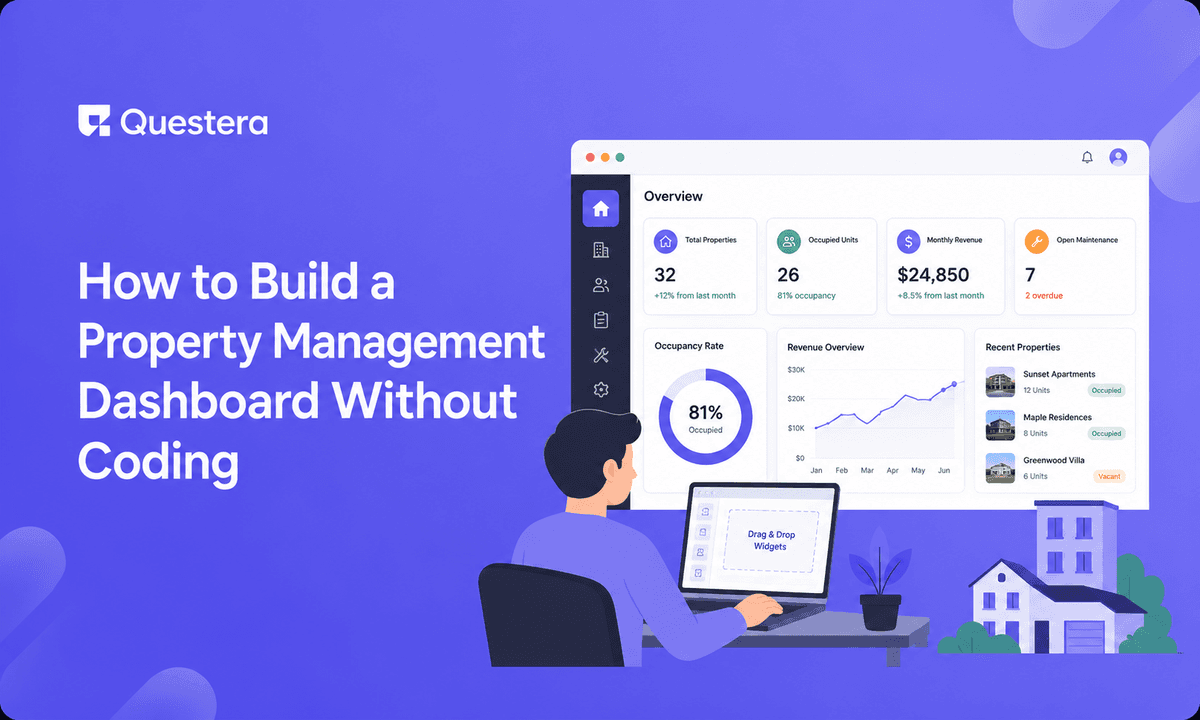
Property management software is dominated by AppFolio, Buildium, Yardi, and RentManager — powerful platforms built for property management companies with hundreds or thousands of units. They're expensive, complex, and overkill for the small landlord with 5-50 units or the niche property manager with specific workflows.
The underserved segment is real. Small landlords managing their own units cobble together spreadsheets, email, and consumer payment apps. Niche property managers (student housing, vacation rentals, commercial, mixed-use, HOA management) have specific workflows the big platforms force into generic patterns. In 2026, AI app builders fill this gap — building a property management dashboard in 5-8 days without coding. The harder parts — rent payment collection, financial accuracy, and competing where incumbents have deep integrations — require deliberate planning.
Important: Property management involves landlord-tenant law (which varies significantly by jurisdiction), security deposit handling (often regulated), fair housing compliance, rent payment processing, and financial record-keeping for taxes. This guide covers building software tooling; it is not legal or financial advice. Consult a real estate attorney and accountant for your jurisdiction.
Who This Is For
- Small landlords (5-50 units) managing their own properties
- Niche property managers underserved by enterprise platforms
- Property managers wanting custom workflows incumbents don't support
- Real estate investors tracking a growing portfolio
- House hackers and small-scale rental operators graduating from spreadsheets
- Builders creating property management SaaS for a specific niche
Niche Opportunities
- Student housing (semester leases, roommate matching, parent guarantors)
- Vacation/short-term rentals (booking calendar, cleaning schedules, dynamic pricing)
- Commercial property (CAM charges, longer leases, business tenants)
- Mixed-use buildings (residential + commercial in one property)
- HOA/condo management (dues, violations, board communications)
- Mobile home parks (lot rentals, utility billing)
- Storage unit management (unit sizes, access codes, auto-pay)
- Co-living spaces (room rentals, shared space management)
- Section 8 / affordable housing (compliance tracking, inspection schedules)
- Single-family rental portfolios (scattered properties, individual leases)
Core V1 Scope
- Property and unit management (buildings, units, status)
- Tenant records (contacts, lease terms, documents)
- Lease tracking (start/end dates, rent amount, renewal alerts)
- Rent tracking (due, paid, late, payment history)
- Rent payment collection (Stripe/ACH)
- Maintenance request workflow (submit, assign, track, complete)
- Document storage (leases, inspections, notices)
- Basic financials (income, expenses by property)
- Tenant portal (pay rent, submit maintenance, view documents)
What to Skip in V1
- Full accounting (integrate QuickBooks; don't rebuild)
- Tenant screening/background checks (integrate TransUnion SmartMove or similar)
- Listing syndication to Zillow/Apartments.com (defer)
- Native mobile apps (PWA suffices)
- Automated late fee escalation (basic v1)
- Vendor marketplace for maintenance (manual assignment v1)
- Multi-currency (single currency v1)
The Data Model
- Property (id, owner_id, address, type, units_count)
- Unit (id, property_id, unit_number, bedrooms, rent_amount, status — occupied/vacant)
- Tenant (id, name, email, phone, stripe_customer_id)
- Lease (id, unit_id, tenant_id, start_date, end_date, rent_amount, deposit, status)
- RentCharge (id, lease_id, due_date, amount, status — due/paid/late, paid_date)
- Payment (id, rent_charge_id, amount, method, stripe_payment_id, date)
- MaintenanceRequest (id, unit_id, tenant_id, description, priority, status, assigned_to, created_at)
- Document (id, property_id/unit_id/lease_id, name, type, file_url, uploaded_at)
- Expense (id, property_id, category, amount, date, description)
Rent Payment Collection
Stripe ACH for Rent
- ACH (bank transfer) is ideal for rent — low fees vs cards
- Tenant links bank account via Stripe (Plaid integration)
- Recurring auto-pay on rent due date
- Lower processing cost than cards (important for low-margin rent)
- Card option available for tenants who prefer (pass fee to tenant or absorb)
Rent Tracking Workflow
- Rent charges generated monthly from active leases
- Auto-pay charges on due date; manual payment option
- Status tracking (due, paid, late)
- Late fee application after grace period (configurable, jurisdiction-compliant)
- Payment reminders before due date; late notices after
- Owner dashboard showing payment status across portfolio
Security Deposits (Handle Carefully)
- Deposits often legally required in separate accounts
- Track deposit amount, hold location, interest if required
- Move-out deductions with itemization
- Return deadline tracking (jurisdiction-specific)
- This is regulated; consult counsel and don't co-mingle funds
Maintenance Request Workflow
- Tenant submits request via portal (description, photos, priority)
- Notification to landlord/PM
- Assignment to vendor or maintenance staff
- Status tracking (submitted, assigned, in-progress, completed)
- Tenant updates on progress
- Cost tracking (expense recorded against property)
- History for the unit (recurring issues visible)
The Tenant Portal
- Pay rent (auto-pay setup, one-time payment)
- View payment history
- Submit and track maintenance requests
- Access lease and documents
- Update contact info
- Reduces landlord admin burden significantly
The 5-8 Day Build Sequence
- Day 1-2: Scaffolding — auth, data model, owner dashboard, property/unit management, tenant and lease records
- Day 3-4: Rent tracking and payment — rent charge generation, Stripe ACH integration, payment status tracking, late fee and reminder logic
- Day 5: Maintenance workflow — request submission and tracking, assignment and status, cost tracking
- Day 6: Documents and financials — document storage, income/expense tracking by property, basic financial reports
- Day 7: Tenant portal — tenant login, rent payment self-service, maintenance submission, document access
- Day 8: Niche features, polish, launch — student housing guarantors / vacation rental calendar, renewal alerts, soft launch with own properties or friendly landlords
If building as SaaS (vs personal use): multi-tenant architecture (each landlord/PM sees only their properties), RLS for strict data isolation, subscription billing (per-unit or per-portfolio), owner onboarding flow. Pricing: $1-$3/unit/month is common for property management SaaS.
Want to try one of these? Start on Greta.sh — no setup, no boilerplate — just a prompt.Common Mistakes
- Co-mingling security deposits — Often illegal. Track separately; consult counsel.
- Ignoring jurisdiction-specific rules — Late fees, deposit returns, notice periods vary. Comply.
- Using cards instead of ACH for rent — Card fees eat into low rent margins. ACH is better for rent.
- Building full accounting — Integrate QuickBooks; don't rebuild accounting.
- Skipping the tenant portal — Self-service reduces landlord admin dramatically. Build it.
- No late payment workflow — Rent collection is the core value. Build reminders and late handling.
- Forgetting lease renewal alerts — Expiring leases need attention. Alert in advance.
- Underestimating financial accuracy needs — Property finances feed taxes. Accuracy matters.
- Building horizontal when niche fits better — Student housing, vacation rentals, commercial have specific needs.
- Treating tenant data carelessly — PII and sometimes financial data. Secure it properly with RLS.
Frequently Asked Questions
Should I build this for myself or as SaaS?
Either works. For your own portfolio (5-50 units), build for personal use — simpler, no multi-tenancy needed. As SaaS for a niche, add multi-tenancy, billing, and onboarding. Many builders start personal, then productize for their niche once the workflow is proven.
How do I handle rent payment legally?
Use Stripe (or similar) for compliant payment processing. ACH for low fees. Don't handle bank details directly — Stripe/Plaid handle it. Security deposits often need separate accounts; consult counsel. Don't co-mingle.
What about tenant screening?
Integrate existing services (TransUnion SmartMove, RentPrep). Don't build screening — it involves credit data, background checks, and FCRA compliance. Link to specialized services.
How do I compete with AppFolio/Buildium?
Don't compete horizontally. They serve large portfolios. Serve small landlords or niche PMs they overcharge or underserve. Price for the small operator ($1-$3/unit/month); fit the niche workflow.
What about vacation rental specifics (Airbnb integration)?
Vacation rentals need booking calendars, cleaning schedules, dynamic pricing, and possibly OTA integration (Airbnb, VRBO). This is its own niche with specific needs; build for it deliberately if that's your focus rather than treating it as a minor add-on.
Property management software targets large portfolios; small landlords and niche PMs are underserved. AI app builders fill the gap in 5-8 days without coding. Handle money and legal carefully — ACH for rent, separate security deposit accounts, jurisdiction-specific late fee and notice rules. Niche fit wins: student housing, vacation rentals, commercial, HOA, storage each have specific workflows. Start with your own properties; prove the workflow; productize for your niche if you want to build SaaS. Handle compliance carefully. Serve the segment the big platforms ignore.





