






How to Build a Personal Finance Tracker App
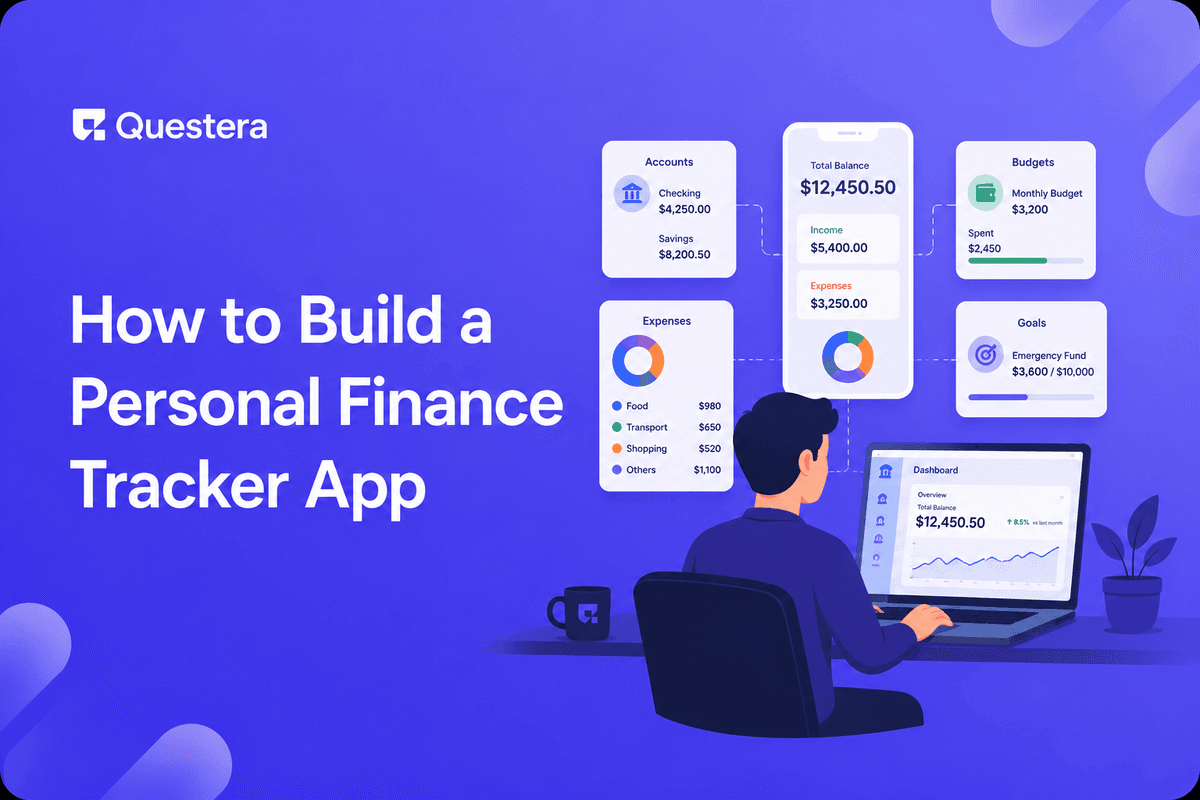
You can build a personal finance tracker app with AI in 10 days using Greta, Lovable, or Bolt. The build covers accounts, transactions, categories, budgets, recurring detection, and reporting. The harder choice is bank data — connect directly via Plaid for real account integration (regulated, requires compliance work) or skip Plaid for v1 and use manual CSV imports (faster to ship, simpler compliance footprint). Most successful indie personal finance trackers in 2026 start with CSV imports and add Plaid only after product-market fit.
Introduction
Personal finance trackers sit in an interesting category. The build itself is straightforward — accounts, transactions, categories, budgets, charts. Modern AI app builders ship this in 10 days easily. But personal finance touches sensitive data, which means decisions about bank integration, encryption, and compliance shape the entire architecture. The choices you make on day one determine whether you're shipping a personal finance app or a regulated fintech product.
Two Paths: CSV-First vs Plaid-First
Before any prompts, choose your path. The decision shapes everything that follows.
Path A: CSV-Import-First
- Users export bank/credit card statements as CSV and upload to your app
- App parses transactions, suggests categories, calculates totals
- No live bank integration required — users refresh manually monthly
- Compliance footprint: minimal. You handle email and password data; no banking credentials.
- Build time: 7–10 days. Ships fast.
- Best for: indie founders shipping fast, validating product-market fit
Path B: Plaid Integration from Day One
- Users connect bank accounts directly via Plaid
- Transactions sync automatically; balances update in real time
- Better user experience; significantly more compliance work
- Compliance footprint: meaningful. SOC 2, encryption-at-rest, audit logs all become more critical.
- Build time: 14–21 days plus compliance review
- Best for: founders with funding, compliance budget, and a long-term product vision
Most successful indie personal finance trackers in 2026 start with Path A. Ship the v1, validate that users actually want the product, then add Plaid as a paid premium feature once you have the revenue and operational maturity to handle it.
What the v1 Personal Finance Tracker Includes
- User accounts with auth
- Manual account creation (Checking, Savings, Credit Card, Investment)
- Transactions list with date, amount, description, category, account
- CSV upload with parser for major bank formats (Chase, BofA, Wells Fargo, Capital One)
- Category management with budget setting per category
- Monthly summary view — income, spending, net, vs budget
- Recurring transaction detection (subscriptions, rent, utilities)
- Search and filtering across transactions
- Basic reporting — spending by category, month-over-month trends
What to Skip in v1
- Plaid integration (if going Path A) — Add after v1 validation
- Investment tracking with live prices — Complex; defer
- Tax categorization (Schedule C, business expenses) — Specialized feature, add for serious users only
- Multi-currency support — Pick one currency for v1
- Bill payment — Significant compliance burden, defer indefinitely
- Goal setting and automatic transfers — Add after core tracking works
- Native mobile apps — PWA via web is enough for v1
- Multi-user households — Single-user accounts only for v1
Which AI Platform to Use
| Platform | Best For | Why It Works for Finance Trackers |
|---|---|---|
| Greta | Solo founders shipping fast with marketing surface | Bundled growth tooling, predictable pricing |
| Lovable | Design-focused builders prioritizing UI polish | Strong UI polish, Visual Edits mode |
| Bolt.new | Builders with Figma designs | Industry-best Figma import |
| Replit | Path B (Plaid) with custom backend needs | Real Linux env for compliance setup |
The 10-Day Build Sequence (Path A: CSV-First)
Day 1: Spec and Scaffold
Write the 1-page PRD: target user (e.g., "solo individuals tracking household budgets, age 28–45, current users of YNAB or Mint replacements"), the core action (upload statement, see categorized spending), data model, and design vibe. Open Greta. Paste the PRD as your first prompt. Get a clean scaffold with five screens: Landing, Dashboard, Accounts, Transactions, Settings.
Build this with a prompt on Greta.sh — describe the app, Greta writes and deploys it.Day 2: Data Model
- "Create User table: id uuid, email text unique, name, created_at."
- "Create Account table: id, user_id, name, type enum (checking/savings/credit/investment), balance decimal, currency text default 'USD', created_at."
- "Create Category table: id, user_id, name, type enum (income/expense), budget_amount decimal nullable, color text."
- "Create Transaction table: id, account_id, user_id, date, amount decimal, description text, category_id nullable, is_recurring boolean default false, created_at. Index on (user_id, date desc)."
- "Add row-level security so users see only their own accounts, transactions, and categories."
Day 3: Auth and Accounts
- "Add email magic link authentication. New users land on /dashboard after first sign-in. Protect /dashboard, /accounts, /transactions, and /settings."
- "Build the Accounts page. Users can add manual accounts with name, type, and starting balance. Show all accounts with current balance."
- "Seed default categories on signup: Groceries, Dining, Transportation, Housing, Utilities, Entertainment, Healthcare, Income — Salary, Income — Other."
Days 4–5: CSV Upload and Transaction Parsing
- "Build CSV upload. Users select an account, choose a CSV file, see a preview of detected columns (date, amount, description), confirm mapping, and import. Show row count and validate before commit."
- "Add format detection for major banks (Chase, Bank of America, Wells Fargo, Capital One, Amex). Each bank has slightly different CSV column ordering. Detect and handle automatically."
- "After import, the new transactions appear in the Transactions list uncategorized. Show count of new transactions and prompt user to categorize."
Day 6: Transaction Management and Categorization
- "Build the Transactions list view. Show date, description, amount (red for expense, green for income), category, account. Filter by date range, account, category. Search across descriptions."
- "Inline category assignment: click the category field on a row to assign or change. After 5 transactions with similar descriptions get assigned the same category, suggest that category automatically."
- "Bulk actions: select multiple transactions, assign category, delete."
Day 7: Budgets and Category Management
- "Build the Categories page. List all categories with their current month's spending. Click a category to set or update its monthly budget. Show progress bar (spent / budget)."
- "On the Dashboard, show this month's spending vs budget for top 5 spending categories with visual progress bars. Highlight categories over budget in red."
- "Add a category color picker. Visual differentiation matters for chart readability later."
Day 8: Recurring Detection and Reporting
- "Add recurring transaction detection. After 3 consecutive months with similar transactions (same merchant, similar amount within 10%), flag as recurring. Show all recurring transactions on the Dashboard."
- "Build basic reporting: Monthly Summary (income, spending, net, savings rate), Spending by Category (current month pie chart), Trends (line chart of monthly spending over last 6 months)."
- "Allow date range selection for reports."
Day 9: Polish, Mobile, and Security Audit
- "Make all screens fully responsive on mobile. Tables become cards on small screens. Charts use container queries."
- "Add empty states everywhere — Transactions list with no data should prompt CSV upload; Dashboard with no transactions should explain the next step."
- "Pre-launch security audit: confirm RLS is enforced on every query, no sensitive data in URLs, file uploads validate type and size, decimal precision is preserved (not floating-point math)."
Day 10: Stripe Subscriptions and Launch
- "Add Stripe Subscriptions. Free tier: 1 account, 100 transactions/month, basic reports. Pro tier ($7/month or $60/year): unlimited accounts, unlimited transactions, advanced reporting, recurring detection."
- "Connect a custom domain. Switch Stripe to live mode. Test a real transaction yourself."
- Soft launch to 10–20 users. Watch for the first bugs.
If You Take Path B (Plaid Integration)
Plaid integration adds 4–7 days to the build and meaningful compliance work.
Integration Prompts
- "Add Plaid Link integration. On the Accounts page, add a 'Connect Bank Account' button that opens Plaid Link. After successful connection, exchange the public_token for an access_token via Plaid's API and store the access_token encrypted in the database."
- "Set up a background sync job that runs every 6 hours, fetches new transactions from Plaid for each connected account, and inserts them into the Transaction table. Handle deduplication via Plaid's transaction_id."
- "Listen for Plaid webhooks: TRANSACTIONS:DEFAULT_UPDATE, ITEM:ERROR (alert user to reauthenticate), TRANSACTIONS:HISTORICAL_UPDATE."
Compliance Considerations
- Encryption-at-rest for access_tokens — non-negotiable
- Audit logging for all financial data access
- SOC 2 Type 1 minimum if you plan to serve any business customers
- Clear privacy policy explaining what data Plaid sees and stores
- Engineering review of the integration before live mode
Pricing Patterns That Work for Personal Finance
- Freemium with feature limits — Free tier with 1 account; Pro with unlimited. Best for consumer apps competing on accessibility.
- Free trial + paid only — 14-day free trial, then $5–$10/month. Filters out tire-kickers.
- Premium-only — $9–$15/month from day one. Smaller user base; higher engagement.
- Annual discount — 16–20% off annual vs monthly. Always add this.
- Households/couples tier — Higher tier ($15–$20/month) for shared accounts.
Trust Signals That Drive Conversion
- Clear privacy policy stated in plain language — Who sees the data, how it's stored, what's not shared
- Security page explaining encryption and data handling
- About page with the founder's name, face, and credibility signals
- Testimonials from real users (after launch)
- Custom domain — yourbrand.com, not a platform subdomain
- Professional design throughout — even small visual rough edges undermine trust
- Soft tone in marketing — overselling 'AI-powered' or 'revolutionary' often backfires for financial products
Common Mistakes to Avoid
- Starting with Plaid integration before validating product-market fit — Plaid adds polish, not validation. Ship Path A first.
- Using floating-point math for currency — Always use decimal types. Floating-point introduces rounding errors that compound across thousands of transactions.
- Skipping CSV format detection — Manual column mapping every upload is painful. Detect major banks' formats automatically.
- Ignoring mobile from day one — Most personal finance check-ins happen on mobile during routine moments.
- Skipping recurring detection — Identifying subscriptions and recurring bills is one of the most valuable features.
- Underestimating trust signals — Personal finance users are skeptical. Invest more in trust signals than typical SaaS.
- Building 'YNAB but cheaper' — Differentiate on something other than price.
Frequently Asked Questions
Can a non-developer really build a personal finance tracker in 10 days?
Yes, on Path A (CSV-import-first). Modern AI app builders handle the data model, CSV parsing, categorization, and reporting in this timeline. Plaid integration adds 4–7 days plus compliance work.
What's the biggest mistake non-developers make with finance apps?
Using floating-point math for currency. Always specify decimal types in your data model. Floating-point errors compound across many transactions and create wrong totals that erode user trust.
Do I really need to skip Plaid for v1?
Strongly recommended unless you have engineering help. Plaid is genuinely well-built, but the compliance and operational burden is significant. Validate the core experience with CSV imports first, then add Plaid as a Pro feature once you have revenue.
What pricing works for personal finance trackers?
$5–$15/month for consumer apps is the working range. YNAB at $14.99 and Copilot at $13 show the market accepts premium pricing for premium experiences. Annual plans with 16–20% discounts materially lift LTV.
What about competing with Mint?
Mint shut down in 2024, leaving a real gap in the market. Differentiation matters — pick a specific underserved audience (couples, freelancers, expats with multi-currency needs) rather than competing horizontally.
What about tax features?
Tax categorization and Schedule C support is genuinely specialized. For v1, skip it. Add tax features in v2 as a paid premium tier specifically for self-employed users — the willingness to pay there is meaningfully higher.
Will my AI-built app handle real user volume?
For 1k–10k users on Path A, modern AI app builders handle this comfortably. Beyond that, engineering review is recommended to optimize database queries and add caching.
Key Takeaways
- Building a personal finance tracker with AI in 2026 is realistic for solo non-developers, especially on Path A (CSV-import-first). The build takes 10 days.
- Most successful indie personal finance trackers start with CSV imports, validate product-market fit, then add Plaid later as a premium feature.
- Trust signals (privacy policy, security page, professional design, custom domain) matter more in personal finance than in typical SaaS.
- Pricing at $5–$15/month works for premium personal finance apps. Differentiate on user experience or specific audience fit, not on price.





© 2026 Questera
Follow in Google