






Anatomy of a Million-Dollar AI Prompt (Real Case Studies)
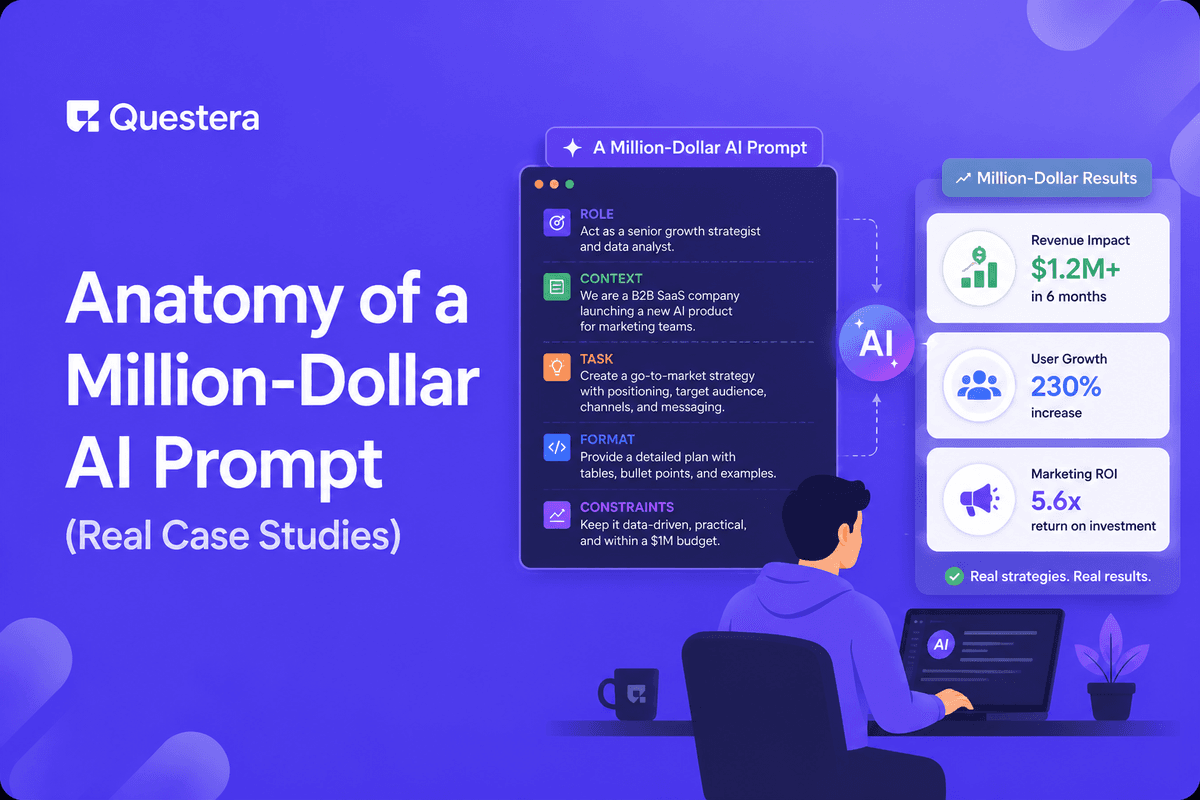
Million-dollar AI prompts share a specific anatomy — they're long, structured, and embedded with concrete reference brands, typed data fields, and explicit success criteria. They're never one-shot magic; they're the first prompt of a 20–40 prompt sequence. This guide dissects four pattern-based prompts behind real $1M+ ARR AI-built apps — what made each one work, where they nearly went wrong, and the specific prompting habits to copy. The prompts that built million-dollar apps aren't clever — they're disciplined.
Got an idea? Build it now!
Just start with a simple Prompt
Get Started Today


Introduction
Million-dollar AI prompts aren't magic incantations. They're not viral one-liners that produce miracles. They're long, structured, deeply specific documents that look more like product specs than prompts. The founders who built $1M+ AI-powered apps in 2025–2026 share a discipline more than a secret — they write prompts the way a senior PM writes a PRD, with every assumption made explicit.
This guide dissects four illustrative case study prompts based on the patterns behind real $1M+ ARR AI-built apps. Specific founders and products are anonymized, but the prompt anatomies are structurally accurate to what consistently works.
What Makes a Prompt "Million-Dollar" Anyway?
The term is shorthand for prompts that consistently produce output that ships real businesses. Not the prompt that wrote the entire app — no prompt does that — but the foundational PRD-style prompt that set the architecture for what became a $1M+ ARR business. Five qualities consistently separate million-dollar prompts from frustrating ones:
- Specificity over generality — Narrow target user, concrete problem, named core action
- Structure over paragraph form — Clearly labeled sections rather than prose dumps
- Concrete references — Named reference brands and hex color codes, not 'modern' or 'clean'
- Typed data fields — Field names with types, not just vibes about what data exists
- Explicit success criteria — Defining what 'done' looks like for the prompt's scope
Case Study 1: The B2B AI Tool Wrapper
Anonymized case based on successful AI tool wrappers serving niche B2B workflows that have crossed $100k+ MRR within 6–12 months of launch. The founder shipped a tool that takes sales call recordings and produces structured output (call summaries, action items, deal-stage updates). The founder wasn't a developer; the entire build ran on Greta.
The Foundational Prompt
"# CallScribe — Product Spec. Target user: B2B SaaS account executives managing 30+ deals at any time, primarily at Series A–C companies in $500–$5k ACV range. They live in Salesforce, hate manual call entry, and lose context between calls."
"Problem: AEs spend 30–45 minutes per call on manual post-call work — typing notes, updating Salesforce, queuing follow-ups, identifying next steps. They skip this 40% of the time, which means pipeline data is wrong by the end of the week."
"Core action: User uploads a call recording. Within 5 minutes, they receive: a structured summary, identified action items with owners, suggested Salesforce field updates, and a draft follow-up email. They review, edit, and one-click sync to Salesforce."
"Data model: User (id uuid, email, company_id, role enum, salesforce_user_id). Call (id uuid, user_id, recording_url, duration_seconds, processed_at, summary text, action_items jsonb, salesforce_synced boolean). Company (id, name, salesforce_instance_url, plan_tier enum). Subscription (id, company_id, stripe_subscription_id, seats int, status)."
"Success criteria: (1) User can upload a call and see results in under 5 minutes. (2) Generated summaries match human-written quality on 80%+ of calls. (3) Salesforce sync writes correctly to standard Opportunity fields. (4) Cost per processed call stays under $0.40 at scale."
What Made This Prompt Work
- Narrow target user — Not 'sales reps' but 'B2B SaaS AEs at Series A–C in $500–$5k ACV.' The specificity drove every other design decision.
- Quantified problem — Not 'sales reps waste time' but '30–45 minutes per call, skipped 40% of the time.'
- Concrete core action — Including the time bound ('within 5 minutes') gave the AI a concrete performance constraint.
- Explicit cost criteria — Naming a target cost-per-call upfront forced caching and API optimization into the architecture from the first prompt.
Case Study 2: The Vertical CRM
Anonymized case based on vertical CRMs that have grown into $20k+ MRR with solo non-developer founders. This founder targeted recruiting agencies in tech and shipped a CRM that handled candidate pipelines, client requirements, placements, and commission tracking — none of which Salesforce or HubSpot did well out of the box.
The Foundational Prompt
"# RecruitFlow — Product Spec. Target user: Solo recruiters and 2–5 person recruiting agencies focused on engineering roles ($80k+ placements). Currently using a mix of Notion, Airtable, and Gmail. Fighting against generic CRMs designed for SDRs, not recruiters."
"Problem: Recruiting workflow doesn't fit a sales-CRM model. Candidates aren't 'leads'; they're long-term relationships. Clients have requirements that change weekly. Placements involve multi-party commission splits."
"Core action: Recruiter views weekly pipeline — open requirements per client, candidates in stage per requirement, next-step actions due this week. One click logs activity, advances stage, or sends candidate to client."
"Data model: Recruiter (id, email, agency_id). Client (id, agency_id, name, contact, industry, contract_terms jsonb). Requirement (id, client_id, title, seniority, comp_min, comp_max, status, urgency). Candidate (id, name, email, linkedin_url, current_company, notes, source). Pipeline (id, candidate_id, requirement_id, stage enum, updated_at, owner_id). Activity (id, pipeline_id, type, content, created_at). Placement (id, pipeline_id, placed_at, fee_amount, commission_split jsonb)."
"Success criteria: (1) Recruiter can log a candidate-to-client submission in under 30 seconds. (2) Weekly pipeline view loads in under 2 seconds with 500+ candidate-stage records. (3) Commission split math handles 3-way splits correctly. (4) Mobile pipeline view works for on-the-go updates."
What Made This Prompt Work
- Industry-specific data model — Requirement and Pipeline tables are recruiting-specific; the field choices reflect deep niche knowledge.
- Concrete performance criteria — 'Logs a submission in under 30 seconds,' '500+ records,' 'under 2 seconds' gave the AI architecture constraints.
- Explicit anti-design direction — 'Avoid overly visual dashboards' kept the AI from defaulting to gradient-heavy SaaS UI.
- Mobile included from day one — Mobile pipeline updates were named in success criteria, ensuring responsive design didn't get retrofitted later.
Case Study 3: The Content-Driven SaaS
Anonymized case based on content-driven SaaS that have reached $50k+ MRR through compounding organic traffic. The founder built a free SEO content brief generator as the marketing surface, then a paid suite for full keyword research, rank tracking, and competitor analysis. The free tool drove all signups; the paid tier was the business.
The Foundational Prompt
"# BriefBuilder — Product Spec. Target user: Solo content marketers and SEO freelancers at agencies, building 5–20 long-form articles per month for B2B SaaS clients. Currently using a mix of Ahrefs, Frase, Surfer, and spreadsheets."
"Problem: SEO content brief generation requires 30–60 minutes per article — pulling keyword research from one tool, competitor analysis from another, SERP data from a third, then assembling into a brief format. The work is mechanical and consumes the day."
"Core actions: (1) Free tool: User enters one target keyword, receives a complete SEO brief in 60 seconds — search intent, related keywords, top 10 SERP analysis, suggested structure, FAQ ideas. (2) Paid suite: keyword research with volume and difficulty, rank tracking, competitor content analysis."
"Success criteria: (1) Free brief generates in 60 seconds. (2) Anonymous users can generate 3 free briefs/month before signup required. (3) Free briefs include enough value that users want to upgrade. (4) Generated briefs are exportable as PDF, Notion, or Google Doc."
What Made This Prompt Work
- Two-part product clearly defined — Free tool and paid suite specified as separate features with their own success criteria.
- SEO-first thinking — The success criteria explicitly tied free tool quality to upgrade rate.
- Concrete API integration — Naming SerpAPI and Claude up front meant the AI architected for them from the start.
- Anonymous browsing — Specifying that anonymous users could try the free tool kept the AI from gating signup before value delivery.
Case Study 4: The Niche Productivity App
Anonymized case based on niche productivity apps that have reached $15k+ MRR with focused audiences. The founder targeted serious recreational athletes (CrossFit, marathon training, climbing) with a tracking app that went beyond consumer fitness apps' surface-level features. Pricing was $29/month, reached MRR within 8 months of launch.
The Foundational Prompt
"# AthleteLog — Product Spec. Target user: Serious recreational athletes ages 25–45 training 5+ days/week — CrossFit competitors, marathon trainers in 16-week programs, climbers training for routes. They are NOT casual fitness app users; they're people who structure life around training."
"Problem: Existing fitness apps (Strava, MyFitnessPal, Apple Fitness) treat training as activity logging. Serious athletes need training load tracking, recovery metric integration, periodization, and weekly summaries that match how coaches think."
"Core actions: (1) Log a workout in under 60 seconds with auto-suggestion from previous workouts. (2) View weekly summary showing volume, intensity, training load (using ACWR formula), recovery markers. (3) See periodization view across 4–16 week training cycles. (4) Sync recovery data from Whoop, Garmin, or Apple Health."
"Data model: User (id, email, sport enum, training_program text). Workout (id, user_id, sport, date, type, duration_minutes, intensity_score, rpe int, notes). Movement (id, workout_id, name, sets, reps, weight_kg, distance_m, duration_seconds). Recovery (id, user_id, date, sleep_hours, hrv int, soreness int, source enum). Cycle (id, user_id, name, start_date, end_date, focus, peak_week int)."
"Success criteria: (1) Workout log entry in under 60 seconds with auto-suggestion. (2) Weekly summary shows ACWR (acute-to-chronic workload ratio) correctly calculated. (3) Recovery sync works automatically once configured. (4) Mobile-first throughout."
What Made This Prompt Work
- Explicit user differentiation — 'NOT casual fitness app users' anchored the AI away from consumer fitness conventions.
- Sport-specific data model — Movement breakdowns, RPE, periodization cycles are athletic terms, not fitness app generic.
- Named the math — ACWR formula in success criteria meant the AI architected for it explicitly.
- Mobile-first declared upfront — Not added at polish phase; named in success criteria from prompt #1.
What the Four Case Studies Share
Looking across the four prompts, six patterns appear consistently — the structural ingredients behind million-dollar AI prompts:
- Length — Each prompt is roughly 400–800 words. Too short and context is lost; too long and focus is diluted.
- Specificity in user definition — None say 'small business owners.' They name target users with multiple specific criteria.
- Problem stated with numbers — '30–45 minutes per call,' '5+ days/week training,' '5–20 articles per month.' Concrete numbers anchor the AI in actual user pain.
- Data model with field types — Every prompt includes typed data fields. Field-level specification is what separates clean schema output from messy iterations.
- Design language with explicit anti-direction — Multiple prompts include what to avoid. Anti-direction works as well as positive direction.
- Success criteria tied to value — Not 'works correctly' but 'logs a workout in 60 seconds,' 'cost per call under $0.40.' Value-tied criteria force the AI to architect for outcomes.
What None of These Prompts Did
- None tried to be one-shot magic — Each was prompt #1 in a 20–40 prompt sequence, not a self-contained miracle.
- None included multiple core features in one prompt — Each named one or two core actions. Other features were layered in later.
- None were 'creative' — Specific direction outperforms creative latitude every time.
- None included implementation details — No 'use React,' no 'set up a Postgres database.' The AI picked appropriate tech given the constraints.
- None over-promised in success criteria — Criteria were ambitious but achievable.
- None skipped failure mode planning — Each had concrete handling for edge cases. Million-dollar apps consider failure modes.
How to Apply These Patterns to Your Own Prompt
- Define your target user the same way — Multiple specific criteria, not categories. 'Series B startup CTOs,' not 'CTOs.'
- Quantify the problem — Find the specific number (time, money, frequency) that captures the pain.
- Name the core action with a time bound — Not 'users can create things' but 'user creates a thing in under 30 seconds.'
- Type your data fields — Field name and type, every time. Skip this and the AI will guess wrong.
- Pick a design reference brand — Not 'modern.' Linear, Notion, Stripe, Vercel — name one and explain why it fits your audience.
- Set success criteria that include performance numbers — 'Loads in under 2 seconds with 500 records,' 'cost per call under $0.40.'
- Include anti-direction — Name what to avoid. 'Not playful,' 'avoid AI-default rounded buttons,' 'no decorative animations.'
- Save this prompt as a template — Every million-dollar prompt becomes the starting point for your next million-dollar prompt.
Common Misconceptions
- 'Million-dollar prompts are short and clever' — Wrong. They're long and disciplined. 400–800 words of specification.
- 'The right prompt produces a full app in one shot' — Wrong. It produces a strong foundation. The next 20–40 prompts execute against it.
- 'You need to be a great writer to write great prompts' — Wrong. You need to be a clear thinker.
- 'The model matters more than the prompt' — Wrong. The same disciplined prompt outperforms the same vague prompt across all frontier models.
- 'Million-dollar prompts use special techniques' — Wrong. They use boring, well-documented techniques applied consistently.
Common Mistakes to Avoid
- Writing paragraphs instead of structured prompts — Paragraph form produces paragraph thinking. Use clearly labeled sections.
- Skipping the data model — Vague schema produces messy iterations. Always type your fields.
- Using 'modern' or 'clean' as design direction — These mean nothing concrete. Use reference brands.
- Naming a tech stack you don't need — Naming React or Next.js when you don't care about implementation constrains the AI unnecessarily.
- Setting unrealistic success criteria — 'Built to handle Twitter scale' breaks the AI's reasoning.
- Forgetting anti-direction — Naming what you don't want is often easier than naming everything you do.
- Not saving prompts that work — Every successful prompt becomes a template for the next project.
Frequently Asked Questions
Are these prompts based on real businesses?
The structures are. Specific founders and product names are anonymized; the structural patterns are consistent with real $1M+ ARR AI-built apps publicly discussed in indie hacker forums and founder case studies through 2025–2026.
How long should a million-dollar prompt be?
Roughly 400–800 words. Shorter loses essential context; longer dilutes focus. The five-ingredient structure naturally lands in this range.
Does the same prompt work across Greta, Lovable, Bolt, and other AI builders?
Yes — the structure transfers cleanly. Specific platforms reward slight adaptations, but the underlying anatomy works across every modern AI app builder.
How do I know if my prompt is at the million-dollar level?
Two signals — the AI produces output close to your intent on the first or second try (rather than 10+ iterations), and the output is consistent. If you're constantly fighting the AI, the prompt probably needs to be sharper.
Should I copy these case study prompts directly?
Use them as patterns, not templates. The structure transfers; the specific products don't. Apply the patterns to your specific project.
Are these prompts for the foundational PRD only or for every prompt?
For the foundational prompt only. Subsequent feature prompts use a different structure — one focused feature per prompt, in dependency order.
What's the single highest-leverage habit from these case studies?
Quantification. The case studies share concrete numbers everywhere — user counts, time bounds, performance targets, cost criteria. Replacing "fast" with "under 2 seconds" is the discipline that makes these prompts work.
Key Takeaways
- Million-dollar AI prompts share an anatomy — long, structured, specific, with typed data fields and explicit success criteria. They're never one-shot magic.
- The four case study patterns (B2B AI tool wrapper, vertical CRM, content-driven SaaS, niche productivity) cover the bulk of $1M+ ARR indie hacker AI-built apps.
- Six structural ingredients appear in every great prompt — specific user definition, quantified problem, typed data fields, named design references, anti-direction, value-tied success criteria.
- The discipline matters more than the cleverness. Million-dollar prompts aren't smart — they're rigorous.
Got an idea? Build it now!
Just start with a simple Prompt
Get Started Today
Ready to be a
10x Marketer?
See it in action



© 2026 Questera
Follow in Google